
Whats going on with LR and PS here

TG.

Suspended / Banned
Messages
6,905
Name
Tel
Edit My Images
No
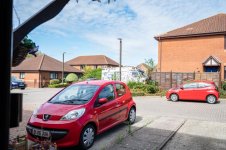
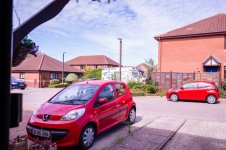
I have recently got a Nikon Z6 II, anyway when I open images in LR, they come out as normal, but then when I right click, and send to PS for editing, when the image opens up, with what I can only describe as a colour cast, so I am trying to find out what exactly, is going on, I have provided 2 images for comparison, the first one is straight from lightroom, and the second one is sent to PS for editing, I have never had anything like this before, with my D750/D850 so I'm a bit flummoxed. Many thanks in advance.
 

Attachments

  • without colourcast 1.jpg
    without colourcast 1.jpg
    101.7 KB · Views: 15
  • With-colour-cast-resized.jpg
    With-colour-cast-resized.jpg
    163.5 KB · Views: 15
I have recently got a Nikon Z6 II, anyway when I open images in LR, they come out as normal, but then when I right click, and send to PS for editing, when the image opens up, with what I can only describe as a colour cast, so I am trying to find out what exactly, is going on, I have provided 2 images for comparison, the first one is straight from lightroom, and the second one is sent to PS for editing, I have never had anything like this before, with my D750/D850 so I'm a bit flummoxed. Many thanks in advance.
Are both programmes using the same colour space?
 
I had this exact same same problem a few weeks ago, tried multiple fixes and nothing worked, in the end I uninstalled and re-installed photoshop and that solved the problem.
 
Are both programmes using the same colour space?
Yes they are, I have my camera set to Adobe, but my cameras, have always been set like that.
 
I had this exact same same problem a few weeks ago, tried multiple fixes and nothing worked, in the end I uninstalled and re-installed photoshop and that solved the problem.

Why do you think that is, it seems very odd
 
Why do you think that is, it seems very odd

Have no idea there was quite a few posts on the adobe forum about it, with many different fixes that worked for some but not for me.
 
  • Like
Reactions: TG.
I would set the camera and both programs to sRGB for an easy life.
I have had similar problems trying to be clever using adobe on Canon
 
I would set the camera and both programs to sRGB for an easy life.
I have had similar problems trying to be clever using adobe on Canon

Yes I will give that a go, just seems odd, never thought of it as being clever, just everyone online, seems to say Adobe or Profoto RGB is the best colour space to set your camera too, I have always had the same settings with no problems on my DSLRs, and now I have a Z6 II it's started playing up, go figure, as they say
 
Forgot to mention I don't have a Z6 but had the same issue with SONY A9. A9II, A7RIV, A7IV and A7IV so don't think its a camera specific issue.
 
  • Like
Reactions: TG.
Forgot to mention I don't have a Z6 but had the same issue with SONY A9. A9II, A7RIV, A7IV and A7IV so don't think its a camera specific issue.

Maybe it's a mirrorless thing. lol
 
Back
Top