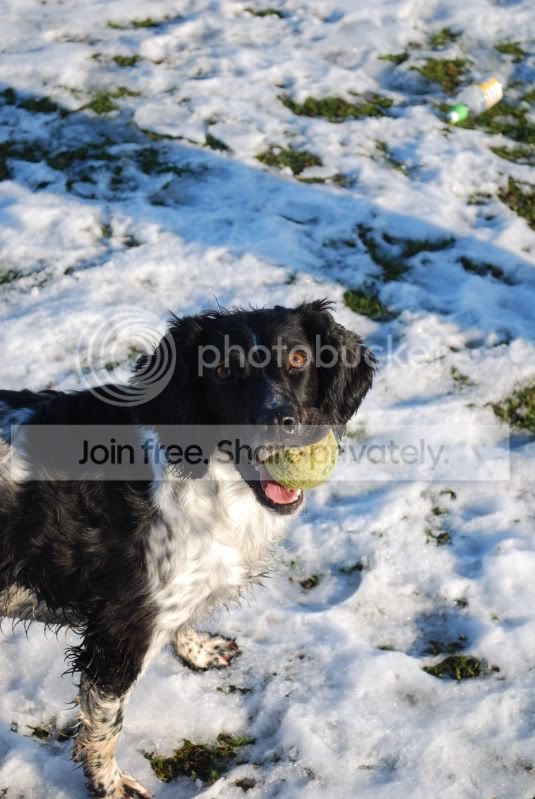
What would you do with these photos to improve them?

TinkerBe1l

Suspended / Banned
Messages
15
Name
Jaime
Edit My Images
Yes
Hi,

I have taken these photos and they haven't been played with when it comes to photoshop, so I was wondering what you guys would do to improve them, as I have no idea.

DSC_0023-1.jpg


DSC_0110.jpg


DSC_0149.jpg


DSC_0121.jpg


DSC_0130.jpg


Thank you for any help :)
 
Just my suggestions

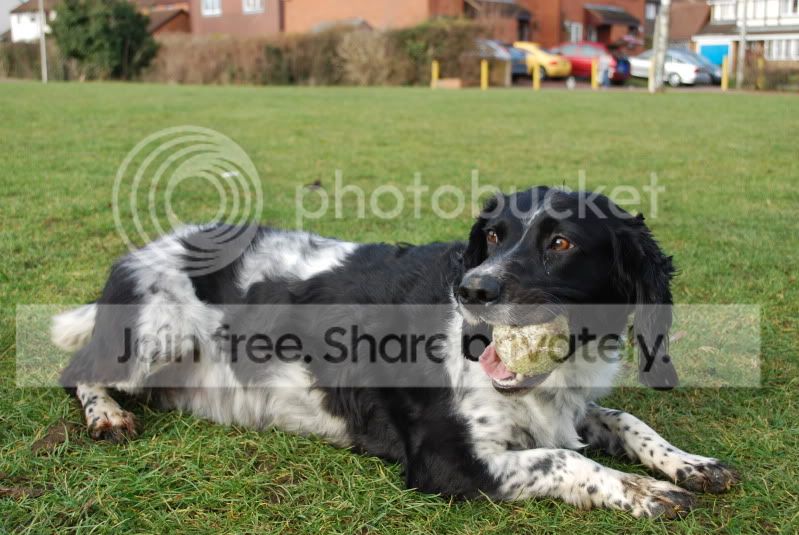
Crop the top one to take out the houses, just leaving grass
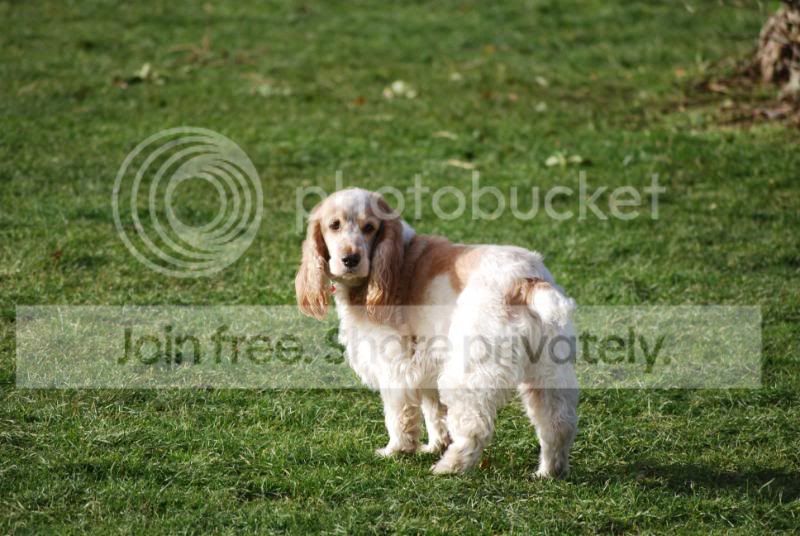
crop the second to portait, too much grass
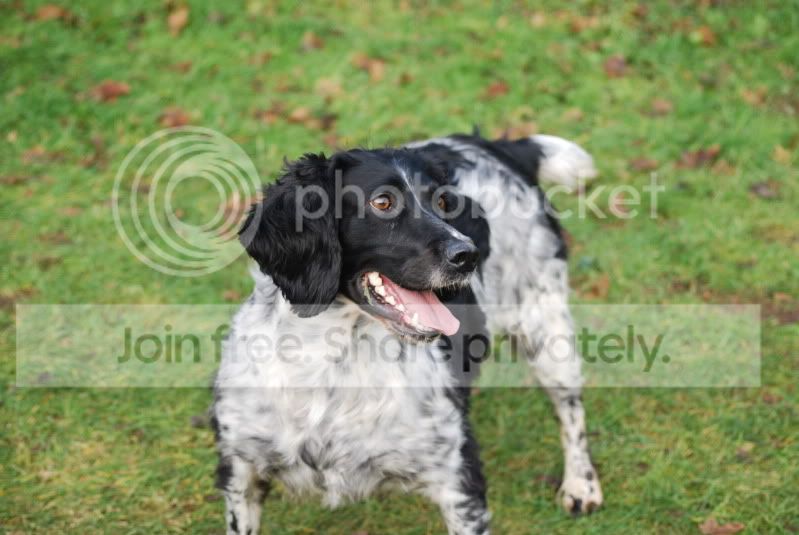
crop the third to remove some of the grass
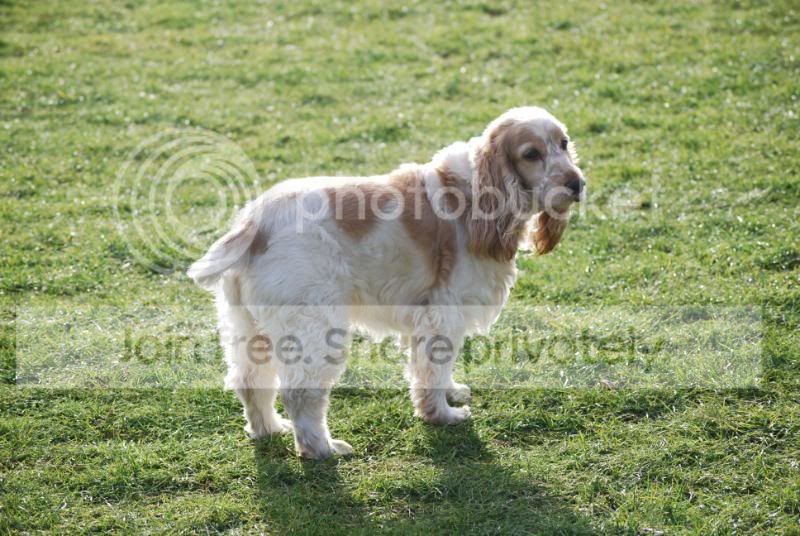
fourth I'd leave alone
fifth, needs a slight +ve exposure tweak


Also in future I'd get down more to the dogs level rather than shoot from above.
Cheers
 
For the black and white dog the main thing would be to crop them tighter, to remove distracting elements and dead space from the scene. Each will need a different crop and aspect ratio, so don't just stick with 3:2 or 2:3.

For the brown and white dog, in all honestly I would hit the delete key. Both have blown highlights in the fur. One looks very soft and the other looks slightly soft. Unlike the pictures of the black and white dog, the eyes of the brown and white dog are practically invisible and do not draw one closer. Because you have the shadow side of the brown and white dog in one of the pictures, apart from the softness, the picture looks flat and dull.

For the future, I would encourage you to get down lower, more on a level with the dog, so that you are not shooting down on top of them. Also, unless you are going for a very tight crop in the first place, it is a shame to just slightly cut off the ends of legs and paws. Normally it is better to leave more space in front of a creature than behind it. To chop off limbs while leaving a great vacant space behind the animal is not the best technique, IMHO. You can always crop them off in post, but if you don't capture them to begin with.......

 
Thanks for the comments :) I will take them on board and try and improve them and improve them when I actually take the photo.
 
Personally, photo 2 has the depth of field too high and the focus not centred on the dog. You've got the grass in the foreground in focus but the dog not. As I'm rapidly learning, there's only so much you can do with Sharpness sliders, if its not in focus to start you can't do too much about it. The depth of field means you are not drawn to the dog, try a much lower stop, e.g. f4. That way you'll have some nice bokeh (blur to you and me) in the background and a sharp dog in the foreground that you're eye is drawn to.

Got to echo the comments above too
 
If your not happy with your photos, get closer, now get a little closer still.

A 50mm f/1.8 will make the world of difference here :suspect:
 
Thanks for all the comments people :) I will be playing around with them and trying to improve my photos for the future.
 
If your not happy with your photos, get closer, now get a little closer still.

A 50mm f/1.8 will make the world of difference here :suspect:

Personally I would not be bowled over by a 50mm focal length. For my tastes it is pretty wide for doing "portraits" of smallish subjects like dogs. I like a longer focal length to tighten the field of view and exclude distracting elements from the background. Here is a breakdown of the focal lengths I used for photographing my own dog....

20100201_131331.JPG


It is surely no coincidence that 400mm stands out as the favourite (the long end of my 100-400) with 200mm coming in second place (the long end of my 70-200) and 85mm (my 85/1.8) bringing up the rear. Other focal lengths barely get a look in.

Results here, including a few cameraphone and compact snapshots - Zippy

I did take five shots with my 50/1.4 but that is not because I wanted to use that focal length. It's because I was forcing myself to use that lens. Of course, it's my preference to use longer focal lengths. 50mm may be just fine for other people. ;)
 
Back
Top