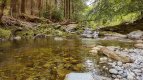
What to do with images like this?

paulca

Suspended / Banned
Messages
95
Name
Paul Campbell
Edit My Images
Yes
I opened it in RawTherapee (Lightroom clone) and completely went blank. Other than a click or two of vibrancy maybe?

I'm very new to this, so I'm looking for ideas just.

Anyone wanna have a crack at it?
It's from a panning burst, so if you think a slightly different compo is needed, I can sorta do that.
IMG_20210616_130321313_BURST000_COVER.jpg

Cheers
Paul

IMG_20210616_130321313_BURST000_COVER.jpg
 
I can't see any particular edits that would change this significantly. I don't like composition, namely all that gravel in the whole lower right quarter that does absolutely nothing at all. It doesn't help the sky is blown out. Different image, different composition, different time of day and we are hopefully back in the business.
 
Thank you for being honest at least :)

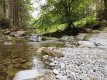
What about this angle? I excluded it because it has some plastic litter in it and a van.

I had to put it on Imgur.

 
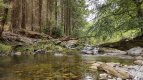
I did a little cloning and cropping in Lightroom, a few tweaks to colour balance & a split tone to warm shadows/cool highlights etc. If it had been mine I'd have tried to go closer to the water to avoid that large rock on the left and the other in the middle if possible, also tried some shots from lower down.
Not my photo no CR--4.jpg


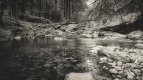
And then there's mono....
Not my photo no CR-.jpg

Cropping off the bottom also works OK, possibly better than the first without any close rocks at the bottom, and leaving it cooler isn't bad either.
Not my photo no CR--2.jpg
 
Last edited:
I did a little cloning and cropping in Lightroom, a few tweaks to colour balance & a split tone to warm shadows/cool highlights etc. If it had been mine I'd have tried to go closer to the water to avoid that large rock on the left and the other in the middle if possible, also tried some shots from lower down.

Lovely. I need to learn the actually editing, cloning etc better. Every time I do it, I can see it sticking out like a sore thumb.

I agree, in hindsight, by putting the camera right down to the water so the foreground was through to water to the bottom rocks and/or reflection.

Anyway, learning my way forward.
 
Lovely. I need to learn the actually editing, cloning etc better. Every time I do it, I can see it sticking out like a sore thumb.

I agree, in hindsight, by putting the camera right down to the water so the foreground was through to water to the bottom rocks and/or reflection.

Anyway, learning my way forward.

Never be afraid to experiment.

When it comes to cloning, never do more than you must, even though sometimes one can take liberties like above. Lightroom has a 'content aware' clone tool that seems to get it wrong about a third of the time in skies and more than 50% of the time in more complex areas. OTOH if you don't like the area it chose then move the selection bubble about until you find a more sensible area and try both the clone and heal versions of the tool.
 
I'm not sure I can stretch to Adobe cloud stuff. I'm using the free/open source suite. I have to investigate what exists for Gimp. However I suspect that "some" of the AI features are cloud only for any software.

On experimenting with things. I had the drone with me. Used it to film my daughter and got some lovely video. But it provides hard to obtain angles. Like taking a shot from the middle the river at 10cm, or from up the tree canopy looking down. I managed to have a maximum altitude of 12 feet that day. I completely forgot to take photos with it.

This is why I think I should write stuff down, ideas and stuff so I actually remember to try these things out in the field.
 
Hi Paul, GIMP has excellent cloning capabilities. If you want to go 'free' then I'd recommend Darktable or Raw Therapee for raw processing, DigiKam also for processing and cataloging, GIMP for serious pixel-level digital manipulation (but not image processing). Your camera maker may also offer processing software free of charge.
 
Back
Top