For the past siz months or so, something has been slowing down my PC, making it nearly impossible to browse. When I open up task manager, the disc space is at 100%. There is something called Antimalware Executive which is taking up far too much space, what is this and how do I get rid of it?

and help to keep the site free for all
You are using an out of date browser. It may not display this or other websites correctly.
You should upgrade or use an alternative browser.
You should upgrade or use an alternative browser.
What is slowing my PC
- Thread starter andya700
- Start date

Box Brownie
Suspended / Banned
- Messages
- 17,645
- Edit My Images
- No
Firstly as @Brazo says......more details required IMO including the specs on the PC.For the past siz months or so, something has been slowing down my PC, making it nearly impossible to browse. When I open up task manager, the disc space is at 100%. There is something called Antimalware Executive which is taking up far too much space, what is this and how do I get rid of it?
Having said that I found this guide about some aspects of it
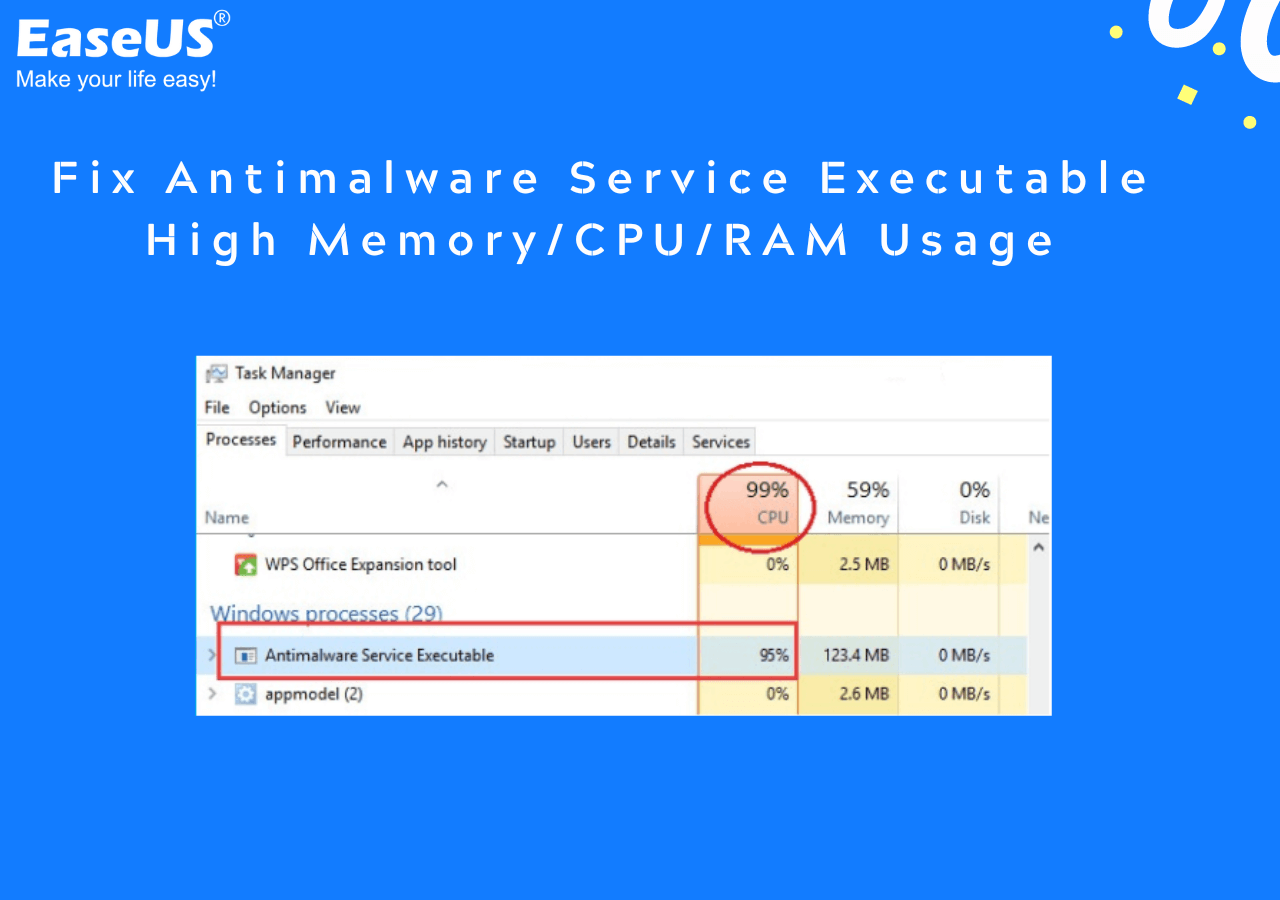
[Solved] Antimalware Service Executable High Memory/Disk Windows 11/10 2023
The Antimalware Service Executable (Msmpeng.exe) process is part of Windows Defender, a default antivirus program on Windows 11/10 and Windows 8. In this tutorial, you will learn a few effective ways to solve antimalware service executable high memory, high disk, or high CPU usage problem.
Plus, at least one search revealed that there are 'barstewards' that create malware that masquerades as the genuine Windows component 'Antimalware Executive' but that likely reveals itself as two iterations of that process name showing on Task Manager.
onomatopoeia
Suspended / Banned
- Messages
- 4,430
- Name
- Mark
- Edit My Images
- Yes
If the disk is full, which "disk space 100%" suggests, then any operating system will grind to a halt.
If your disk full, or is the 100% the amount of data being moved to and from it?
If it's not full you may wish to run a virus scan using (for example) Malware bytes, which can be run standalone.
If your disk full, or is the 100% the amount of data being moved to and from it?
If it's not full you may wish to run a virus scan using (for example) Malware bytes, which can be run standalone.
Let me try to explain this better.
For the first twenty minutes I could not get to any sites through the browser and in Task Manager the CPU was showing 90%, the Disk arouind 40%, then the figures swapped to CPU 20% and Disk 90% to 100%.
At the moment the figures are CPU 5% and Disk 2%.
The Antimalware Service Executable was showing 550MB and is now showing 149MB.
For the first twenty minutes I could not get to any sites through the browser and in Task Manager the CPU was showing 90%, the Disk arouind 40%, then the figures swapped to CPU 20% and Disk 90% to 100%.
At the moment the figures are CPU 5% and Disk 2%.
The Antimalware Service Executable was showing 550MB and is now showing 149MB.
Box Brownie
Suspended / Banned
- Messages
- 17,645
- Edit My Images
- No
In task manager they are showing % activity and in the case of disk that is access % including the dynamic use of the 'page file'.Let me try to explain this better.
For the first twenty minutes I could not get to any sites through the browser and in Task Manager the CPU was showing 90%, the Disk arouind 40%, then the figures swapped to CPU 20% and Disk 90% to 100%.
At the moment the figures are CPU 5% and Disk 2%.
The Antimalware Service Executable was showing 550MB and is now showing 149MB.
In Windows explorer what is the disk capacity and of that how much is free space? It is possible your HHD is very full and no longer has sufficient space for page file functioning. That will really bog down a PC big time

When in Task Manager under the processes tab is there only one iteration of the Antimalware Service? If as I mentioned finding above there is more than one, that appears to be indicative of being infected
 and yes as @onomatopoeia says you need to run AV and other checks like Malwarebytes to find and clean any malicious agents.
Last edited:

Hogboy
Suspended / Banned
- Messages
- 528
- Name
- Ian
- Edit My Images
- No
Seems to be a fix here https://www.freecodecamp.org/news/w...ice-executable-why-is-it-high-cpu-disk-usage/
onomatopoeia
Suspended / Banned
- Messages
- 4,430
- Name
- Mark
- Edit My Images
- Yes
One thing to note is that following any update to windows, the built in AV will rescan every file that has been updated and if system performance is already marginal on older hardware this will make it much , much slower until that scan is complete.Let me try to explain this better.
For the first twenty minutes I could not get to any sites through the browser and in Task Manager the CPU was showing 90%, the Disk arouind 40%, then the figures swapped to CPU 20% and Disk 90% to 100%.
At the moment the figures are CPU 5% and Disk 2%.
The Antimalware Service Executable was showing 550MB and is now showing 149MB.
I've seen this before multiple times, people just turn the computer off as it is slow and then when they try it again later it is inevitably still slow, and if it never gets to finish then another update comes in, the cycle continues.

Brazo
Suspended / Banned
- Messages
- 3,687
- Name
- Mark
- Edit My Images
- Yes
A picture tells a thousand wordsLet me try to explain this better.
For the first twenty minutes I could not get to any sites through the browser and in Task Manager the CPU was showing 90%, the Disk arouind 40%, then the figures swapped to CPU 20% and Disk 90% to 100%.
At the moment the figures are CPU 5% and Disk 2%.
The Antimalware Service Executable was showing 550MB and is now showing 149MB.

And as @Box Brownie said pc specs too
AndrewFlannigan
Suspended / Banned
- Messages
- 11,977
- Edit My Images
- No
This page shows the performance information available from Windows 10 and how to interpret it: https://www.techrepublic.com/article/how-to-use-task-manager-to-monitor-windows-10s-performance/
May be a good place to start.
May be a good place to start.

Suvv
Suspended / Banned
- Messages
- 2,955
- Name
- Kev
- Edit My Images
- No
Have a look at this thread https://www.talkphotography.co.uk/threads/not-responding.740654/#post-9186449 in particular my posts #13 and #14