

sduk
Suspended / Banned
- Messages
- 1,005
- Name
- Sammy
- Edit My Images
- Yes
Last night I was out shooting with my A77 and 50mm f1.8 lens.
Today I am editing and I have found a strange line across one of the images. I shot it in RAW and it seems to be the only image with the line on it.
It didn't show on the camera preview or the thumbnail on the PC. Just when I open the RAW file for editing in photoshop.
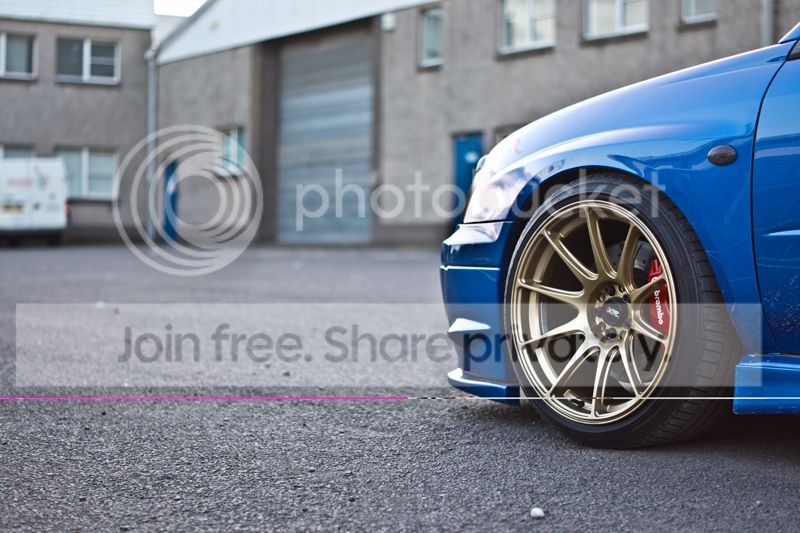
Anyone know what would have caused this? Some sort of corrupted RAW file?
I took several shots at this angle so nothing lost but was just curious as to what caused it.
Sammy
Today I am editing and I have found a strange line across one of the images. I shot it in RAW and it seems to be the only image with the line on it.
It didn't show on the camera preview or the thumbnail on the PC. Just when I open the RAW file for editing in photoshop.

Anyone know what would have caused this? Some sort of corrupted RAW file?
I took several shots at this angle so nothing lost but was just curious as to what caused it.
Sammy


