

W10 help needed

Yardbent

Suspended / Banned
Messages
7,761
Name
John
Edit My Images
Yes
I run SuperAntiSpyware Pro every day (as well as MBAM Premium)

the SAS scan time is getting longer and longer and............
and the 'progress' bar hangs when scanning this file
.
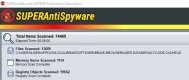
Spyware hangs here.jpg

burrowing down to the JS folder ...it has 110,168 items . 99% of which are 1kb

what are they ..?

can they be deleted...?
 
AFAIK when you see the 'report' list after the scan they should all be cookies (well, they are in my case).

But do note, if all are cookies, if you let SAS delete them all that will include all website password based cookies.....i.e. you will have to login again to the likes of TP ;)

It is a pity that SAS cannot discriminate and only show advertising and such coookies :(
 
AFAIK when you see the 'report' list after the scan they should all be cookies (well, they are in my case)......

computer luddite here

is the js folder all the detected cookies then.....?
the SAS scan took 45mins this morning -- and thus affects the performance after i boot up..?

should i set SAS to run only once a day maybe instead of every two hours..?
 
Re: JS Folder none too sure but sounds like that is one of the hidden System folders ???

Re: how often to run SAS ~ I only ever use it as needed. The only protection I have running in the background is the Anti Virus and Internet Security program.

Ooops! just realised the specific mention that you made ~ Brave Software is a browser based on Google Chrome................I know nowt of that browser and maybe some other TPers who use it can advise.

FWIW I use Chrome and as needed Internet Explorer 11, why did you pick Brave as your browser?
 
But do note, if all are cookies, if you let SAS delete them...............


my SAS says ''all clear - no problems'''' at the end of the scan ....yet the js folder keeps building up
 
FWIW I use Chrome and as needed Internet Explorer 11, why did you pick Brave as your browser?.....

from https://www.theverge.com/

''... Brave is based on Chromium, and so are other viable alternatives like Vivaldi, Opera, and soon even Microsoft’s Edge. That means each of those browsers supports Chrome extensions and provides performance comparable to — or, in the case of Brave, faster than — Google’s Chrome. ..''
 
my SAS says ''all clear - no problems'''' at the end of the scan ....yet the js folder keeps building up
Hmmm!
Hopefully there is a Brave user hereabouts who can explain the way it can be setup to trim the files held in that folder....is possible???

PS maybe have gander around their community forum? https://community.brave.com/
 
I am not familiar with Brave Browser but I would guess its where your browser stores JavaScript's downloaded form the web as you browse. Check the privacy and security options to clear stored data.
As for scanning, once a week should be OK unless your paranoid in which case I would suggest once a day before closing down.
 
I am not familiar with Brave Browser but I would guess its where your browser stores JavaScript's downloaded form the web as you browse. Check the privacy and security options to clear stored data.

Yeah it looks like that's what it is. I'd be tempted to delete everything in that folder. It's only a cache. Looks like Brave isn't very good at cleaning up after itself.

100k script files will take a long time to scan :)
 
I have been using Brave for a while now. The latest Ccleaner works on Brave now too.
 
Yeah it looks like that's what it is. I'd be tempted to delete everything in that folder. It's only a cache. Looks like Brave isn't very good at cleaning up after itself.
100k script files will take a long time to scan :)...............

thanks
OK - I'll do a Restore Point and delete the cache contents. will report
 
Back
Top