Use of Lee Filter (Big and Little Stopper)

Arno1405

Suspended / Banned
Messages
79
Name
Arnaud
Edit My Images
Yes
Dear all,

If you have read my previous thread I just decided to upgrade my filter to the Lee ones (Big and Little stopper) - I have not yet bought the 105mm polariser but it is in the near future plans.
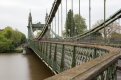
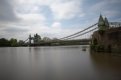
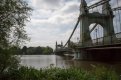
This weekend I have been trying to use it during some morning shoot around the Hammersmith Bridge area.

My method (working on Manual mode):
1 - Find the subject
2 - Get the tripod set up
3 - Plug my remote control
4 - Focus my camera to the subject
5 - Switch to Manual Focus
6 - Put the Filter holder with the Bog Stopper 10 Stops
7 - Looking into the viewfinder to align my correct exposure. (Which BTW change every second especially if clouds are moving!)
8 - Take the picture with the remote control (mostly less than 30 Seconds)

I managed to get some decent pictures but fairly dark for a first trial but nothing great. I need far more trials for sure.

In order to get some even better 'running clouds' I wanted to use the same methodology but combing both Big (10 Stops) and Little Stopper (6 Stops)
Following the same steps but with 16 stops, the exposure (according to the view finder) is correct...
The result: Black picture... Not a pinch black but very very dark.
Analysis: Not enough light...

What I am doing wrong? If the exposure is correct in the view finder... how come I get black pictures?
Should I use any apps (I know Lee has an app that since I download to calculate the appropriate exposure) or calculation to calculate my seconds (using the Bulb mode I suppose)
How come it is very dark if the exposure in the viewfinder is saying correct?

Thanks for your help

Arno
PS: I will post a pic or two that I have manage to take just to show you the first trials
 
I suspect that having 16 stops worth of filter on the lens prevents the camera's light meter from being anything close to accurate.

Normal usage (for me at least) is to check the exposure without filters and then increase the exposure time based on the filters you subsequently install. Over time you might see that your 10 stop filter is only 9 stops and you can make allowances to your future calculations.

Bob
 
Normal usage (for me at least) is to check the exposure without filters and then increase the exposure time based on the filters you subsequently install. Over time you might see that your 10 stop filter is only 9 stops and you can make allowances to your future calculations.
Bob

Thank you so much for your quick reply.

How do you increase the exposure time based on the filters I installed?
Any guidance rules that you apply?
 
There is an app by Lee filters to calculate exposure time. Also I thought the filters came with an exposure calculation card?

From demo videos on YouTube I have seen of people using the Lee filters you get an exposure without filter, switch to manual and then just adjust the exposure time to what the app/filter card says
 
Last edited:
How do you increase the exposure time based on the filters I installed?
Any guidance rules that you apply?
1 stop doubles the exposure time (if aperture and iso are to remain the same). 2 stops doubles it again (ie, 4x the original time), 3 dstops doubles again (ie, 8x the original time) and so on and so on.

It helps to have a quick chart showing the unfiltered exposure time and the corresponding times needed for various filter combinations.

Bob
 
I firstly use the camera in aperture priority mode to allow the camera to meter the correct exposure without a filter, I check this shutter speed against the app to gain the adjusted shutter speed with the filter on and then set the camera up using these 'adjusted' exposure values in manual mode.

Whilst the exposure of the unfiltered images may change when you are metering it, over the length of time the shutter will be open for with the filter in place it won't make too much difference. With a long exposure in several minutes the light conditions are going to change so it's partly a guess of a correct exposure with long exposures.

A camera won't meter correctly with the filter in place so you have to meter without it and manually adjust the exposure.
 
There is an app by Lee filters to calculate exposure time. Also I thought the filters came with an exposure calculation card?

From demo videos on YouTube I have seen of people using the Lee filters you get an exposure without filter, switch to manual and then just adjust the exposure time to what the app/filter card says

Thanks for this help
The filter came with exposure card, but I did it stops at 10 stops...
Just downloaded the app. That will hep for sure
there are 6 stops, 10 stops and 15 stops conversion so it will be perfect as a help.


1 stop doubles the exposure time (if aperture and iso are to remain the same). 2 stops doubles it again (ie, 4x the original time), 3 dstops doubles again (ie, 8x the original time) and so on and so on.

It helps to have a quick chart showing the unfiltered exposure time and the corresponding times needed for various filter combinations.

Bob
Thanks will try this weekend when I am around Greenwich area on Saturday


I firstly use the camera in aperture priority mode to allow the camera to meter the correct exposure without a filter, I check this shutter speed against the app to gain the adjusted shutter speed with the filter on and then set the camera up using these 'adjusted' exposure values in manual mode.

Whilst the exposure of the unfiltered images may change when you are metering it, over the length of time the shutter will be open for with the filter in place it won't make too much difference. With a long exposure in several minutes the light conditions are going to change so it's partly a guess of a correct exposure with long exposures.

A camera won't meter correctly with the filter in place so you have to meter without it and manually adjust the exposure.

I will definitely try this method too.

Thanks all for your help

I LOVE THIS BLOG... THANKS ALL
 
Also I suggest (if you don't do it already) that you shoot in raw........it's normal to have to alter the colour temperature when you use the stoppers, and it's easy in raw.

George.
 
Hi George,
I do shoot in RAW...
Thanks so much for taking the time to reply


...as I thought!!......well then I suspect you may have to play with the colour temp then, I always do!

Bit of a question of "suck it and see"!!!

George
 
Arno,
Another important thing to remember (it's often overlooked) is to blank off your camera viewfinder when taking long exposures. You can use the rubber blanking plate that is attached to the Canon strap or a cloth (anything really). This prevents light leaking into the sensor chamber thus ruining the resulting image.

Andy
 
Arno,
Another important thing to remember (it's often overlooked) is to blank off your camera viewfinder when taking long exposures. You can use the rubber blanking plate that is attached to the Canon strap or a cloth (anything really). This prevents light leaking into the sensor chamber thus ruining the resulting image.

Andy

Really...!
OMG... I don't know where is the Canon strap... I have the BlackRapid one which I adore.
I oddest use it during long exposure of course...
 
Last edited:
It's also worth considering using the Stoppers with an ND grad to balance out the exposure in the skies. You could take two exposures and blend but this will slow you down quite a bit when using the Stoppers.

My Big Stopper is closer to an 11 stop filter so I use an app called NDTimer which allows you to vary the filter strength in 1/3rd stop increments so you get a more accurate exposure time.
 
Certainly a good suggestion to use a grad filter on a scene like this, those clouds are very bright compared to the foreground.
The main culprit for your under exposure though is going to be the light entering through the viewfinder throwing out the meter reading.
To see how much difference it makes, stick the camera in Aperture Priority mode, take a reading, then stick your thumb over the viewfinder and take another reading and see how much longer an exposure it gives you, can be up to a 1/3rd longer, depending on conditions.
This is only really noticeable when using dark filters of 6 stops or higher, below that it is not so important , but can make a slight difference.
Best practise as stated by most above is to take your reading, then calculate the exposure time with the filter. If using a grad filter, take your base reading with the grad in place, may seem obvious to some, but surprising how many forget.
 
It's also worth considering using the Stoppers with an ND grad to balance out the exposure in the skies. You could take two exposures and blend but this will slow you down quite a bit when using the Stoppers.

My Big Stopper is closer to an 11 stop filter so I use an app called NDTimer which allows you to vary the filter strength in 1/3rd stop increments so you get a more accurate exposure time.

Thank you for that suggestion.
I will make sure I download this app.

Don't forget to turn off any lens stabilisation its easy to forget :D
:( I never stop this stabilisation... I will try without tonight...

Certainly a good suggestion to use a grad filter on a scene like this, those clouds are very bright compared to the foreground.
The main culprit for your under exposure though is going to be the light entering through the viewfinder throwing out the meter reading.
To see how much difference it makes, stick the camera in Aperture Priority mode, take a reading, then stick your thumb over the viewfinder and take another reading and see how much longer an exposure it gives you, can be up to a 1/3rd longer, depending on conditions.
This is only really noticeable when using dark filters of 6 stops or higher, below that it is not so important , but can make a slight difference.
Best practise as stated by most above is to take your reading, then calculate the exposure time with the filter. If using a grad filter, take your base reading with the grad in place, may seem obvious to some, but surprising how many forget.

I have not yet bought any grad filter yet... but it is in the investment plan... after the polariser 105mm from Lee
Thanks for that suggestion.

At the end of the week end I will post new picture... hopefully better than the ones from last weekend
 
Arno,
Another important thing to remember (it's often overlooked) is to blank off your camera viewfinder when taking long exposures. You can use the rubber blanking plate that is attached to the Canon strap or a cloth (anything really). This prevents light leaking into the sensor chamber thus ruining the resulting image.

Andy

Andy,

I have found my Canon Strap and this weekend, i will use it.
thanks again
 
Back
Top