USB 3.0, 3.1 and Thuberbolt 3 - getting the most out of an external SSD

gilbouk

Suspended / Banned
Messages
3,527
Name
Gil
Edit My Images
Yes
Just trying to figure out how to gain best speeds with an external SSD and a Thunderbolt 3 port.

Currently I use my Samsung EVO SSD in a UGreen caddy which has a USB-C to USB-A cable which plugs directly into my USB 3.0 Port on my MacBook Pro 2015. As I understand the maximum speed I could attain using this would be 5Gbps.

Using the same caddy - if I were to purchase a USB-C to USB-C cable and use the SSD connected to a Thunderbolt 3 port on a MacBook Pro - the maximum speed I could attain via USB 3.1 would be 10Gbs - double the speed.

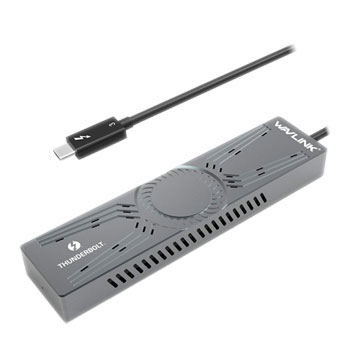
Is there such a caddy that would give me benefits Thunderbolt 3 of 40Gbs, as apposed to USB 3.1 speeds, or is that beyond the scope of the SSD?
 
you will be limited with the speed of the SSD, say 450-550 Mbs
see here for more info on transfer speeds and cables.
LINKY
Thanks Paul, looks like there probably wouldn't even be much difference between USB 3.0 and USB 3.1 given the max speed of the SSD
 
you will be limited with the speed of the SSD, say 450-550 Mbs
see here for more info on transfer speeds and cables.
LINKY
Except that you've confused bits and bytes as it should really be MB/s which is eight times as fast.

Gil, your main limitation is the SATA interface between the drive and caddy. This will be 600MB/s or 4800Mb/s so, you're right, there's no point having a faster interface than 5Gb/s but it's much closer than you thought.
 
Last edited:
A few things to clarify:

Samsung EVO line up does include the 970 and 960 Evo, which are NVMe drives and capable of maxing out 10 Gbps USB. The 800 series are SATA and is limited to theoretical max of 600 MB/s.

USB 3.0 and 3.1 are both 5 Gbps, functionally identical. USB 3.2 gen 1 is a rebrand of 3.1. USB 3.2 gen 2 is 10 Gbps. Finally there is USB 3.2 gen 2 2x2, which is 20 Gbps by doubling data lanes. (blame USB consortium for confusing names) Thunderbolt 3 is said to be capable of 10 Gbps speed in USB mode, as you've correctly pointed out.

Thunderbolt 3 also allows PCIe 3.0 4x lane data transfer. If you have bought NVMe SSD noted above, you can buy a NVMe to thunderbolt enclosure to gain maximum speed the SSD is capable of, over 3000 MB/s read/write on a good SSD. Eg. my Corsair MP510 1TB can do 3500/3000 MB/s read/write.
Unfortunately they are rather expensive....
 
A few things to clarify:

Samsung EVO line up does include the 970 and 960 Evo, which are NVMe drives and capable of maxing out 10 Gbps USB. The 800 series are SATA and is limited to theoretical max of 600 MB/s.

USB 3.0 and 3.1 are both 5 Gbps, functionally identical. USB 3.2 gen 1 is a rebrand of 3.1. USB 3.2 gen 2 is 10 Gbps. Finally there is USB 3.2 gen 2 2x2, which is 20 Gbps by doubling data lanes. (blame USB consortium for confusing names) Thunderbolt 3 is said to be capable of 10 Gbps speed in USB mode, as you've correctly pointed out.

Thunderbolt 3 also allows PCIe 3.0 4x lane data transfer. If you have bought NVMe SSD noted above, you can buy a NVMe to thunderbolt enclosure to gain maximum speed the SSD is capable of, over 3000 MB/s read/write on a good SSD. Eg. my Corsair MP510 1TB can do 3500/3000 MB/s read/write.
Unfortunately they are rather expensive....

Thanks very much for the info!! Rather than purchasing USB-A to C adaptors I'll probably invest in some new USB-C to USB-C cables. Only need 20cm leads though or similarly short, and can't find any of the usual brands I'd go for. Any recommendations on a decent USB-C to USB-C data cable cable? I'll probably leave the faster SSDs for now :-) - for what I need, I'll make do with my Samsung 860 EVOs
 
Thanks very much for the info!! Rather than purchasing USB-A to C adaptors I'll probably invest in some new USB-C to USB-C cables. Only need 20cm leads though or similarly short, and can't find any of the usual brands I'd go for. Any recommendations on a decent USB-C to USB-C data cable cable? I'll probably leave the faster SSDs for now :) - for what I need, I'll make do with my Samsung 860 EVOs

Been having trouble finding USB-C to USB-C cable that will achieve USB 3.0 or USB 3.1 speeds. They all seem to be painfully slow with my Ugreen enclosures. As soon as you swap out the USB-C to USB-C cable for the USB-C to USB-A cable supplied and use a USB-A to USB-C adaptor, the speeds are much more in line with expectation of USB 3,0.

Having looked for alternative USB-C to USB-C cables, it appears I'm not the only one being disappointed with speeds when connected via the Thunderbolt 3 ports on my Macbook Pro. Lots of cables have reviews from people with similar issues. Wondered if anybody has had good experience with a particular USB-C to USB-C cable? I would just stick to the USB-A to USB-C adaptors however I'm finding it hit and miss whether the SSD is detected, so it sometimes required 3 attempts to connect my SSD to get it to register. I have 3 enclosures and it's the same for them all.
 
I have recently bought a USB 3.2 gen2 10Gbps M.2 NVMe drive case, with it came 2 very short cables, USB-C to -C and another USB-A to -C. Both can manage 10Gbps on my computer USB 3.2 10Gbps ports.

But same as you, none of my other existing USB-C cables can achieve this speed. Most are just USB 2 speeds.

I've ordered an UGreen extension cable to bring out the port from back of my computer, I hear they are as well regarded as Anker.
 
I have recently bought a USB 3.2 gen2 10Gbps M.2 NVMe drive case, with it came 2 very short cables, USB-C to -C and another USB-A to -C. Both can manage 10Gbps on my computer USB 3.2 10Gbps ports.

But same as you, none of my other existing USB-C cables can achieve this speed. Most are just USB 2 speeds.

I've ordered an UGreen extension cable to bring out the port from back of my computer, I hear they are as well regarded as Anker.

let me know how you get on with transfer speeds with your extension :)
 
USB 4.0 is coming and that will finally give TB3 performance at sensible prices and make it widely available. Sadly you will need a new hardware for it, unless you already have TB3 (I think they should be cross-compatible?)
 
let me know how you get on with transfer speeds with your extension :)
I forgot to post update here. The extension cable arrived but didn't work reliably.

Wisdom from computer hardware forum suggests if you want the most capable cable, you will need to search for a full 40 Gbps Thunderbolt 3 cable, that cable can do everything.
 
I forgot to post update here. The extension cable arrived but didn't work reliably.

Wisdom from computer hardware forum suggests if you want the most capable cable, you will need to search for a full 40 Gbps Thunderbolt 3 cable, that cable can do everything.

I’ve found that my caddys will only work with usb-c to usb-a cable supplied and not with any usb-c to usb-c cables for some reason. For now I’m just going to stick to using the supplied cable with a usb-A to usb-c adaptor by Nonda and settle for marginally slower speeds
 
Back
Top