Rob687
Suspended / Banned
- Messages
- 10
- Name
- Rob
- Edit My Images
- Yes
Hey all,
I'm looking for some advice on how i can enhance certain areas/details in Lightroom v3.5.
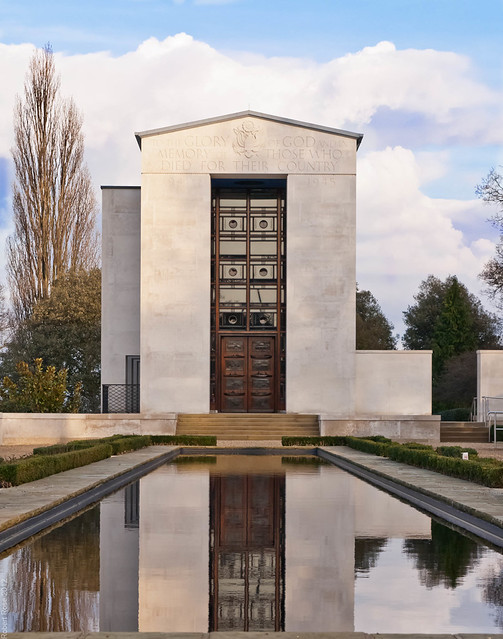
I'm happy with the overall look and composition of the below picture but the sky, as pointed out by another member, is lacking in detail and looks a bit watery. Any tips on how i can bring some more detail into the sky and enhance the look of the shot
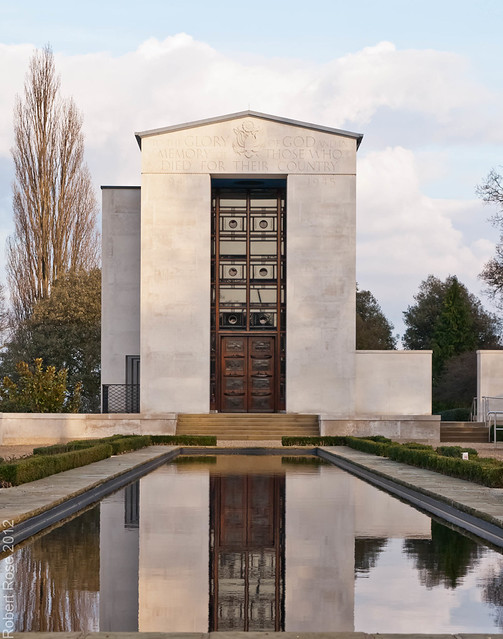
I'll also post up this shot, which i'm pretty happy with. I'd just like to get some thoughts on how i'm processing and editing my pics.

Thanks in advance
I'm looking for some advice on how i can enhance certain areas/details in Lightroom v3.5.
I'm happy with the overall look and composition of the below picture but the sky, as pointed out by another member, is lacking in detail and looks a bit watery. Any tips on how i can bring some more detail into the sky and enhance the look of the shot
I'll also post up this shot, which i'm pretty happy with. I'd just like to get some thoughts on how i'm processing and editing my pics.
Thanks in advance


 I took your advice and fettled the HSL levels and played with Garry's tip using the clarity brush to push that up! I ended up with this.