Kev M
Suspended / Banned
- Messages
- 4,347
- Name
- You can call me Sir.
- Edit My Images
- Yes
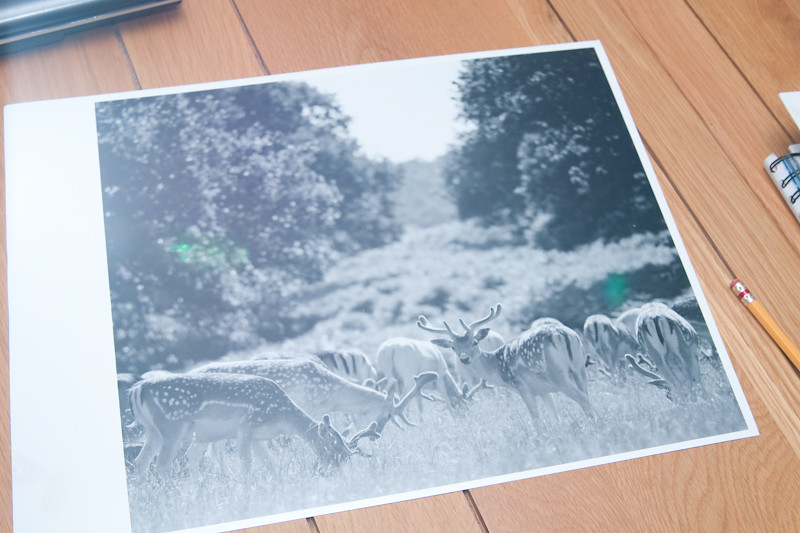
I was hoping that I might be ale to make a couple of prints worth mounting and putting into the local club competition. I'd finished with my test strips and made what I'd hoped would be the final print, as it was drying I noticed a problem.
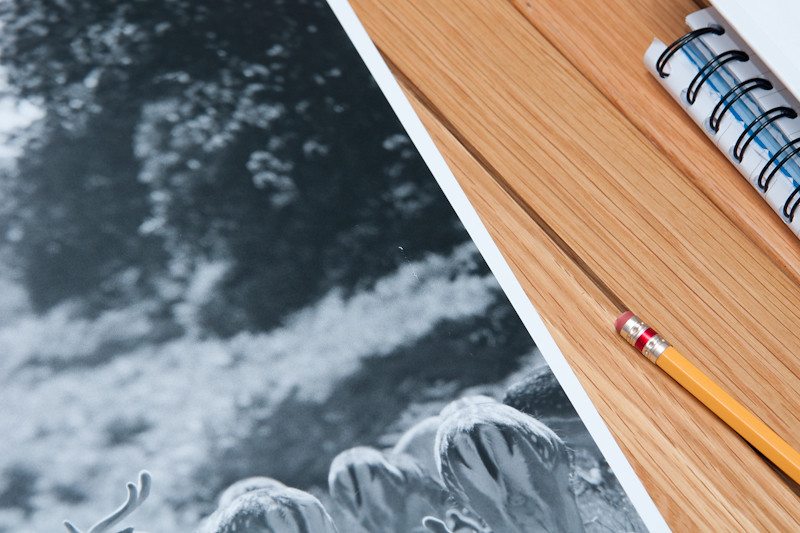
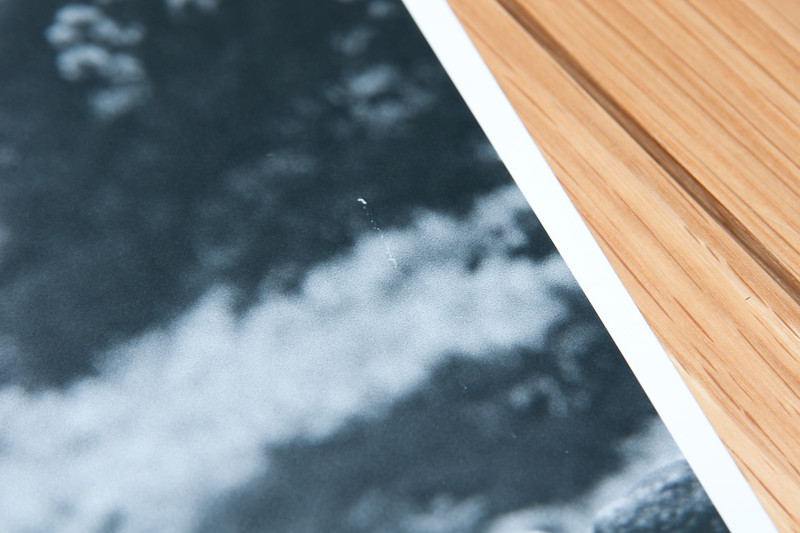
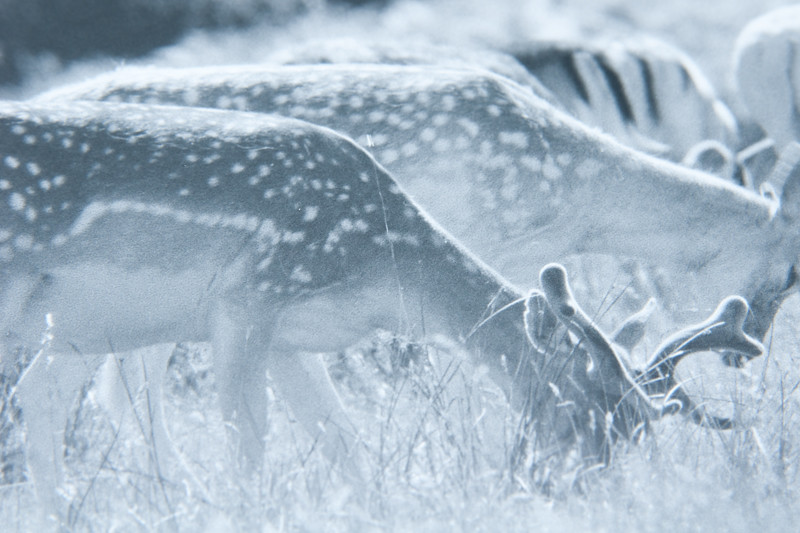
There are two white lines, probably about 1.5" long (on a 14x12 print) that are barely a hairs width wide. I'd spotted the first on a test strip but thought it was a long peice of grass, then when I saw the other mark on the full print I looked again and realised I had two marks and not a piece of grass. I then checked the negative and found two tiny black marks which have caused the white marks on the print and I've no idea what caused them but I doubt they're squeegee scratches or the negative would be clear and the print black.
Perhaps if I had a decent loupe then I might have spotted the marks on the contact print and aved myself the time, paper and money.:bang:
Other than the marks I really quite like the prints but I know I'll get slaughtered in a competition for the two marks. Is there a special tool/pencil/pen that can be used to touch up prints on resin coated paper? I've seen Robin Bell touching up prints in a video but suspect he only uses fibre based papers.
Cheers,
Kev
There are two white lines, probably about 1.5" long (on a 14x12 print) that are barely a hairs width wide. I'd spotted the first on a test strip but thought it was a long peice of grass, then when I saw the other mark on the full print I looked again and realised I had two marks and not a piece of grass. I then checked the negative and found two tiny black marks which have caused the white marks on the print and I've no idea what caused them but I doubt they're squeegee scratches or the negative would be clear and the print black.
Perhaps if I had a decent loupe then I might have spotted the marks on the contact print and aved myself the time, paper and money.:bang:
Other than the marks I really quite like the prints but I know I'll get slaughtered in a competition for the two marks. Is there a special tool/pencil/pen that can be used to touch up prints on resin coated paper? I've seen Robin Bell touching up prints in a video but suspect he only uses fibre based papers.
Cheers,
Kev