
Total newbie to printing ! Advice please!

smr

Suspended / Banned
Messages
2,047
Name
Joel
Edit My Images
No
Hi all,

I'm completely new to printing photography...

How big can I print before image before degredation ? - I'd be looking at getting a canvas print of one of my photographs but I'm unsure as to which size canvas I can go for.

The photo has been shot on a Canon 700D APSC Camera.
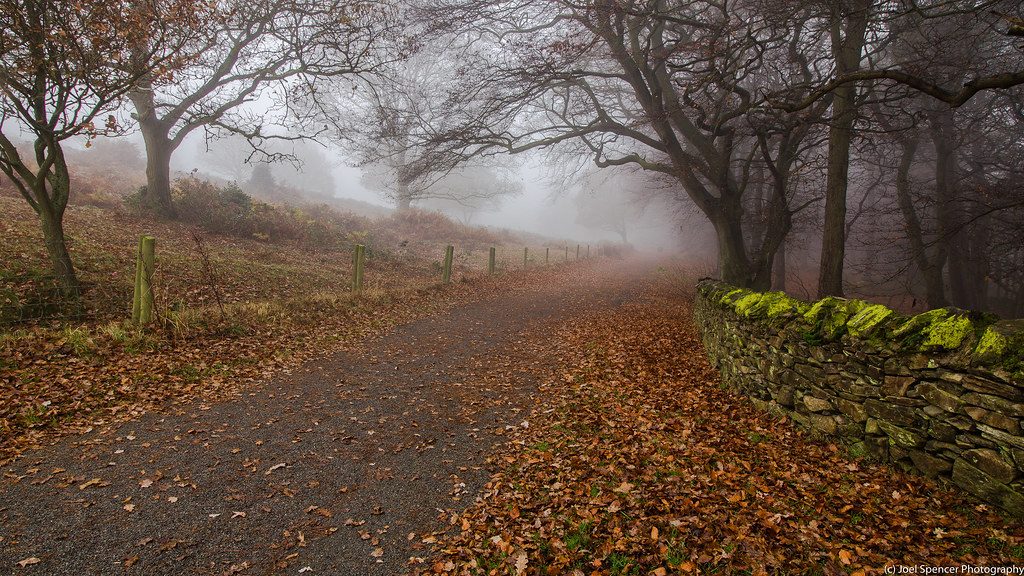
Misty Trail by Joel Spencer, on Flickr

Thanks for any advice.
 
700d is 18mp which is made up of an image 5184 x 3456.

Your image looks to have been cropped in the height, did you remove any width at the same time or is this the full 5184 pixels wide before resizing?

A good rule of thumb for fine detail and close viewing distances is to print at 300ppi (pixels per inch). Therefore 17.28" wide.

The truth is lens and photo specific sharpness, paper used and particularly viewing distance play a massive part too in acceptable ppi and print size.
 
Edited to add, nice picture by the way and I've just read the canvas bit. Probably print 3' wide with no problems. Consider uprezzing the file in Photoshop slightly first though.
 
Canvas is more forgiving medium than paper, I had a very presentable 30x20 from my 12mp D700. Consider as well where it'll be hung - if it's going to be above a sofa then your viewing distance will be several feet so you can get away with more. 3 - 4 feet should be doable, if not more depending on where you intend to hang it.
 
Assumption: A printer dot is the same size as a pixel & your viewer has average vision.

At 6 feet, the average eye can't resolve better than 50 ppi (a TV screen for example). A monitor (say 2.5 feet from your eye) is not going to give you any visible benefit at better than 100ppi which would be fine over the back of the sofa.

If anyone climbs on the sofa to stick their face closer, say 12 inches, they can resolve 300 dpi, and at 4" (apparently the closest human focusing distance) it jumps to a whopping 876 dpi. This is why some fine art printers will do 760 dpi.
(example source of many available on t'internet)

So viewing distance is a huge factor in determining how big you can go. My suggestion would be to work out where it's going, and work out the size (width) you'd like it to be. Then divide the width (in inches) into 5184 to get the optimum dpi for that print without any up or downsizing. If it's between 100 & 300 you're probably OK. As an example, I printed out a Grand Canyon pano at 166ppi at 9ft x 12" and it looked fantastic - and that was on proofing paper (TP post). My eyesight is definitely below average though.

Edit to add: Before submitting for print, check your image sharpness at 100% on your screen because 100% is a pretty good estimate of what it'll look like on paper/canvas.
 
Last edited:
As mentioned, you can get away with lower dpi with canvas compared with paper. I've printed up to 60x40" canvases from a 5dmk2 file with perfectly acceptable results - from an uncropped file that would be a little under 100dpi
 
Back
Top