wilt
Suspended / Banned
- Messages
- 1,698
- Name
- Steven
- Edit My Images
- No
When I go to import images, I always un-select them all and go through them selecting the images I want to import.
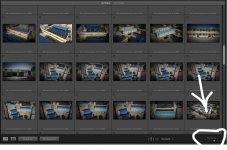
When I un-select them at the start, they all darken to show that they're not selected. This makes it quite difficult to see the image, unless I click on it and make it full size.
Is there a way that doesn't darken un-selected thumbnails, so I can easily scan them in thumbnail mode?
Also is six thumbnails across the largest they can be made? My eyesight isn't what it used to be.
When I un-select them at the start, they all darken to show that they're not selected. This makes it quite difficult to see the image, unless I click on it and make it full size.
Is there a way that doesn't darken un-selected thumbnails, so I can easily scan them in thumbnail mode?
Also is six thumbnails across the largest they can be made? My eyesight isn't what it used to be.