Kell
Suspended / Banned
- Messages
- 5,130
- Name
- Kell
- Edit My Images
- Yes
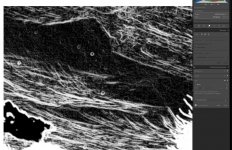
Using old manual lenses and a mirrorless camera, means I do spend a lot of time hunting out all the dust spots.
Now it can be done with a simple checkbox. It's not perfect, but it's so much quicker.
I updated LR yesterday and it's the one new feature that really appealed to me.
This is an image SOOC.

Thank god for LR by Kell, on Flickr
When you're stitching panoramas together it's just made life a lot easier.
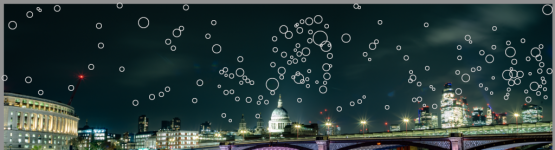

St Paul's by Kell, on Flickr
Now it can be done with a simple checkbox. It's not perfect, but it's so much quicker.
I updated LR yesterday and it's the one new feature that really appealed to me.
This is an image SOOC.
Thank god for LR by Kell, on Flickr
When you're stitching panoramas together it's just made life a lot easier.
St Paul's by Kell, on Flickr
Last edited: