Brendan Mulachy
Suspended / Banned
- Messages
- 2,139
- Name
- dave
- Edit My Images
- Yes
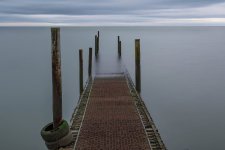
ive been stuck in the house this week with a chest infection so boredom has gotten well hold of me , thought id look at some pics i took last week, this one in particular
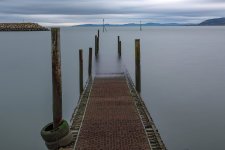
i wanted to see if i could isolate the pier and get rid of the distractions in the background, photoshop not being my favorite thing i ended up with this
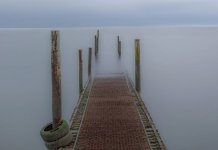
now whilst ive gotten rid of the distractions it is ...well still crap, looks wrong in my opinion and i dont like my horizon and i want to soften the edges of it to see if that helps but for the life of me i cant suss out how to do it , any pointers in the right direction
i wanted to see if i could isolate the pier and get rid of the distractions in the background, photoshop not being my favorite thing i ended up with this
now whilst ive gotten rid of the distractions it is ...well still crap, looks wrong in my opinion and i dont like my horizon and i want to soften the edges of it to see if that helps but for the life of me i cant suss out how to do it , any pointers in the right direction