
Simple question regarding photoshop

Guy Fawkes

Suspended / Banned
Messages
201
Name
Lee Thurston
Edit My Images
Yes
Hello there all,

Just after a solution to a quandary....

I am trying to match my face to that of a famous namesake, can you please tel me how I can make the skin tones the same, if not similar?

Many thanks in advance.
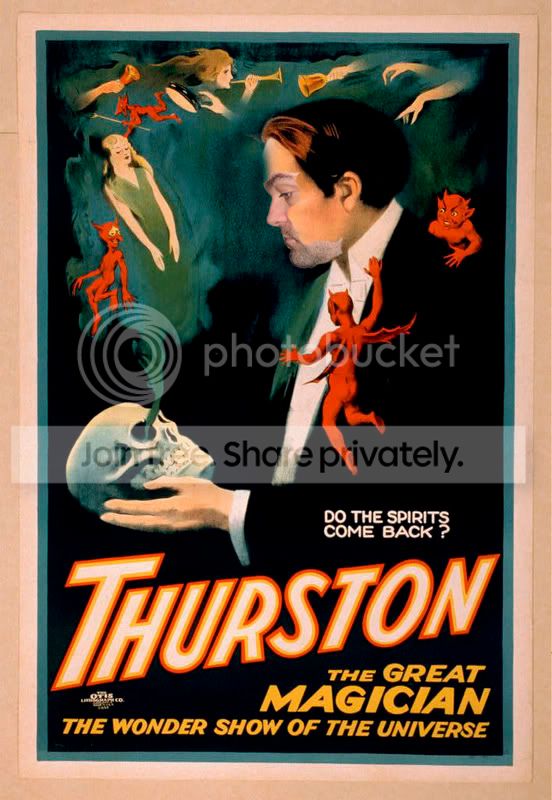
thurstoncopy.jpg
 
One suggestion that 'might' work...:

- Take a selection of Thurstons face from the original image and save it as a separate image.
- Cut out your own face similarly (larger than the selection you show in the sample image).
- Use 'IMAGE' 'ADJUSTMENTS' 'MATCH COLOUR', then use the saved image of Thurstons face as a source. This should hopefully change your own face colours to match those of Thurston's.
- Paste your own, modified, face into a separate layer on the poster, line it up then use a 0% hardness eraser to erase the edges of the join to give a smooth transition.

Any good? :shrug:


By the way, did you know that yesterday was the anniversary of Guy Fawkes' death? We could use a feller like that today I reckon!
 
What may be interesting to try out is to select the area of your face that you've stuck on, Copy the original space that was behind that over the top, and then use the "color" blending option, this could match the skin tones well.
 
Many thanks chaps, very much appreciated. 2 more little strings to add to my modest Photoshop bow.

@ Flashman, Guy Fawkes is a strange fella to britain isn't he! Effectively a terrorist who could have, quite literally, totally changed the course of english history with a WMD, yet recently voted #30 of all time great britons!!!
 
Back
Top