Selective colouring in LR3?

JKP photographic

Suspended / Banned
Messages
83
Name
Joe
Edit My Images
Yes
Can this be done?
I can do it in Gimp and PS but I'm trying to speed but my PP workflow and being able to do it in Light room would be a bonus.

I'm not totally sure I'v got the right name for it so the same as the shot below.
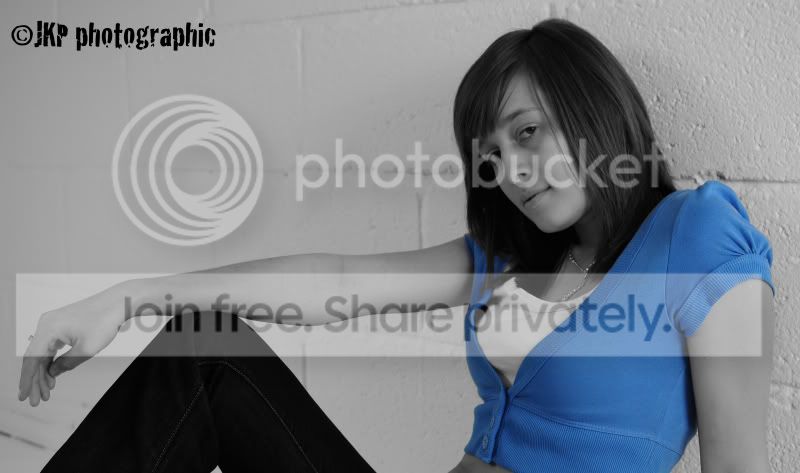
doneDSC_9260.jpg
 
AFAIK you couldnt do it
The only way I would think you could "almost" do it, would to turn all the colours saturation down to -100, while keeping blue colour saturation at 0 (not + or -)
That way you'd keep anything blue, but lose the rest.

In reality I doubt it would be as good as using Photoshop lasso tool etc
 
Is that easy to do? Would love to try that. Gimp ok for that then as i dont have PS.
 
Dead easy.
Just lasso around the item you want to keep coloured then right click and select inverse then desaturate.
Done.

You can use the eye dropper and the magic lasso tool but that can get out of hand on similarly contrasted areas or areas of similar colours etc.
Give it a go.
I really like the effect.

DSC_2523done.jpg
 
Last edited:
And thats with Gimp?

Edit: Just tried it. Thanks, works great.

I guess one has to spend a lot of time with the lasso to make sure only the item you want is selected?
 
Last edited:
The more time you spend getting the mask right, the better the result.

You can do it on teeth and eyes aswell.
I've got some portraits of a mates missus to do soon and she's got the most incredibly bright blue eyes. I'm going to try it on her.
 
Nicks method should work pretty well, I have a preset that sets all the individual saturation sliders to zero, I then just take back up the colour I want. If theres something unwanted still in colour I use the local ajustment brush at minus saturation to "paint it out".
 
Nicks method should work pretty well, I have a preset that sets all the individual saturation sliders to zero, I then just take back up the colour I want. If theres something unwanted still in colour I use the local ajustment brush at minus saturation to "paint it out".

Thats too complicated for me! lol
 
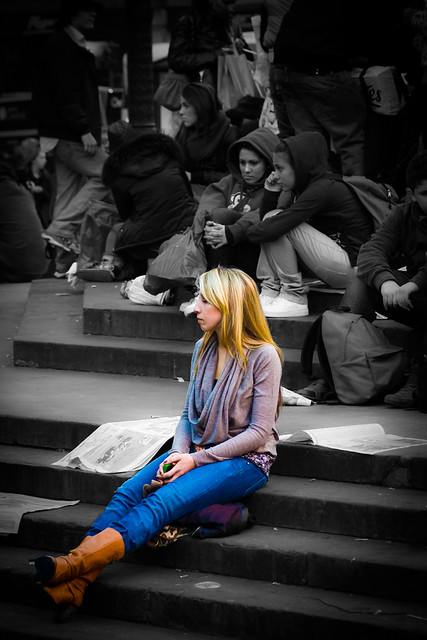
It should be possible in LR3. Here's one I did in LR2, though I kept more than one colour. The trick is to desaturate the picture then use a brush with saturation set to +100 to bring the colour back.

 
It should be possible in LR3. Here's one I did in LR2, though I kept more than one colour. The trick is to desaturate the picture then use a brush with saturation set to +100 to bring the colour back.


Yup it is, either with your method, or exactly the opposite; ie apply a brush with -100% Sat to the areas that you don't want colour.
 
Lovely picture Garry.
And exactly what I was talking about.

I have seriously been underusing LR and must get to grips with it.
I can see lots of free time being gained with the stremlining in workflow.

Thanks guys.
 
Back
Top