seeing in B&W is.................

Yardbent

Suspended / Banned
Messages
7,761
Name
John
Edit My Images
Yes
............hard

loaded up the F3 for the first time with B&W Neopan 400 [yer yer but Tesco is all i got]

walked through the country lanes and took a whole roll
got to learn to slow down - it aint digital

anyway. composed landscapes with grey stone walls, fields trees and clouds

BUT could only visualize the scene in colour

what do you do to visualize the tonal differences...?.
 
Landscape isn't really my thing, and landscape in black and white doubly so (I'm more of an urban cat and feel a bit out of place in the countryside).

However, I grew up using bulk-purchased Ilford HP5 and FP4, so I hope something found its way into my noddle.

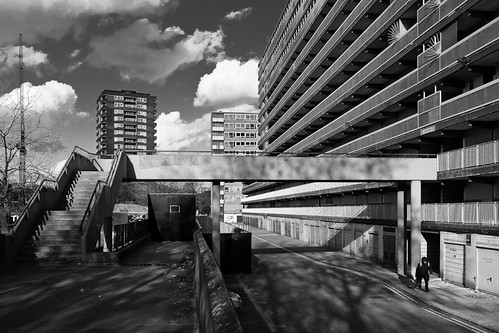
For me, when looking for an interesting shot in black and white, I'm searching for something quite graphic in its nature. Bold tones.

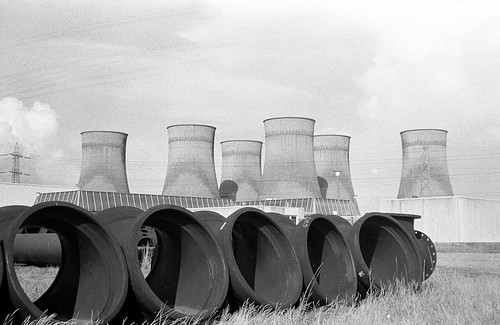
I took this photo of the old Croydon power station (where Ikea is now for any locals) when I was about 15, in 1982

4310654486_c95ecbe5fc.jpg


I probably could have improved the composition a little by taking in more grass and less sky, but the essential elements of a contrast of tone and scale between the pipes in the foreground and the cooling towers behind still works well enough, IMHO.

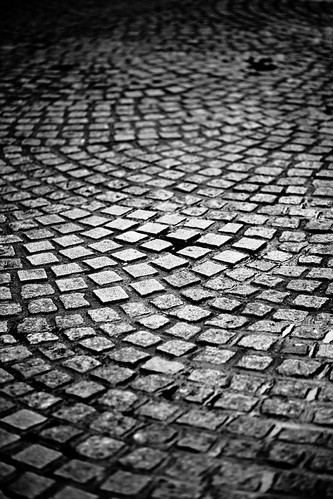
So, what you can concentrate on with b/w is texture and pattern.

1226620660_3b2c30c5ff.jpg


4112468407_332af09274.jpg


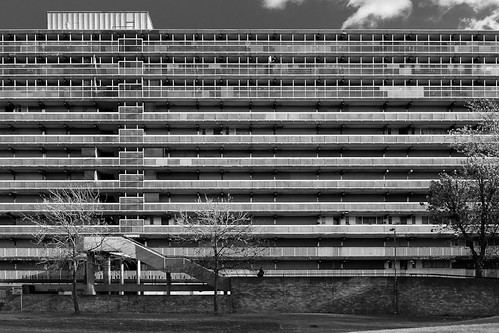
I find graphic compositions lend themselves well to the abstraction that black and white provides

513517664_3b77238b58.jpg


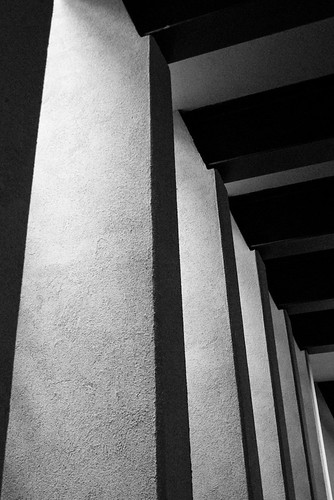
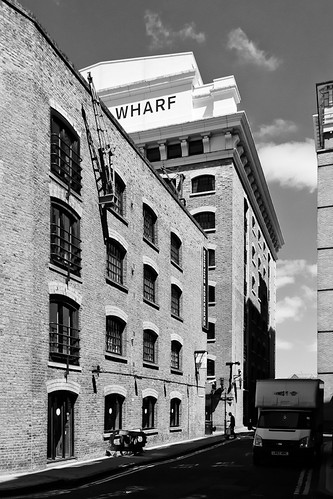
And also the effects of light and shade

4114568050_1fc4c48e39.jpg


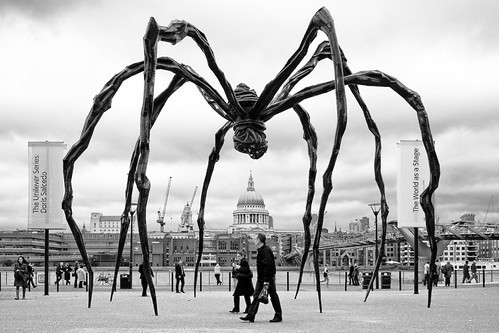
On digital, in particular, it allows you to tune out the distractions of colour

2069389382_43e7a0f08b.jpg


The banners either side of Louise Bourgeois' Maman were bright red and yellow. In colour they distracted from the contrast between the blackness of the sculpture and the middle and lighter tones of the surroundings. I think it also helped with the sense of scale, by making the people in the scene more ant-like.

As a black and white rendering, it works much better.
 
I find it fairly easy, but then I'm colour blind :lol:
 
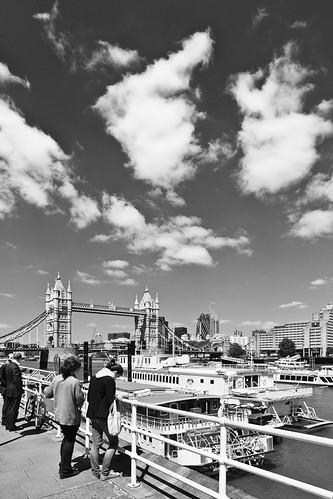
How did you get that sky in the 5th shot? What filters did you use?
I would have loved to spend a day with some of you guys; walking the street learning from you.
I have the same problem as the OP.
Nick : you need to give a day of your life. In return I'll give you my eternal gratitude
 
How did you get that sky in the 5th shot? What filters did you use?

I'm afraid that was a big cut on the blue in the Greyscale Mixer of Adobe Lightroom :)

Though I have been experimenting with using coloured filters on my 5D just for the hell of it. Needs a bit more work and the right lighting conditions.
 
I'm afraid that was a big cut on the blue in the Greyscale Mixer of Adobe Lightroom :)

So was that created on the software, not on the film?
Or is that a digital image, manipulated on a software?
Just making sure I understand ( since I couldn't follow the expression 'big cut on the blue in greyscale mixer)
 
I'm afraid that was a big cut on the blue in the Greyscale Mixer of Adobe Lightroom :).

Which does exactly the same thing, but at the 'back-end' so to speak...

Helps if you use a Y/O filter at the outset though...
I just found all my 52mm B&W filters in a box in the basement - how stoked am I?
:D

To Yarbent: it comes with practice...after a while, just like any other discipline, it becomes instinctive.
 
So was that created on the software, not on the film?
Or is that a digital image, manipulated on a software?

Yes. It was a digital shot converted to b/w in software.

Helps if you use a Y/O filter at the outset though.

My thoughts exactly. I figure you get the exposure right for the blue channel with a filter in place and it should cut the noise which inevitably creeps in when doing a radical adjustment like that in software. I also reckon it should help reduce the odd fringing you get at colour boundaries where the pixels aren't quite sure what colour things are.

Conventional wisdom on the interweb is that filters are pointless with digital as you can reproduce it in Photoshop. I'm not convinced for the reasons above.
 
In low light, your eyes kick over to bw themselves. Try stopping right down and seeing what's there - or if not an slr then squint!
 
Thats an interesting one Arthur.

Re the sky, thats the most difficult part of B/W. Most of the time mine gets washed out; possibly because I am trying to get something much darker on the foreground or something. I would love to learn the trick of how to get a good sky in B/W film
 
Thats an interesting one Arthur.

Re the sky, thats the most difficult part of B/W. Most of the time mine gets washed out; possibly because I am trying to get something much darker on the foreground or something. I would love to learn the trick of how to get a good sky in B/W film

Watch old B&W westerns to see how they dealt with high contrast skies.

John Ford's cinematographers were masters at this...

My Darling Clementine, starring Henry Fonda as Wyatt Earp is one of the best-photographed films ever IMO...


Sorry - yes: filters...Yellow-Orange or for really deep skies, Red, but watch out for skin tones - they go wierdly pale, especially freckly girls...
Yellow-green filters will produce good skin tones.
 
agreed on John Ford films ( though I would debate the best photographed bit:, its Kagemusha for me - the horsa falling scene - though not in B/W)). Another master on B/W is Alan Resnais.
Unfortunately, I am at a stage where i am still wondering which filter to use :D. So just watching those films ( the masters), which I do regularly) will not tell me how they do it.

This is compounded by the problem of knowing what is do-able with straight film and printing in a lab (i.e what has been printed as taken in a camera in a standard lab machine) and what has been taken in a digital camera and then altered via a computer. (This is not an invitation to a debate; just that its difficult for me to know what I can realistically aim for with a 35mm camera, a b/w film and a D&P in the lab)
 
Stick a yellow/orange/red filter over the lens and try again.

actually i did some with a Cokin Orange O2

I'll post some if Tesco dont screw them up - well that's my excuse
 
Me too.

Seriously good stuff there MM. Loving the contrasty shots.

Andy

Me three :thumbs:

I've just been to a specialist who said he's never seen colour blindness like mine. I see colour combinations as differences in brightness. He showed me yellow light and asked me to tell him when the red came in as he dialled it up from 0% to 100%. The yellow just became darker until about 70% when I could see some orange. Similar with Red it was almost 85% before it looked anything like purple.

B&W looks like something I fancy getting into.
 
Watch old B&W westerns to see how they dealt with high contrast skies.

John Ford's cinematographers were masters at this...

My Darling Clementine, starring Henry Fonda as Wyatt Earp is one of the best-photographed films ever IMO...


Sorry - yes: filters...Yellow-Orange or for really deep skies, Red, but watch out for skin tones - they go wierdly pale, especially freckly girls...
Yellow-green filters will produce good skin tones.

new thing learnt
 
I started out when we shot everything in BW. I was working for a local paper and loved going back to print my own stuff. Even though I have shot digital for the last ten years I reckon the BW printing was the best.

Seeing in BW is to know how colours translate into BW. Open an image in photoshop, copy it and then desaturate it. Put them side by side and compare them.

Then learn how filters will change the result. We used contrast filter, yellow through to red and then infa red to increase contrast. BW photography / printing really teaches you the art of photography

stew
 
I'm searching for something quite graphic in its nature. Bold tones.

So, what you can concentrate on with b/w is texture and pattern.

I find graphic compositions lend themselves well to the abstraction that black and white provides

And also the effects of light and shade.

thank you - some excellent points to incorporate in my thinking ...!
 
A little tip for digital shooters, even if you shoot RAW and don't have any colour filters. It may help you get your b/w eye in without spending much money and get the instant feedback that digital provides.

You can then maybe transfer the experience to using film when you've got a bit more confidence...

Set your camera to black and white mode, so that the previews on the rear LCD are monochrome.

You can then emulate different colour filters in a crude manner by adjusting the white balance.

Shift it to warmer settings (e.g. Tungsten) to emulate a blue filter.

Shift it to cooler settings (e.g. Shade) to emulate a Yellow/Orange filter.

You can maybe fine tune it by setting a custom white balance (use shot of a blue car to create a virtual red filter and vice-versa) or even by setting it directly in degrees Kelvin if your camera allows.
 
wow - the thing - well one of the things - i like about TP is that a simple question can evoke a multitudes of diverse views and we all gain more knowledge

interesting about old westerns - does anyone watch Top Gear and think the landscapes shots aint bad as the car whizzes through ?
 
One thing I've noticed is that Top Gear's cameramen love their graduated filters. :lol:
 
I think if you can accept that a change in approach is required to shoot B/W successfully, then you're half way there.

:)
 
One thing I've noticed is that Top Gear's cameramen love their graduated filters. :lol:

very very true AND all the shots have a vignetted style

still not a bad job.........

I've always thought that celebs :razz: do the job but in the background the camera crew get the same flights/destinations/hotel/meals/ nightclubs - cannot be too bad !!
 
I think if you can accept that a change in approach is required to shoot B/W successfully, then you're half way there.
:)

thanks - I'll wait judgment till i get my first ever roll back from Tesco.....:D
 
very very true AND all the shots have a vignetted style

still not a bad job.........

I've always thought that celebs :razz: do the job but in the background the camera crew get the same flights/destinations/hotel/meals/ nightclubs - cannot be too bad !!

I think they'll be working too hard setting things up to be able to get to the nightclubs...lol
 
Top Gear = very long days, not much time for playing and high stress levels. (I'm obviously not comparing it to REAL work:D)

But, it's still better than working for a living :lol:
 
Well this has developed into a very interesting read. I've learnt loads of things this morning and all before breakfast. Right of to the bay of e to order filters.

Cheers

Andy
 
I figure you get the exposure right for the blue channel with a filter in place and it should cut the noise which inevitably creeps in when doing a radical adjustment like that in software. I also reckon it should help reduce the odd fringing you get at colour boundaries where the pixels aren't quite sure what colour things are.

Finally had some decent weather + lunch time to test the theory with my 5D and a Cokin P002 orange filter so I popped out and took a few snaps.


It seems to work well enough. Definite reduction (elimination, even) of tonal fringing compared with software-only 'red filter' and I reckon about a stop's worth of noise reduction in the sky. The downside is obviously a little loss of sharpness compared with a naked lens, the extra exposure time required and the lack of flexibility in having a colour version available.

At this point I should probably stop touting digital experimentation in the film forum :)
 
Finally had some decent weather + lunch time to test the theory with my 5D and a Cokin P002 orange filter so I popped out and

I have a Cokin filter stamped "Orange O2" is that the same...... ?

BTW the first shot is a "Matrix moment"......I took exactly the same image, a bit closer to the Bridge in.....wait......1961
printed up to an 8x10 ...loved it ....all negatives lost - I suppose that is one advantage of "ahem" digital
 
Cokin make an O2 Fluo Orange graduated filter.

Mine's a straight orange one with no grad, though.

A find on Flickr for you - wrong angle, it's looking toward Butlers Wharf rather than away from it, but it is 1961 :)

http://www.flickr.com/photos/sylvaticus/2929229758/

no it's a straight orange - not grad

my shot was looking downstream from the Embankment

convert that to B&W, remove the tugs, and it's a ringer......:lol:
 
Back
Top