
Hi guys,
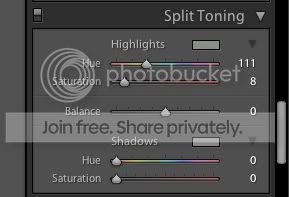
I'm starting to move over to lightroom 2 to manage and process all of my photos after buying my first DSLR not long ago. There's a certain effect that I like to do on some photos which I haven't been able to replicate in LR, and I was hoping one of you might know.
The process I go through in photoshop to achieve this effect is:
Open up Curves. Change to the red channel, and make an 'S' shape in the curve. Then change to the blue channel, and make an inverted 'S' shape in the curve.
Doing this gives this effect.

To This
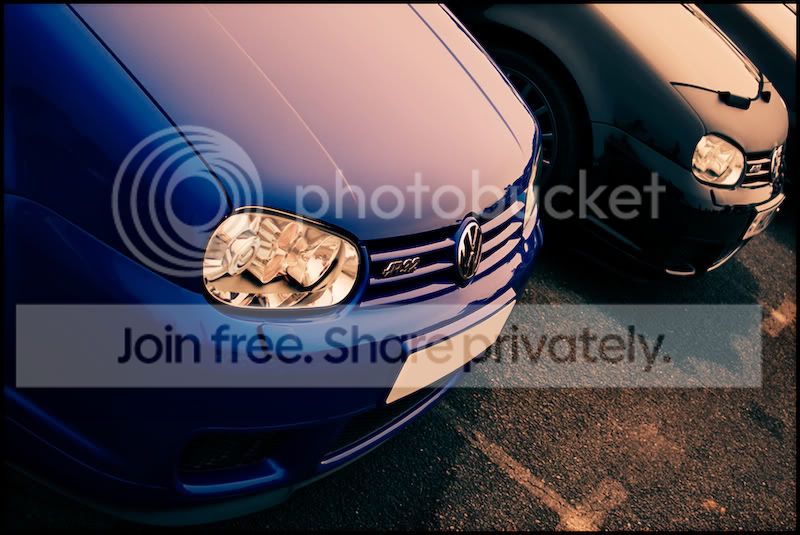
Any advice on how to achieve this will be very much appreciated
Josh.
I'm starting to move over to lightroom 2 to manage and process all of my photos after buying my first DSLR not long ago. There's a certain effect that I like to do on some photos which I haven't been able to replicate in LR, and I was hoping one of you might know.
The process I go through in photoshop to achieve this effect is:
Open up Curves. Change to the red channel, and make an 'S' shape in the curve. Then change to the blue channel, and make an inverted 'S' shape in the curve.
Doing this gives this effect.
To This
Any advice on how to achieve this will be very much appreciated
Josh.




 (cue best western voice)