reducing a file size

Not sure what version you have but in CS3
the quickest way
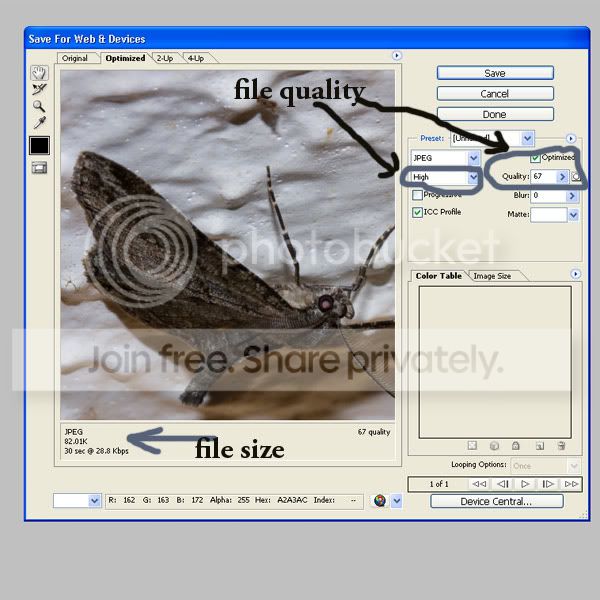
save for web and devices gives you a "file size" option
 
Top left ( on the "bar") click file
click save for web and devices
( I think that the file has to be sub 1mb though to do this, done by reducing the physical size)
and you are left with this screen


Untitled-1-1.jpg


just adjust the settings as required
 
You can of course always> click "file" > save as >Jpeg
( make sure the click "image" > mode > 8bits or it won't save as a Jpeg)
then you are left with a "quality" slider to adjust
 
No worries just shout if you are still struggling :thumbs:
 
Back
Top