Raw thumbnails not showing in Mac OS catalina, please help

snerkler

Suspended / Banned
Messages
26,078
Name
Toby
Edit My Images
No
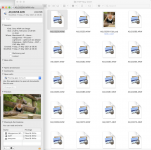
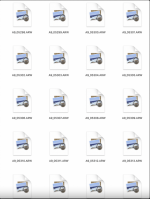
I've recently upgraded to Mac OS Catalina (to aid with certain Logic Pro features) and since doing this thumbnail previews are not showing for my raw images. Well, that's not 100% true, they're not showing for my images taken with the Sony A9ii, Sony A7RIV and some sample raws I downloaded for the Canon G5x II (all are supported according to apple) but they do still show for my old Nikon cameras (Z7, D850 and D750). I've made sure everything is updated including camera raw, does anyone know why this is happening and how to fix it please?
Screenshot 2021-09-05 at 10.50.48.png
 
You could try this below but wait for someone else to confirm
  1. Open to the Preferences folder of your home directory
    (your home > library > preferences)
  2. Delete com.apple.finder.plist
  3. Right click on Finder icon and select Relaunch. (You can also open the force quit window and relaunch Finder.)
 
I had this with my a9.
After lots and lots of trying things, I found the answer by accident.

You can only shoot uncompressed RAW to show the thumbnails, Mac OS just support compressed raw thumbnail previews or quicklook.

**Edit**

Just tested it again to make sure I wasn't talking arse, and now its showing thumbnails for both compressed and uncompressed when on the sd card and when downloaded onto the HD. However images already on the HD are not showing thumbnails or quicklook..

So... No idea.
 
Last edited:
I had this with my a9.
After lots and lots of trying things, I found the answer by accident.

You can only shoot uncompressed RAW to show the thumbnails, Mac OS just support compressed raw thumbnail previews or quicklook.

**Edit**

Just tested it again to make sure I wasn't talking arse, and now its showing thumbnails for both compressed and uncompressed when on the sd card and when downloaded onto the HD. However images already on the HD are not showing thumbnails or quicklook..

So... No idea.
Thanks. It's a strange one because if I choose get info the image preview shows in the info box :thinking:
Screenshot 2021-09-05 at 13.57.59.png
 
Some images I get thumbnails and preview via quicklook. Others I get generic thumbnails and no quicklook at all. Doesn't seem to be any rhyme or reason to it that I can see.

Ive just downloaded this which helps a bit, but you still can't see thumbnails, but you can select as many images as you like and press space bar to full previews, histograms and exif data.

 
Some images I get thumbnails and preview via quicklook. Others I get generic thumbnails and no quicklook at all. Doesn't seem to be any rhyme or reason to it that I can see.

Ive just downloaded this which helps a bit, but you still can't see thumbnails, but you can select as many images as you like and press space bar to full previews, histograms and exif data.

Thanks, I'll take a look
 
You could try this below but wait for someone else to confirm
  1. Open to the Preferences folder of your home directory
    (your home > library > preferences)
  2. Delete com.apple.finder.plist
  3. Right click on Finder icon and select Relaunch. (You can also open the force quit window and relaunch Finder.)
That didn't work unfortunately.
 
Back
Top