Question about using Mac Safari with talkphotography

snerkler

Suspended / Banned
Messages
26,078
Name
Toby
Edit My Images
No
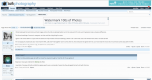
I've recently started using Safari after years of using Chrome and I've noticed that the sub menus across the top always collapse and to see the 'hidden' manus have to click on the 3 dots which then expands the list (see below). Is there a way to stop it from collapsing? It's obviously not a biggie, but I prefer the way that chrome didn't collapse them.
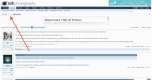
Screen Shot 2017-11-02 at 13.30.07.png


Screen Shot 2017-11-02 at 13.30.17.png
 
That's weird. I have safari and I don't have your 3 dots. I get all the forum headings as you do when click on the three dots. I thought it may be something within preferences, but I cant see anything. Now I've not updated to High Sierra as I still have projects on the go so don't want to run the chance of an app not working ( Very unlikely I know , but better safe than sorry) My Safari is 11.0.1. I have just checked my rMBP which is on High Sierra and its the same as the iMac
 
Not sure whats going on there, I don't see the same issue

Screen Shot 2017-11-03 at 17.10.51.png
 
Actually whats your page zoom set to, if i move it above 125% I get the same. Page Zoom is in Safari/Settings for websites
 
Last edited:
Me neither neither on my I.mac or I.pad
 
On my iPad in Safari I get the 3 dots in portrait but the expanded menu in landscape. Maybe your monitor has shrunk:) or as has been suggested something to do with magnification.
 
Actually whats your page zoom set to, if i move it above 125% I get the same. Page Zoom is in Safari/Settings for websites
Thanks for all the replies guys. I have the new 2017 15" touch bar MBP. Page zoom is at 100% but if I move it to 125% the bar expands as I'd want it to be, however the rest of the page and text looks far too big. Guess I'll have to put up with the dots :rolleyes: I'll have to see what it's like on my iMac over the weekend.
 
Back
Top