Problem stitching a pano

ianmarsh

Suspended / Banned
Messages
4,727
Edit My Images
Yes
I took a set of shots in the National Gallery intending to stitch them in Lr (or Ps) to form a vertorama. I have done many of these, usually in a church setting, to get a 180 degree "up and over view" along the lines of this shot:

All Saints -5 by Ian, on Flickr

But Lr (and Ps) is refusing to stitch my shots from the National Gallery. I put in 7 shots to get the 180 degree effect but it only returns a 90 degree pano (from the horizontal view in one direction up to the overhead dome). I wonder if the problem is that the two horizontal views are pretty similar:

DSC02039 by Ian, on Flickr

and

DSC02093 by Ian, on Flickr

so Lr doesn't realize they are two different views. Any idea how to force Lr to stitch all 7 shots, not just the first three/four?
 
Maybe shots 1-4 as pano 1 then shots 4-7 as pano 2 then pano 1 and pano 2 as pano final?
 
As Nod suggested, sometimes using 2 sets of partial stitched shots for a larger final image can help. Generally I find LrC better than On1 PR at stitching, and it seldom lets me down.
 
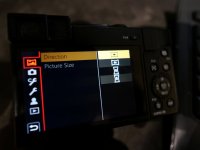
if I may suggest an easier way and quicker. Take a look at the panasonic DC-TZ95 compact camera. it has a built in auto stitching program as shown below in the menu . Being a small compact won,t attract so much attention.


P1015719.JPG
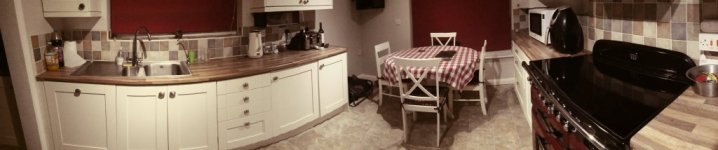
took longer to post photo than to take and only 3/4 of the pan completed
P1070380.JPG


View: https://www.youtube.com/watch?v=YahSFIeDit4
look at 4.51mins into video
 
Last edited:
I use an old version of https://autostitch.net/ it allows you to set the output dpi, auto gain and add photos. I stitch 72 shot photospheres without any issues, doesn't matter what order they are added in.
Also used it to create our flying field (R/C) 3D on a simulator programme
 
I use an old version of https://autostitch.net/ it allows you to set the output dpi, auto gain and add photos. I stitch 72 shot photospheres without any issues, doesn't matter what order they are added in.
Also used it to create our flying field (R/C) 3D on a simulator programme
I did suspect that a better stitching program might help, but you mention something else I was thinking about - I usually shoot the shots up and over so they are in the correct continuous order. But because of the people, in this one I did them up from each side, so they are out of order - does this matter in Lr or Ps?
 
I did suspect that a better stitching program might help, but you mention something else I was thinking about - I usually shoot the shots up and over so they are in the correct continuous order. But because of the people, in this one I did them up from each side, so they are out of order - does this matter in Lr or Ps?
I don't know. Never used them
I have a tripod mount with different click stops, and the tilt axis is marked, go I go round the bottom, then next up etc. Remote in my left hand and turn the head with the right, very quick, but if there is a sudden change of light or people walking across, I may go back to certain positions, and the software doesn't mind they are out of order..
 
Do you still have the original shots you used to create the one which did work? If so, try the process again, to see if you can get that working. It may help you identify / fix the problem, or eliminate some causes of the problem, or better understand the problem, or none of the above!
 
Why don't you upload the images here and see if someone else can get the pano to work.
 
I did suspect that a better stitching program might help, but you mention something else I was thinking about - I usually shoot the shots up and over so they are in the correct continuous order. But because of the people, in this one I did them up from each side, so they are out of order - does this matter in Lr or Ps?

I don't think it matters. I often shoot going right to left, so the next shot joins to the left of the frame, rather than the right. Is it possible that something else has changed between the 2 sets so they don't naturally align?
 
I don't know. Never used them
I have a tripod mount with different click stops, and the tilt axis is marked, go I go round the bottom, then next up etc. Remote in my left hand and turn the head with the right, very quick, but if there is a sudden change of light or people walking across, I may go back to certain positions, and the software doesn't mind they are out of order..
I've a pano mount with the clicks but I've not managed to use it an anger as so few places want to let tripods in. I realize that Lr shouldn't care about the order as it has happily stitched 3 by three panos where I took photos in snake order (left to right then right to left for the next row then left to right for the last one). I think there is something about the nature of the shots I have that is confusing Lr.
 
Do you still have the original shots you used to create the one which did work? If so, try the process again, to see if you can get that working. It may help you identify / fix the problem, or eliminate some causes of the problem, or better understand the problem, or none of the above!
No problem with other panos, just this particular one. User error is very likely but I'm starting to think there is something special about this particular shots that is confusing Lr
 
I don't think it matters. I often shoot going right to left, so the next shot joins to the left of the frame, rather than the right. Is it possible that something else has changed between the 2 sets so they don't naturally align?
I was rushing and made one mistake (probably more). I set the camera to manual aperture and shutter sped but auto iso. So exposure varies through the shots (I was also bracketing). But I don't know why that means stitching doesn't work.

The other issue is that I was using a 10mm lens on a full frame body. So distortion is large. Again, though, I often do this.

I'm going to experiment a bit more then follow the suggestion above to post the shots here and let others play.
 
Try https://www.ptgui.com/? This app gives you full control of the stitching. There is a free trial version. I use it for Milky Way arch photos that cover a large area of the sky, not dissimilar to your use case, and where LR/PS/C1 all struggle.
 
Ian, do the shots (as "supplied" to LR) join roughly or are they 2 sets of floor to ceiling shots? If they're floor to ceiling, maybe some need to be rotated and flipped so they appear as a continuous set of floor to ceiling to floor.

Also, is there enough overlap for LR to cope with the distortions that a 10mm will have added? I think I'd want about a 2/3 frame overlap with that wide a lens, usually having a 1/2 frame overlap even when using a 50mm (or equivalent) prime.
 
I agree with the earlier mentioned try stitching both halves separately then stick the two together. I've had to do that with LR before.

It it was vertical shots, I find LR sometimes struggles, in the past I've had some success by;

1 Changing from to perspective in stead of cylinder or the other one
2 selecting all the images and rotating them 90 degrees (bottom left or right icon on the preview) then stitched those as pano in cyclinderical
3 if it's hdr pano, i've done the pano first for each exposure then hdr the panos together to get the hdr pano.

Hope it helps, I've had some sucess doing the above, but I'm by no means an competent.
 
Ian, do the shots (as "supplied" to LR) join roughly or are they 2 sets of floor to ceiling shots? If they're floor to ceiling, maybe some need to be rotated and flipped so they appear as a continuous set of floor to ceiling to floor.

Also, is there enough overlap for LR to cope with the distortions that a 10mm will have added? I think I'd want about a 2/3 frame overlap with that wide a lens, usually having a 1/2 frame overlap even when using a 50mm (or equivalent) prime.
they are two sets of floor to ceiling. I will try inverting one side to see if that matters, good idea.

I was concerned about the lack of overlap, but Lr does each floor to ceiling fine, it just doesn't do the full floor to ceiling to floor. And I tried again merging two floor to ceiling part-merges but Lr didn't like that. This could well be the main issue as I notice my best up and over shots in church have nine pics but I only took seven in the gallery. I may have to go back.

I am now managing to confuse myself. I was shooting under a central dome at the cross of two corridors. As I was rushing, I didn't do my normal trick of shooting a picture of my hand between panos, so I have loads of pics and have to work out which link with which. To compound things, as people stepped in front of me, I sometimes started again. I realized yesterday that one of my attempts tried to merge the north corridor with the east corridor (rather than south). I doubt it will have had a major effect as the light was even that day but you never know.
 
I agree with the earlier mentioned try stitching both halves separately then stick the two together. I've had to do that with LR before.

It it was vertical shots, I find LR sometimes struggles, in the past I've had some success by;

1 Changing from to perspective in stead of cylinder or the other one
2 selecting all the images and rotating them 90 degrees (bottom left or right icon on the preview) then stitched those as pano in cyclinderical
3 if it's hdr pano, i've done the pano first for each exposure then hdr the panos together to get the hdr pano.

Hope it helps, I've had some sucess doing the above, but I'm by no means an competent.
all good ideas, thanks. Perspective simply fails to stitch, but I will try switching between the other two. Rotating seems a sensible thing to try. I did take HDR brackets but so far I am just trying single exposure shots. I would usually do in the opposite order to you so that is interesting.

I am going to set aside some time this afternoon and give this one last serious go, correcting all my stupid mistakes and trying the suggestions. Thanks all for trying to help!
 
they are two sets of floor to ceiling. I will try inverting one side to see if that matters, good idea.

I was concerned about the lack of overlap, but Lr does each floor to ceiling fine, it just doesn't do the full floor to ceiling to floor. And I tried again merging two floor to ceiling part-merges but Lr didn't like that. This could well be the main issue as I notice my best up and over shots in church have nine pics but I only took seven in the gallery. I may have to go back.

I am now managing to confuse myself. I was shooting under a central dome at the cross of two corridors. As I was rushing, I didn't do my normal trick of shooting a picture of my hand between panos, so I have loads of pics and have to work out which link with which. To compound things, as people stepped in front of me, I sometimes started again. I realized yesterday that one of my attempts tried to merge the north corridor with the east corridor (rather than south). I doubt it will have had a major effect as the light was even that day but you never know.


If it's relatively easy to do a collage/joiner in LR (or whatever software you use, you could do a mock-up of the panorama to make sure you've got the right shots in the right order.

IF a return visit is feasible, that might be the best option, even if it might mean bending over backwards to get the shots! (I've had some very funny looks using the auto-panorama option doing similar shots to yours - in an indoor market.)
 
Back
Top