

Portable screen suggestions for photo editing

goinggreynow

Suspended / Banned
Messages
862
Edit My Images
No
Morning all

Like so many others, I’m thinking about what I need to buy to replace my ageing desktop which will not support W11.

But I’m trying to think about the whole picture; where I do what when it comes to using a ‘PC’ and whether - going forward, i want to make changes.

For personal reasons, I’ve always wanted to be able to put my feet up on the sofa and edit photos. I’m my most comfortable there. Admittedly, I have an IPad, but I’ve never really wanted to use that for my photos. Currently all my editing (not that I’m doing much at the moment), is done on my PC in an upstairs room.

A laptop - to replace my desktop - seems an obvious choice, but I don’t really like the thought of the compromises I’d have to make when it would be used - for a fair chunk of the time - as a desktop replacement. I realise that I could get hold of a docking station but I’m just not sure.

The idea I have - and please don’t hesitate to ket me know if you think my idea a bit bonkers - is to buy one of these mini PCs (the latest ASUS NUC 15 has caught my attention, or even a Mac mini) and when in desktop use, to connect it to my existing 27’ screen.

Then, on the occasions I want to do some “lazy” photo editing, take the mini PC downstairs (it’s light enough) and connect it to a portable monitor, preferably touch enabled. I’d then run LR or similar.

The questions I have are;

Has anyone done similar? Does it work? Is it a pleasant experi3nce? Are there unintended consequences?

If yes to the above, does anyone have suggestions for a decent quality portable monitor which you can balance on your knees/lap and which is good enough for LR edits?

Thanks for any feedback. I don’t mind spending the money. I just don’t want to make a silly mistake.
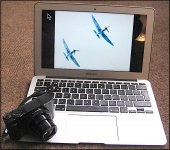
 
There's a reason why laptops are called "laptops".

By the time you've added a keyboard, mouse and something to put the mouse on, plus the monitor, you're going to have a fine collection. I'd advise against going along that route.

MacBook Air with Sony HX90 Ixus 70 IMG_4373.JPG
 
I would not go into a store and buy a computer, The reason being you have no idea of the quality of the components inside. I would rather talk to a company that builds them such as Scan computer or CCl computers. That way you can tell them how much you want to spend- what the main purpose of the computer and get professional advice. My youngest son has built mine and a few others and just orders the components. Thinking down the line " can I expand the computer in the future, ie more RAM or update the graphics card". With a shop built one you have no idea if you can or not.
Keeping a computer cool is important, so think of air flow, does the case have a vent on the side or directly in line with the front cooling fan/s . these are the type of things to ask let alone processors tc etc.
 
Last edited:
Yeah, just get an older MacBook Apple Silicon Air - you get stupidly long battery life, excellent screen and probably the best touchpad experience. I for historical reasons, RDP into my PC upstairs and edit on CaptureOne on my MacBook downstairs works well for me.
 
There's a reason why laptops are called "laptops".

By the time you've added a keyboard, mouse and something to put the mouse on, plus the monitor, you're going to have a fine collection. I'd advise against going along that route.
Thanks Andrew
Do you by any chance have experience of using your laptop as a replacement desktop or do you have more than one device?
Although a Windows user, I’ve thought about a Macbook Air but need to overcome my concerns about the lack of built in storage.
Stuart
 
Yeah, just get an older MacBook Apple Silicon Air - you get stupidly long battery life, excellent screen and probably the best touchpad experience. I for historical reasons, RDP into my PC upstairs and edit on CaptureOne on my MacBook downstairs works well for me.
Thanks Mark.
I’m now going to show total ignorance by admitting I’m not sure what RDP stands for!!
Stuart
 
Yeah I use it with a usb-c docking station, works great. For storage I use my PC and my catalog is so big it’s just easier to keep as is, but if I didn’t have that I would just by a couple of NAS drives and back one up to the other.
 
Thanks Mark.
I’m now going to show total ignorance by admitting I’m not sure what RDP stands for!!
Stuart

If you’ve got Windows Pro licence, you can use the Windows App on Mac (Remote Desktop Client on Windows) to remote into your “upstairs” PC. I do this because I’ve got 3tb of photos and I do work where I need a Windows PC still so I just keep the machine for photo cataloging and storage. I edit on my MacBook because the screen is just so good - it’s a bit of a kludge.

I also have a Raspberry Pi set up as a Samba server with a drive mapped on both Windows and Mac (and drives mapped from my Windows PC on my Mac) so copying files between the two is easy.
 
Yeah I use it with a usb-c docking station, works great. For storage I use my PC and my catalog is so big it’s just easier to keep as is, but if I didn’t have that I would just by a couple of NAS drives and back one up to the other.
So would that be one of those ‘fancy’ Apple specific docking stations that the Macbook slides into (and could be used as a desktop??) or something which plugs into one of the Mac’s ports, is mobile and you could plug in , say, a pendrive or SSD?
 
I’ve got one of these: https://amzn.eu/d/76DA2PB

You can connect anything to it as you would a Windows PC. In fact, that setup is shared between my work laptop (Windows) and my Mac, and everything just works. Only annoying thing is because I’ve got an M1 Macook Pro, the first generation, it doesn’t support two monitors unless you connect one with HDMI - a limitation that I think is now gone with newer models - but it’s not the end of the world for me.
 
Thanks Andrew
Do you by any chance have experience of using your laptop as a replacement desktop or do you have more than one device?
That's exactly what I'm doing now; I don't have any desktop machines myself, although my wife does.

I repurpose old laptops for particular uses. For example, an old MacBook Pro is our home server, with three 2 Terabyte drives set up as "primary, secondary and tertiary" for automatic archiving. If and when the Macbook no longer works, I'll just slot the next "retired" laptop into its place.

I only use the internal drive on a laptop for programs and temporary data storage and carry a separate data drive in my trouser pocket. Others have different approaches, of course and we all need to find out what works for ourselves.
 
I suggest getting a laptop and just connect that to your monitor, that way you have two screens in your study and its easily portable. Monitors can be connected to USB-C ports but most laptops also have a HDMI port so you don't need docking stations or anything. Depending on the available ports on the laptop you might need a USB hub to connect an external keyboard and mouse
 
I suggest getting a laptop and just connect that to your monitor, that way you have two screens in your study and its easily portable. Monitors can be connected to USB-C ports but most laptops also have a HDMI port so you don't need docking stations or anything. Depending on the available ports on the laptop you might need a USB hub to connect an external keyboard and mouse

This is my current solution after considering purely a desktop.

Apple Silicon MacBook Pro then a 27" 5k monitor on the desk. One USBC connects laptop to screen and charges it at the same time, all external HDD plugged into monitor.
 
Rather than buy a portable monitor. What about an ajustable swing out wall bracket for a normal monitor?
 
Maybe connect it to your TV and use wireless keyboard and mouse from your chair.
Nowt on TV these days unless your otherhalf enjoys unreal reality TV.
 
I have been using a laptop for editing for a few years now and as already mentioned a MacBook Pro or air would be perfect for that
My machine is an M1 Pro which easily copes with what I do, the current version is M4 so that would easily copes with what you need
 
Lots of people talking about MacBooks but your OP suggests you are a windows user, so just get a Windows laptop, cheaper and better ;)
 
Lots of people talking about MacBooks but your OP suggests you are a windows user, so just get a Windows laptop, cheaper and better ;)
I'm sure you're not being provocative, in an attempt to build the number of visitors.

:whistle: :exit:
 
Back
Top
