snerkler
Suspended / Banned
- Messages
- 26,078
- Name
- Toby
- Edit My Images
- No
I'm finally teaching myself photoshop and working my way through some videos by PiXimperfect and on lesson 6 below around 4:26 he uses the object selection tool and roughly draws around the subject
View: https://www.youtube.com/watch?v=jBCDKCpsmso&list=PLLlSBGLVsEPIFGSGw2zJ2K43V5vxMMMTE&index=6
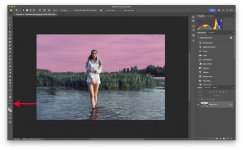
However, when I use the object selection tool I can only use it like the rectangle marquee tool as you can see below, how do I change it so that I can draw around subjects please?
View: https://www.youtube.com/watch?v=BOpG8ar0zRs
Also, I prefer to use the photography workspace, however when I use this the remove, spot healing, and healing brush tools aren't grouped together like they are in other workspaces, is there a way that I can group them please?
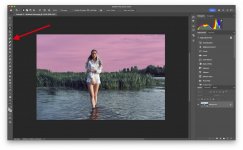
However, when I use the object selection tool I can only use it like the rectangle marquee tool as you can see below, how do I change it so that I can draw around subjects please?
Also, I prefer to use the photography workspace, however when I use this the remove, spot healing, and healing brush tools aren't grouped together like they are in other workspaces, is there a way that I can group them please?