PhotoShop Help please guys! quick respose please :)

DoubleT

Suspended / Banned
Messages
1,318
Name
Matt
Edit My Images
Yes
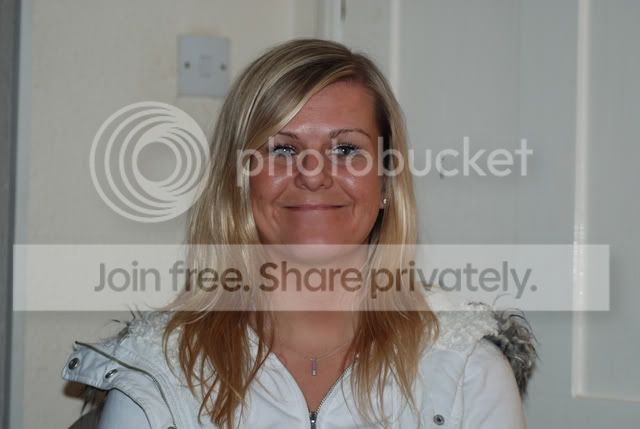
ok, my wife is having a dilema about going from blonde to dark brown hair ive tried PS myself but my PS skills arent all that good when it comes to the "fiddley" stuff. would someone be able to do me a big favour and maker her hair brown please

thanks

:wave:


DSC_0666.jpg
 
DSC_0666.jpg


Very rough and ready - you did say quick response!
 
very quick edit too...Slightly more red than brown...sorry

DSC_0666.jpg
 
Create a Hue / Saturation adjustment layer. Drop the lightness so you can see a big difference, it doesn't matter what it looks like at this point - set your brush to black (or hit D on the keyboard to set default colours - hit X to toggle black / white to foreground / background colours). Paint on the adjustment layer to mask all but the hair - the more time you take the better the result, I did this in a couple of minutes so not very accurate. then adjust the the sliders on the adjustment layer until you get an effect you like.
 
All I did was select a soft airbrush, pick a deep brown, then select opacity of about 30-40%, set to multiply and then just paint over the hair itself. Not the best tech. but very quick and easy.
 
At least you've bothered to sharpen yours.....;)
 
Create a Hue / Saturation adjustment layer. Drop the lightness so you can see a big difference, it doesn't matter what it looks like at this point - set your brush to black (or hit D on the keyboard to set default colours - hit X to toggle black / white to foreground / background colours). Paint on the adjustment layer to mask all but the hair - the more time you take the better the result, I did this in a couple of minutes so not very accurate. then adjust the the sliders on the adjustment layer until you get an effect you like.

Learn something else today.

Thanks Paul
 
Very rough and ready using Glo's effort as a starting point..

brown.jpg


Draw a freehand mask completely around the hair

Feather it by a few pixels, say 8-10

Reduce saturation by using the stauration slider and/or reduce red using the Red Green and Blue sliders.
 
thanks for you efforts guys, top jobs :thumbs:

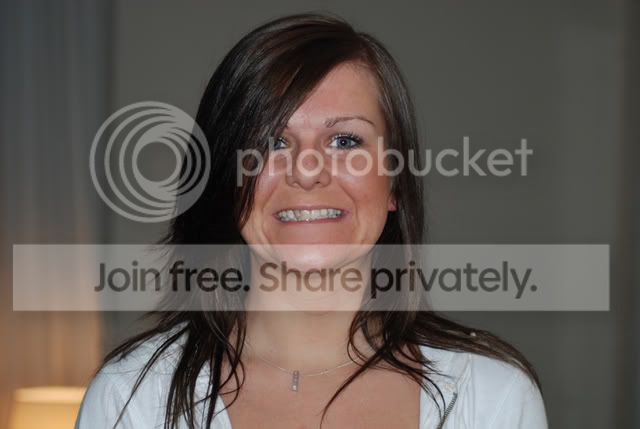
we decided to go out and get a kit to die it! . this is how it is now..

DSC_0668.jpg


in fairness though, the photo of her in my first post didnt do her hair justice as it was looking a tad scruffy after a hard day at work!.#

but i think it looks much nicer in brown :)

yum yum

:clap:
oh, i was the one who dyed it!!! :thinking:


:wave:
 
oh, i was the one who died it!!! :thinking:

Not been married long then?

Rule 1 - Don't do anything related to how she looks that could remotely be construed as 'your fault'

;)

You might get away with it this time though as it does look good :)
 
Back
Top