
Photoshop Elements "Save As" problem

PaulBoy

Suspended / Banned
Messages
1,544
Name
Paul
Edit My Images
Yes
For some reason my PSE (v4) will not let me "Save As" a JPEG (which it has done up until today!)
It only offers me
TIFF
PS PSD
JPEG2000 (which doesn't include .jpg)
PS RAW
PNG
Can't find anything in Help - Can you help please?
Paul :shrug:
 
is your image 8 bit? You can't save a 16 bit file as a JPG
 
is your image 8 bit? You can't save a 16 bit file as a JPG
Cheers Grendel (fellow Marillion fan I see!) I have been opening NEF files from my D200 in PSE and then saving ones I wanted on Flickr to JPEG and have been doing this for weeks until today!
Paul ;)
 
:wave: I though we were a dieing breed! New album out in March :D
Nice to hear! Are there plans for a special "fans version" like Marbles which the fans paid for? Don't suppose you like Porcupine Tree as well do you?
Paul :thumbs:
Btw any idea what's up with my NEF > JPEG saving then?
 
I've not heard of any special versions this time, shame really. I've not listened to Porcupine Tree, you'd recommend them then?

Anyway your JPG problem - id the image definately 8 bit? I'm a Canon man m'self and I know a CR2 RAW is 16 bit by default.
 
Just tried "save as" with a 300d RAW on elements 4.0 ,

8 bit - save as everything (inc .JPG),

16 bit - save as Tiff , PSD etc (no .JPG)
 
Just tried "save as" with a 300d RAW on elements 4.0 ,

8 bit - save as everything (inc .JPG),

16 bit - save as Tiff , PSD etc (no .JPG)

Mr G - Thanks for that - Can't understand why I could do it before as I haven't changed anything on my D200 or in PSE (?)
I have RAW Shooter but converting the files in that first is just another PITA
The whole idea of using PSE was that it could handle the RAW format straight from the D200 (.nef files)
I am at work so can't check PSE to see how easy converting my .nef files to 8 bit would be (asuming here they are 16 bit?) but I am reluctant to do that as I presume the image quality would be affected which defeats the object (?)
Yours confused ... Paul ;)
 
I've not heard of any special versions this time, shame really. I've not listened to Porcupine Tree, you'd recommend them then?

Anyway your JPG problem - id the image definately 8 bit? I'm a Canon man m'self and I know a CR2 RAW is 16 bit by default.

You haven't heard any Porcupine Tree :eek: - I can "lend" you some if you want a listen - PM me & we can sort something ...
As you will see in my reply to Mr G I will look into the 16 / 8 bit side - must say I'm tempted to get Capture & boot my other programs into touch ...

Paul :thumbs:
 
Does sound like a 8/16-bit issue to me as well.
When you open the images in the RAW viewer in Photoshop, the boxes at the bottom allow you to select 8 or 16-bit, the pixel dimensions and the dpi settings. Check all of those - I open my files as 16-bit and 300 dpi with the pixel dimensions unchanged.
Then save as a 16-bit TIFF, change to 8-bit then crop and save as a JPEG for transmission purposes.

Give me a ring if you have any dramas and I'll talk you through it. May be time to upgrade to CS2 though...
 
Does sound like a 8/16-bit issue to me as well.
When you open the images in the RAW viewer in Photoshop, the boxes at the bottom allow you to select 8 or 16-bit, the pixel dimensions and the dpi settings. Check all of those - I open my files as 16-bit and 300 dpi with the pixel dimensions unchanged.
Then save as a 16-bit TIFF, change to 8-bit then crop and save as a JPEG for transmission purposes.

Give me a ring if you have any dramas and I'll talk you through it. May be time to upgrade to CS2 though...

Thanks Rob - I'll have a go at that :thumbs: - As I eluded to in my post above I am going to give Nikon Capture a try - I hear it's a bit resource hungry but at least I will avoid the issues the other programs have with .nef files (I bet you're going to tell me its carp & avoid it like the plague!)
Paul ;)
 
Well it is quite fishy :D :lol:
Very good although I did mispell it on porpoise :lol:
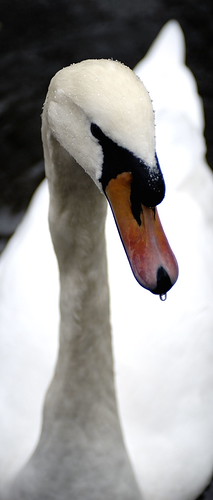
I spoke with Catdaddy about Capture NX and he suggested I download the trial - I did & I am liking what I see - Did my first "tweak" & saved this to .jpg with no dramas (the original size is a bit nicer but you'll get the idea) ... Paul ;)

311883350_d567abc540.jpg
 
Back
Top