
Photoshop Elements 2022

  • Thread starter Thread starter Doc
  • Start date Start date

Doc

Suspended / Banned
Messages
1,233
Edit My Images
No
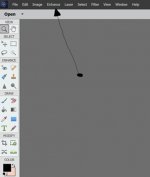
Downloaded the 30 day trial - in the quick edit adjustment sliders for shadows/highlights etc are on the right, but in expert left hand side of image brushes etc but nothing on right side of image for shadows/highlights adjustments etc - hopefully somebody can tell me where they are!! - tutorials didn't help (perhaps I was looking at the wrong ones!!) - Thanks
 
Last edited:
Downloaded the 30 day trial - in the quick edit adjustment sliders for shadows/highlights etc are on the right, but in expert left hand side of image brushes etc but nothing on right side of image for shadows/highlights adjustments etc - hopefully somebody can tell me where they are!! - tutorials didn't help (perhaps I was looking at the wrong ones!!) - Thanks
On my 2018 version it is, as you say, on the quick edit option.
In expert you go along the top banner to enhance.
This then gives a drop down menu. Midway down you'll see Adjust lighting. Hover on that to see the options which include Shadows/Highlights.
You then have the sliders etc.

Hope this helps

....JPG
 
Last edited:
  • Like
Reactions: Doc
On my 2018 version it is, as you say, on the quick edit option.
In expert you go along the top banner to enhance.
This then gives a drop down menu. Midway down you'll see Adjust lighting. Hover on that to see the options which include Shadows/Highlights.
You then have the sliders etc.

Hope this helps

View attachment 336912
Many thanks Skypilot
 
Back
Top