Overclocking i5 2500k

futureal33

Suspended / Banned
Messages
2,390
Name
Nick
Edit My Images
Yes
Afternoon all,

When I built my PC I set an overclock on my i5 CPU to 4.3ghz. Since then it has been running smoothly with no problems.
The other day, I checked CPU-Z to have a look at something, and noticed it had reverted back to its factory clock settings 3.3ghz!

Anyway...

I have been trying all morning to apply an overclock in the BIOS back to 4.3ghz and it just wont take it. When it loads into Windows it is still reporting 3.3ghz (both on Windows and on CPU-Z)
I have tried everything I can think of, but it just wont apply the OC settings...

Can anyone help?

Cheers
 
Which Motherboard? What have yous et in the BIOS and where are you taking the clock value from in CPU-Z?
 
Andy,

Using an MSI Z77A-G43 mobo.

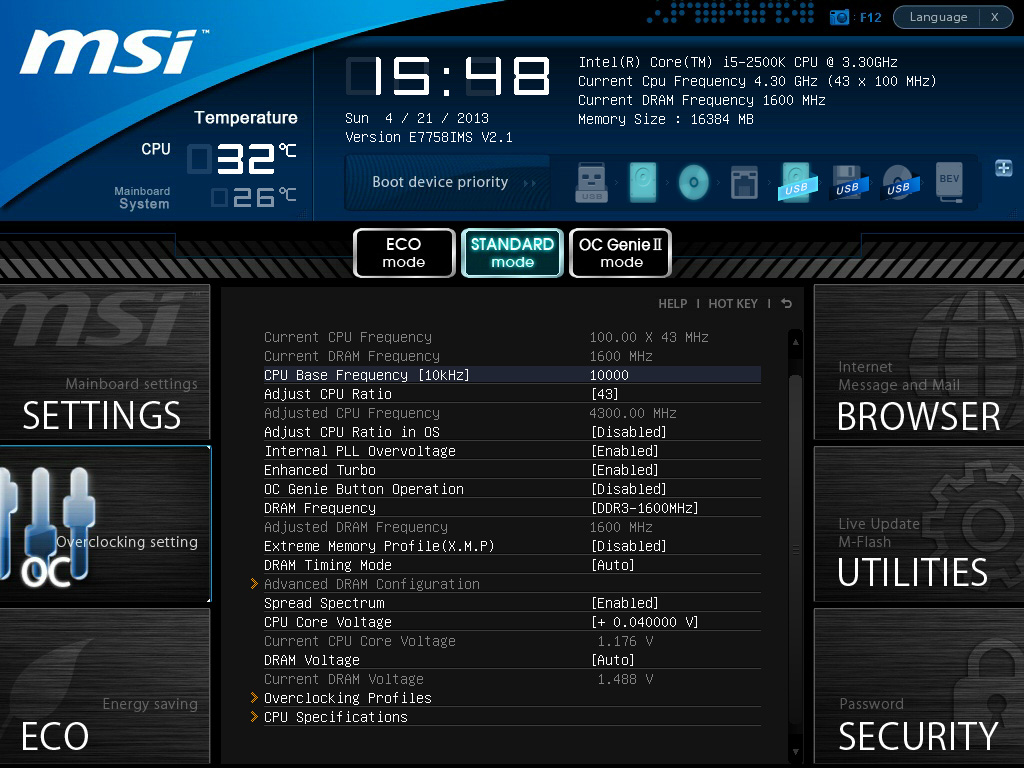
In the BIOS I have changed the multiplier from 33 to 43, turned off turbo boost, upped the CPU V-Core by 0.2V.

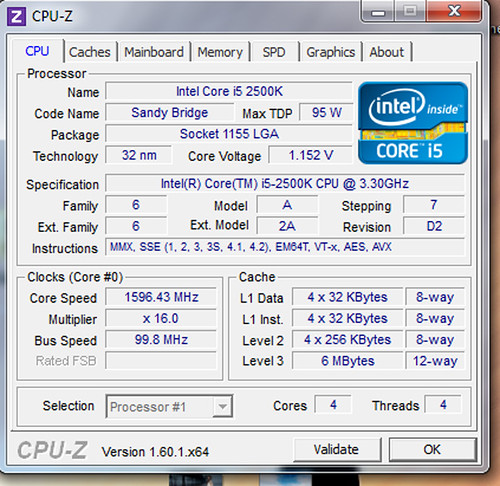
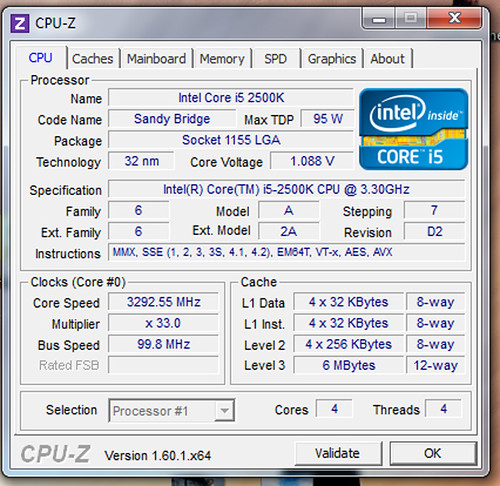
Then when I load into Windows, I open CPU-Z and look on the CPU Tab and this is what I see:


Untitled-1 by futureal33, on Flickr

and


nonidle by futureal33, on Flickr
 
Last edited:
In the BIOS I have changed the multiplier from 33 to 43, turned off turbo boost, upped the CPU V-Core by 0.2V.
And there's your problem.....

Leave Turbo Boost on. The way you overclock i5/i7 is to increase the maximum turbo boost frequency. You've turned turbo off, so it's limited to the spec'd 3.3GHz. Enable it and it will overclock when needed...

As to Vcore voltage - does it not have an AUTO setting? I'd leave it on that if it does (my mobo increases voltage depending on load automatically).
 
And there's your problem.....

Leave Turbo Boost on. The way you overclock i5/i7 is to increase the maximum turbo boost frequency. You've turned turbo off, so it's limited to the spec'd 3.3GHz. Enable it and it will overclock when needed...

Just done this and its no different, reporting 3.3ghz. If I print screen my BIOS would that help?

Cheers
 
having a quick google it does seem to come up a bit on msi boards.

in the bios check to see if limit cpuid maximum and overspeed protection are enabled also EUP 2013 in power management.

others have updated the bios to the latest. also check that CPUZ is on the lastest (although that doesn't explain why it would show previously).

edit - thatll teach me to leave the thread open for too long and not refresh before replying.. :D
 
Set adjust CPU frequency in os. This needs to be enabled...
 
Was this a pre-overclocked bundle?

If so, then there should be a selection of preset bios settings which you can load in from the main bios screen. Check instructional bit at the bottom of the screen.
 
Back
Top