

68lbs
Suspended / Banned
- Messages
- 5,450
- Name
- April 2008
- Edit My Images
- No
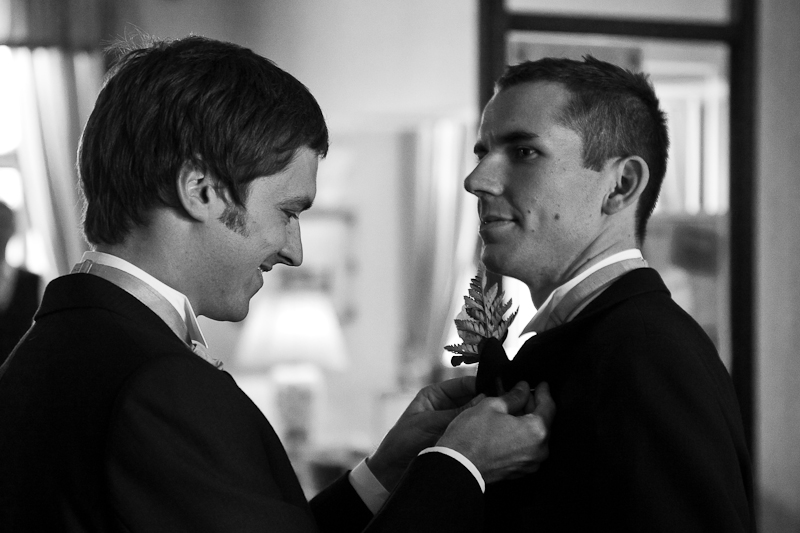
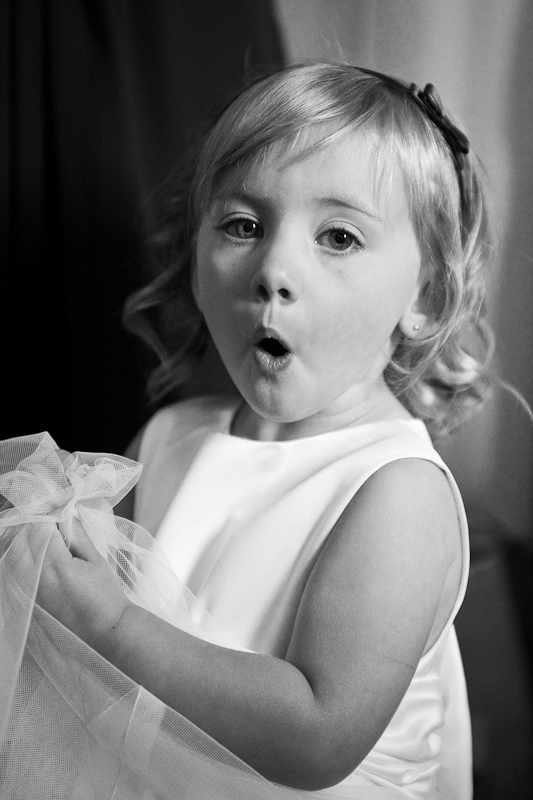
Had a comment on a thread of mine a few weeks ago about my B&W processing not being up to parr. Am just wondering what people's thoughts are on these two, and if they have any suggestions on how to create 'great' monos.
Both were processed in Lightroom using the 'Grayscale Mix' tool to control each colour. AliB pointed me in the direction of some Photoshop Actions, but I was hoping I could sort things ok myself within LR.
1.
2.
Both were processed in Lightroom using the 'Grayscale Mix' tool to control each colour. AliB pointed me in the direction of some Photoshop Actions, but I was hoping I could sort things ok myself within LR.
1.
2.


 The top one could do with the blacks being reduced imo (or some light filled???). My preference would be to bring out some of the detail on the suits. Atm, this is lost a bit on the man on the right (the groom?). In the opposite way, maybe the light in the second pic can be toned down a bit? It might also deal with the distracting line of the material against her arm, which, at first glance makes it look as if her arm is a weird shape. If the section behind the material was darker it would resolve this I think. I may be off the mark here though, so interested to know what others think.
 I did it in Corel Paint shop pro x2, not sure what those strengths would be equal to in other apps :shrug:


 . No more late night PPing for me!


