My first attempt with Ebay Light Tent

Freester

Suspended / Banned
Messages
1,602
Name
Mark
Edit My Images
Yes
Hi TP people,

A buddy of mine is a tea enthusiast and imports authentic Chinese and Indian teas. He has a website selling the tea and also Chinese ‘tea drinking wares’ such as cups, bowls and teapots. He was looking for someone to do some photography of products from his latest delivery and I told him I would have a go (also at the same time making him aware that I hadn’t done anything like this before).

So after a bit of research on here I decided to go ahead and purchase a £14 Ebay 50cm light tent and 2x 100 watt daylight eco bulbs which I fitted to some old desktop lamps. Please see the following snap for last night’s setup.

IMG_3431.jpg


Note this was a seriously rushed affair. It was getting late and my wife wanted me to pack up so we could have our tea!!! I just grabbed a couple of mugs from the kitchen for the shots.

I got the following shots which I am relatively pleased with.

1.

IMG_5794.jpg


2.

IMG_5799.jpg


I am aware that a crease in the background caused the line to the left of image one (need to get the iron out!).

Please excuse the drying marks on the mug in image 2 and the dodgy line at the bottom due to the background getting a bit ‘scrunched up’.

What I am really looking for here is CC on the lighting quality. Anything I can adjust when it comes to the product shoot proper? Can I position the lights better? NOTE for the images I actually held the right hand lamp so it was slightly in front and shining down on the subject. When I get to do the products proper I will get some boxes or pile some books to position the lights if required. Also in number 2 you can see a reflection in the mug looking out of the light tent in this one.

Thanks in advance,

Mark

Edit: Just noticed no EXIF for product photos. Settings were somewhere around 1/4s, f/14 ISO100. Shot in Aperture Priority with +1/3stop exposure comp - I used a tripod, shutter release and mirror lock up.
 
Your background is seriously overexposed, resulting in damage to the edge detail and poor edge definition.
You can improve the edge definition by placing a black absorber each side of the subject and also above, this will make a world of difference
 
Your background is seriously overexposed, resulting in damage to the edge detail and poor edge definition.
You can improve the edge definition by placing a black absorber each side of the subject and also above, this will make a world of difference

As abovve plus I would also have put some black card to hide the lights from the camera

Thanks so much for the replies. Exactly the feedback I was looking for. Being a complete newbie to this can you expand your answers a little more for me...

Black absorbers... Card? Something else? Can I have a little more detail on the placement of these? Thanks.

Black card to hide the lights...? Where should I position this?

TIA

Mark
 
Black card will do. We tend to use blackwrap (trade name Cinefoil) which is basically a roll of very thick baking foil painted black, because it's easier to cut out and shape, but black card will do the job. Basically it will darken any edge that it's near. The trick is to place it as close as possible without it being in the shot and just big enough to do the job without seriously impeding the light needed to light the subject itself.

I think Chaz Photos is talking about a black flag, just another piece of black material, in this case designed to stop unwanted light from hitting the lens.

Sorry all this is a bit vague, positioning is basically down to either experience or trial and error.
 
Cheers for the quick reply. I have some black mounting card left over - the bits cut out of the mount that sound like they will do just the job. Will give it a go tonight and report back!
 
Thanks for the advice earlier. I've spent a spare hour messing around with this, absorbers and hiding the lights. The best result I got was not overexposing so much, ironing the background and closing the front entrance!!! I started using my 400D kit lens (discarded the 70-200L!) in order to get a much closer focussing distance.

IMG_5818.jpg


Any improvement? I think the edge definition is better but maybe I am struggling a bit with reflections.

Any advice / CC gratefully received.
 
what settings did you use for these mate?

i have a load of website photos to do of some of our products - got the tent, but not the skills or knowledge!
 
Thanks for the advice earlier. I've spent a spare hour messing around with this, absorbers and hiding the lights. The best result I got was not overexposing so much, ironing the background and closing the front entrance!!! I started using my 400D kit lens (discarded the 70-200L!) in order to get a much closer focussing distance.

IMG_5818.jpg


Any improvement? I think the edge definition is better but maybe I am struggling a bit with reflections.

Any advice / CC gratefully received.

This is a big improvement and personally I don't see any problem with reflections.
Reflections, like shadows, are part of real life. They need to be there, the trick is to control them so that they look natural.

I thought I'd have a play with this myself. My setup is different, I'm not a great fan of light tents because I like to control the light easily, but the principle is the same.
The key light here is the overhead softbox and the fill light is another softbox, directly behind the camera.
I originally set it up using a mug but didn't have one of suitable colour so used a glass for the actual shots. You can see the absorbers, as close as possible to the edges.
setup_mug.jpg


Then I moved onto the glass, here you can see it with only one side 'fitted' with an absorber. I used a small piece of blackwrap that isn't big enough because I'm too tight to cut a new piece off the roll, but you can see the diffence it makes by comparing to the side without it
glass_1.jpg


This was thirsty work, so I poured myself a drink.
coke.jpg


What I should have done was to add a backlight to make the coke come to life but all I've tried to do here is to show what absorbers do and to show that reflections (from the fill light on the camera axis) add to the shot, not detract from it.
 
what settings did you use for these mate?

i have a load of website photos to do of some of our products - got the tent, but not the skills or knowledge!

The settings for the original images are in the first post. For the final image the EXIF is 1/6s, f/20, ISO200 @49mm.

Basically I shot in aperture priority with evaluative metering and set the exposure compensation for +2/3 stop.

I think thats MUCH better, well done!

Thanks!

This is a big improvement and personally I don't see any problem with reflections.

Thanks alot. Thanks so much for taking a few example shots and showing me how you setup the absorbers etc. A picture paints a 1000 words and all that...

I might be able to get my hands on a few studio lights so I might try your setup. But until then I realise there is no right answer, just experiment until the images look right!

Thanks again!
 
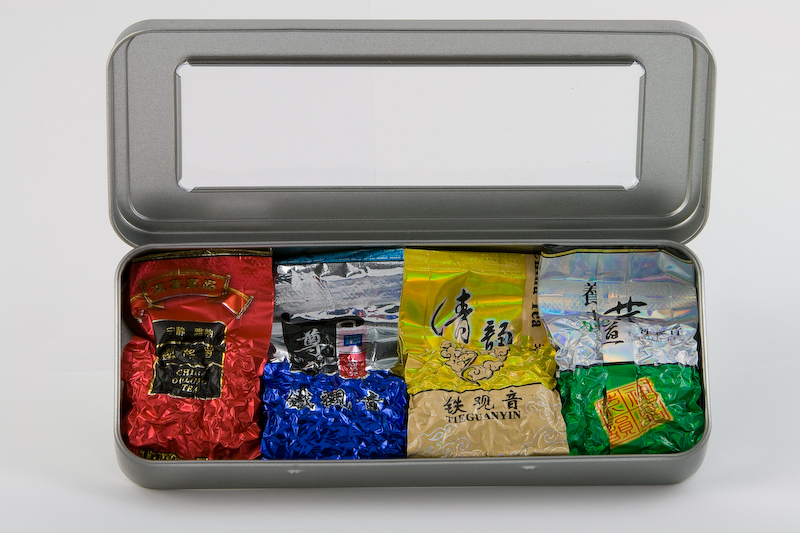
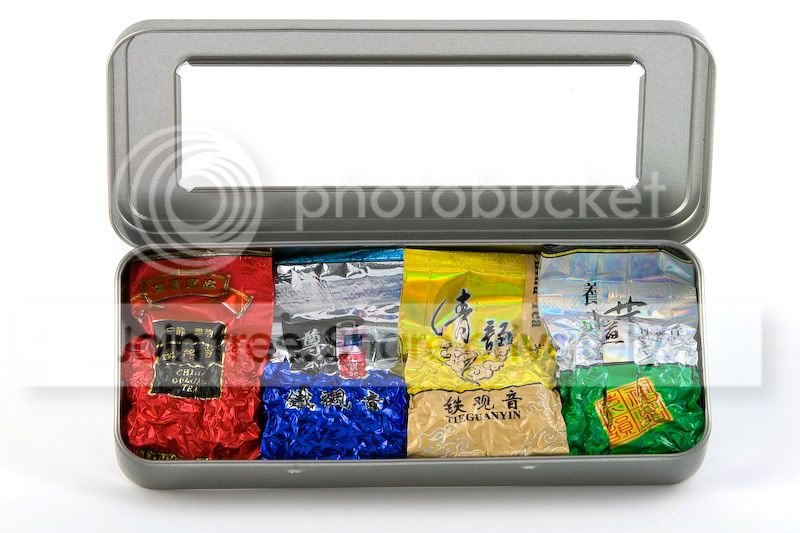
Hey guys I had my proper shoot last night. Was really pleased with the results as was my friend / 'customer'. Here's one of the good ones we were pleased with...

 
It is better but still slightly under exposed, for ebay anyway.

Here is and edit, hope you don't mind.

Added a levels adjustment layer and moved the white slider to the centre of the high peak.

Added a hue/saturation layer and added +10 sat & +5 of lightness.

copy3697754859_74cb9f3eb8_o.jpg
 
Just remembered you do not need to do levels adjustment layer,

click Image> Adjustments>Levels and when the levels window pops up just select the white point eyedropper and click on your whiteish background and this automatically brightens up the background, you can do the same with other 2 eyedroppers for more contrast.
 
Cheers thanks for the edit and the advice on how to do it!
 
how did you get rid of the creases in the background? 'shop them out?
 
Back
Top