I recently bough an Asus proart 16 laptop and wanted to buy a monitor that will be as optimised as possible for photo editing. Either 27 or 32 inch. Will anything do? Or do I really need to look out for certain features like 100% Adobe rgb coverage etc? There appear to be so many different features on these things and wanted to know if anyone had strong views on this that could point me in the right direction.


You are using an out of date browser. It may not display this or other websites correctly.
You should upgrade or use an alternative browser.
You should upgrade or use an alternative browser.
Monitors for photo editing
- Thread starter briansy
- Start date

Personal use mainly, but want the option of being able to print! I don't have a budget in mind really. I know they go from 800 to about 4K for a top spec one which I assume are more for professionals? I don't want to make too many assumptions as I don't know enough!
Was thinking this should do the job and good value for the size

ancient_mariner
Moderator
- Messages
- 27,780
- Name
- Toni
- Edit My Images
- No
Was thinking this should do the job and good value for the size
That would be ideal.

- Messages
- 18,695
- Name
- LongLensPhotography
- Edit My Images
- No
I wouldn't bother.Was thinking this should do the job and good value for the size

Some odd results on my PA329C with i1Display Pro | DisplayCAL
I need some help interpreting this info. Some of it, is somewhat mind boggling to me. First, I did a display uniformity test without using any of Asus's hardware calibration software, just to see the defaults. The numbers look pretty bad at some of the edges/corners, but Asus does have screen...
hub.displaycal.net
Refurbished with 1 year warranty is totally asking for major problems right out of the box
ancient_mariner
Moderator
- Messages
- 27,780
- Name
- Toni
- Edit My Images
- No
Interesting. The ProArt had a good rep a couple of years ago, and I'd have expected that to continue but do check reviews. rtings do good monitor reviews.
Oh! Not so good. What would you recommend as an alternative?I wouldn't bother.
Uniformity is a disaster like a few other recent IPS screens. Friend has 27 version and uniformity is real bad (like fast prime vignette wide open)Some odd results on my PA329C with i1Display Pro | DisplayCAL
I need some help interpreting this info. Some of it, is somewhat mind boggling to me. First, I did a display uniformity test without using any of Asus's hardware calibration software, just to see the defaults. The numbers look pretty bad at some of the edges/corners, but Asus does have screen...hub.displaycal.net
Refurbished with 1 year warranty is totally asking for major problems right out of the box

pooley
Suspended / Banned
- Messages
- 6,017
- Name
- Mike
- Edit My Images
- Yes
This is one of those threads where everyone has opinions on offer but no single definitive answer, and for every suggestion, someone will be able to offer a counter-suggestion.
I was very lucky to find an Eizo monitor for 50% price and its superb, but no way could have have ever justified its full price tag. At the time I was looking into the Benq range, and that's where I'd suggest starting off.
Go onto a site like wex.co.uk or park cameras and look at what they offer - their monitors will generally be photo specific and its colours and uniformity that are the real needs.
If you look at stores like currys, they're more likely to be monitors aimed at gamers who value things like refresh rates more than us
Mike
I was very lucky to find an Eizo monitor for 50% price and its superb, but no way could have have ever justified its full price tag. At the time I was looking into the Benq range, and that's where I'd suggest starting off.
Go onto a site like wex.co.uk or park cameras and look at what they offer - their monitors will generally be photo specific and its colours and uniformity that are the real needs.
If you look at stores like currys, they're more likely to be monitors aimed at gamers who value things like refresh rates more than us
Mike

Sangoma
Suspended / Banned
- Messages
- 2,951
- Name
- Steve, Coventry, England
- Edit My Images
- Yes
This is one of those threads where everyone has opinions on offer but no single definitive answer, and for every suggestion, someone will be able to offer a counter-suggestion.
I was very lucky to find an Eizo monitor for 50% price and its superb, but no way could have have ever justified its full price tag. At the time I was looking into the Benq range, and that's where I'd suggest starting off.
Go onto a site like wex.co.uk or park cameras and look at what they offer - their monitors will generally be photo specific and its colours and uniformity that are the real needs.
If you look at stores like currys, they're more likely to be monitors aimed at gamers who value things like refresh rates more than us
Mike
Totally agree, and one has to differentiate between what you actually need for your use and snob value of owning something that you will never actually need the "accuracy" and features of.
You need something that is comfortable to use for editing, and doesn't have huge variations across the screen, ans something you can match to your printer, but there are far less complex and expensive ways of doing it for home use than having both a printer and screen that can be calibrated to a standard.
As mentioned above, not all will agree, especially those who have the most expensive equipment on their desks

I will admit I had seen that colour "accuracy" was a thing but not "uniformity". Every single photo editing monitor I encountered online had been deemed as terrible by someone or other and that Asus seemed to have the best combination of features and price. Is there a specific feature on these monitors that indicates "uniformity" or the lack thereof?
https://www.techradar.com/pro/benq-photovue-sw272u-review
This one also seemed like it would have everything I may (or may not!!) need? There is also the Eizo CS2740 which looks good and maybe one approved of by purists!
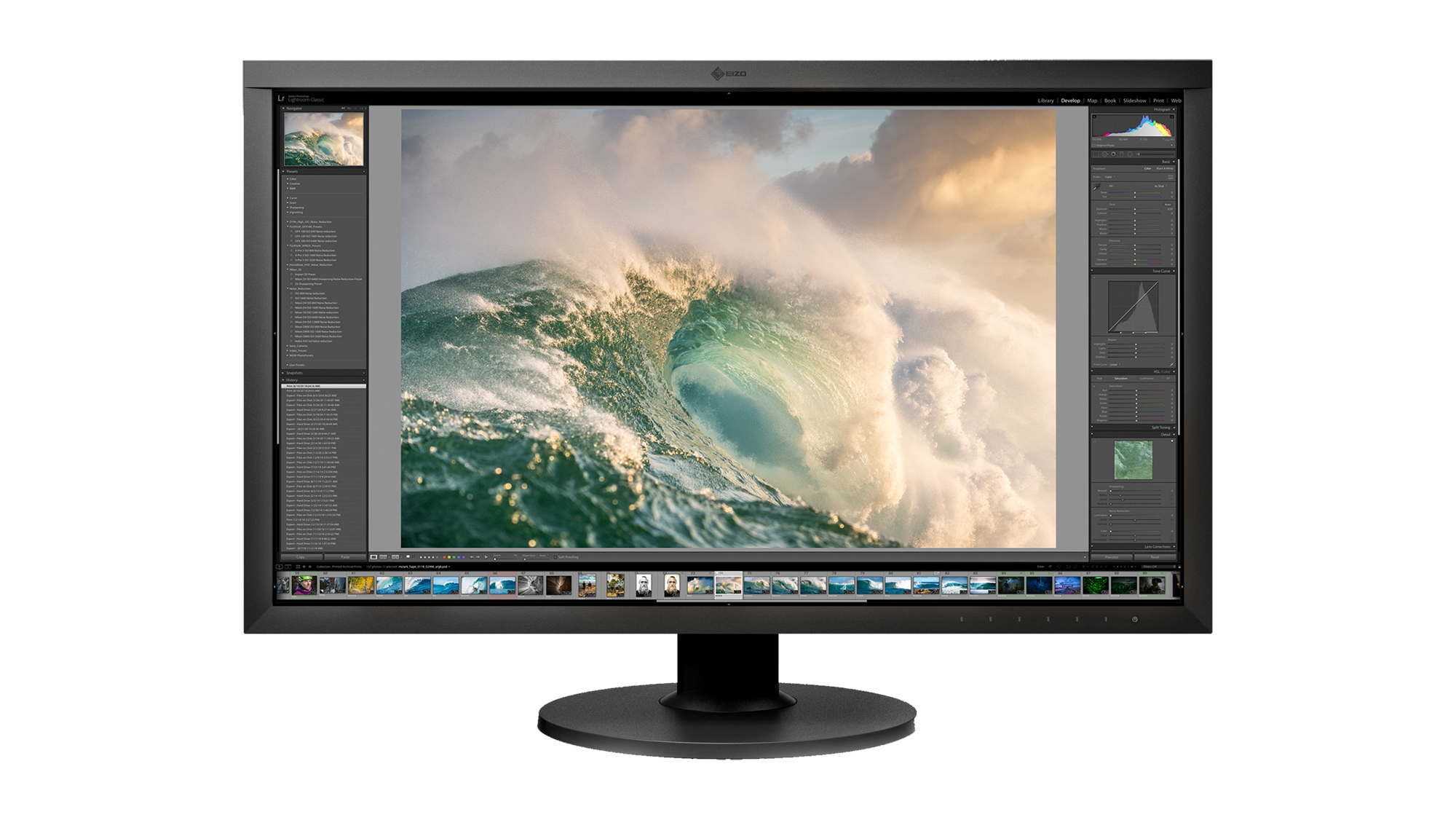
This one also seemed like it would have everything I may (or may not!!) need? There is also the Eizo CS2740 which looks good and maybe one approved of by purists!
Equipment Review: Eizo ColorEdge CS2740
The blog of adventure photographer Michael Clark
blog.michaelclarkphoto.com
Last edited:
- Messages
- 18,695
- Name
- LongLensPhotography
- Edit My Images
- No
Frankly I think it is finally time for an OLED, which would match your laptop pretty well. You will want a long warranty for both.Oh! Not so good. What would you recommend as an alternative?
- Messages
- 18,695
- Name
- LongLensPhotography
- Edit My Images
- No
uniformity is a major thing in our craft. I've never seen a premium monitor with such issues until 2020s where suddenly they became quite commonplace, presumably due to cost cutting or something. Presumably most people watching videos, and editing spreadsheets wouldn't care all that much.I will admit I had seen that colour "accuracy" was a thing but not "uniformity". Every single photo editing monitor I encountered online had been deemed as terrible by someone or other and that Asus seemed to have the best combination of features and price. Is there a specific feature on these monitors that indicates "uniformity" or the lack thereof?
You can use calibrator tool, and that will measure 10 or so different spots across the screen, and they are expected to be within certain %. You won't get it perfect on IPS but you can get very reasonable.
Some monitors have uniformity setting in OSD. That asus appears like it has it but the forum raises further issues with calibration when it is used. This is just not something you want to deal with if you can avoid it in the first place. Hence the suggestion for OLED, mini or microLED. You will want to think carefully if you want matt or gloss, and the former is pretty much only available from Samsung.
Last edited:
pooley
Suspended / Banned
- Messages
- 6,017
- Name
- Mike
- Edit My Images
- Yes
https://www.techradar.com/pro/benq-photovue-sw272u-review
This one also seemed like it would have everything I may (or may not!!) need? There is also the Eizo CS2740 which looks good and maybe one approved of by purists!
Equipment Review: Eizo ColorEdge CS2740
The blog of adventure photographer Michael Clarkblog.michaelclarkphoto.com
As a general rule, Eizos are superb, but don't come cheap. If you can afford one they are top notch
Mike

GetBusyLiving
Suspended / Banned
- Messages
- 171
- Name
- Caroline
- Edit My Images
- No
I have two Dell monitors, one of them came with the computer, one I bought separately; their individual prices were about £200 apart (they are both probably obsolete now) . Putting the same thing on both monitors gives slightly different results but TBH, there's no significant real-world difference and I sometimes open LRC on one, then another day, I'll open it on the other. I often have a dual monitor setup with LRC.
My point here is that unless you are doing things professionally, then any decent manufacturer's monitor will almost certainly do what you want it to. My advice is to buy a mid-price monitor of from any reputable company and you won't go far wrong. If there is a slight difference between the video version and the printed version of a picture and you can't make one look like the other for some reason, then it is easy to just make a slight adjustment to the print version so comes out as you want it. I always found that when I printed a picture that looked perfect on either monitor, it always looked a little under-exposed (could be my eyesight, or the fact that at the time I had a bloody good printer); all I did was just add a little exposure in Lightroom and everything was fine.
It's like buying a new phone: after you have trawled the internet for advice, reviews, opinions, then gone through all the sellers looking for a good price, you are so thoroughly fed up of the whole thing so you just say "f*** it, I'll just have that one" and hope it's ok; it probably will be.
My point here is that unless you are doing things professionally, then any decent manufacturer's monitor will almost certainly do what you want it to. My advice is to buy a mid-price monitor of from any reputable company and you won't go far wrong. If there is a slight difference between the video version and the printed version of a picture and you can't make one look like the other for some reason, then it is easy to just make a slight adjustment to the print version so comes out as you want it. I always found that when I printed a picture that looked perfect on either monitor, it always looked a little under-exposed (could be my eyesight, or the fact that at the time I had a bloody good printer); all I did was just add a little exposure in Lightroom and everything was fine.
It's like buying a new phone: after you have trawled the internet for advice, reviews, opinions, then gone through all the sellers looking for a good price, you are so thoroughly fed up of the whole thing so you just say "f*** it, I'll just have that one" and hope it's ok; it probably will be.
Last edited:
ancient_mariner
Moderator
- Messages
- 27,780
- Name
- Toni
- Edit My Images
- No
My point here is that unless you are doing things professionally, then any decent manufacturer's monitor will almost certainly do what you want it to.
I suspect that for many of us, professional describes an occupation rather than a standard of performance. It is always good to have equipment that you are confident with, rather than some misgivings.
GetBusyLiving
Suspended / Banned
- Messages
- 171
- Name
- Caroline
- Edit My Images
- No
Yes, you are probably right, but there is no way of being sure you are confident with a purchased monitor until it is, er, purchased, and by then it's too late -- unless it's a complete dog and you could probably get your money back, but then you have to start again. All the OP has to go on is, as I said, advice, opinions and reviews, but in the end, a committment has to be made and my suggestion, that any mid-range monitor from a reliable manufacturer will probably fulfil requirements, still stands.I suspect that for many of us, professional describes an occupation rather than a standard of performance. It is always good to have equipment that you are confident with, rather than some misgivings.
ancient_mariner
Moderator
- Messages
- 27,780
- Name
- Toni
- Edit My Images
- No
Yes, you are probably right, but there is no way of being sure you are confident with a purchased monitor until it is, er, purchased, and by then it's too late -- unless it's a complete dog and you could probably get your money back, but then you have to start again. All the OP has to go on is, as I said, advice, opinions and reviews, but in the end, a committment has to be made and my suggestion, that any mid-range monitor from a reliable manufacturer will probably fulfil requirements, still stands.
I recently bought a 27" 4K monitor for home working alongside the 27" 1440P screen I use for photo work. The new monitor has all the right attribubes to be a photo monitor, but actually suffers noticeable light fall-off at the sides despite being IPS and is distinctly warmer than the photo screen even after calibration (I suspect the low blue-light aspect). I've kept it because I wanted the extra effective space for documents and spreadsheets for work and the fall-off doesn't matter too much, but the other screen is better for editing. It was <£180 too, although I slightly regret not spending a bit more now.
GetBusyLiving
Suspended / Banned
- Messages
- 171
- Name
- Caroline
- Edit My Images
- No
Generally we get what we pay for, but only up to a price point. I tend to buy mid-range because cheap usually doesn't cut it and more expensive versions usually just have more bells and whistles.I recently bought a 27" 4K monitor for home working alongside the 27" 1440P screen I use for photo work. The new monitor has all the right attribubes to be a photo monitor, but actually suffers noticeable light fall-off at the sides despite being IPS and is distinctly warmer than the photo screen even after calibration (I suspect the low blue-light aspect). I've kept it because I wanted the extra effective space for documents and spreadsheets for work and the fall-off doesn't matter too much, but the other screen is better for editing. It was <£180 too, although I slightly regret not spending a bit more now.
I have a Yanagisawa tenor saxophone. When I bought it, it cost a little over £2000 (and I could get that much for it now too); as saxes go across makers, it was about mid-range. I could have spent a lot more but as you go up the price range, the only things that change are the materials it is made of (eg silver instead of brass) and how pretty it is -- the sound is much the same. There comes a point, when buying anything, that there occurs the law of diminishing returns, I don't suppose monitors are much different (although, to be fair, the size can go up with more money spent).
ancient_mariner
Moderator
- Messages
- 27,780
- Name
- Toni
- Edit My Images
- No
I have a Yanagisawa tenor saxophone. When I bought it, it cost a little over £2000 (and I could get that much for it now too); as saxes go across makers, it was about mid-range. I could have spent a lot more but as you go up the price range, the only things that change are the materials it is made of (eg silver instead of brass) and how pretty it is -- the sound is much the same. There comes a point, when buying anything, that there occurs the law of diminishing returns, I don't suppose monitors are much different (although, to be fair, the size can go up with more money spent).
I have guitars at a wide range of price points. More money often gets nicer hardware but is no guarantee of tone or responsiveness - or even quality of setup. The guitar I gig with the most cost £300, and I don't have any US made guitars left because although expensive, they were generally inferior in tone and enjoyment to my Japanese and English instruments.
The important thing is knowing what you want from something, and as you suggest, you often don't find out whether it will deliver until after you've lived with it for a while.

Blue439
Suspended / Banned
- Messages
- 211
- Edit My Images
- No
If you do a little research, you will find that Eizo is one of the most (if not the most) respected brands of monitors, used by many professionals, including those for whom money is not object. I have had an Eizo for a few years, its color accuracy and uniformity are superb, and it has a built-in calibration device that turns itself on when needed. Very convenient, set it once and forget it.

Swanseajack
Suspended / Banned
- Messages
- 3,659
- Name
- Simon
- Edit My Images
- Yes
I have the ASUS Proart in the 27inch version, not had any problems with it since purchase a couple of years ago. I use it for general photo work and it's fine for my use and I don't do much printing these days. You will always get bad reviews of most electrical items, if you go looking for them!!Was thinking this should do the job and good value for the size

ASUS ProArt PA279CV 4K IPS Professional Monitor | Wex Photo Video
www.wexphotovideo.com
Part of the reason why the proart 16 is so expensive is cos of the oled 4k screen optimised for photo editing. Given the conflicting reports, I've decided to stick to doing it on the laptop. Much easier and doable too. I purchased a benq for 1100 but am sending it back. If I ever get really serious I can upgrade!
- Messages
- 18,695
- Name
- LongLensPhotography
- Edit My Images
- No
simple question: have you done uniformity measurements and basically was it a PASS? And what are real life viewing angles (ie. no change in color or brightness)?I have the ASUS Proart in the 27inch version, not had any problems with it since purchase a couple of years ago. I use it for general photo work and it's fine for my use and I don't do much printing these days. You will always get bad reviews of most electrical items, if you go looking for them!!
ASUS ProArt PA279CV 4K IPS Professional Monitor | Wex Photo Video
www.wexphotovideo.com
I recently bought a 27" 4K monitor for home working alongside the 27" 1440P screen I use for photo work. The new monitor has all the right attribubes to be a photo monitor, but actually suffers noticeable light fall-off at the sides despite being IPS and is distinctly warmer than the photo screen even after calibration (I suspect the low blue-light aspect). I've kept it because I wanted the extra effective space for documents and spreadsheets for work and the fall-off doesn't matter too much, but the other screen is better for editing. It was <£180 too, although I slightly regret not spending a bit more now.
sounds like trimming your beard with light from one side only. Hint: results aren't great
ancient_mariner
Moderator
- Messages
- 27,780
- Name
- Toni
- Edit My Images
- No
sounds like trimming your beard with light from one side only. Hint: results aren't great
It's fine for word and excel, but not for editing. But y'know it's possible to edit on any old junk if you only see your pictures on that junk. I used to have a 22" TN screen 12 years ago that really was horrible, but knew no better at the time.