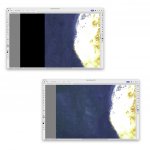
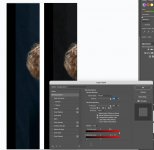
Photoshoot with my friends kids... Dark blue backdrop. I had to go into Photoshop and extend the left hand side to balance the subject in the middle of the shot.
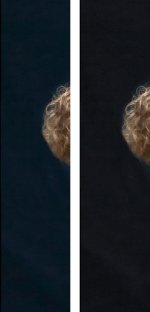
No matter what I do I can't seem to make the backdrop seamless as it appears to be very slightly off with more black at the top or more blue... I don't mind the very slight variatioj in black to blue as it's so sublte on the eye it all looks black, it's when there is a sharp bridge from black to blue like in this photo.. Black is what I was going for anyway, the dark blue was all I had as a backdrop.
I copied the right hand side with marquee tool, copy and pasted new layer, moved the new layer over and slightly stretch to fit.. Is there a more professional way to do this?
No matter what I do I can't seem to make the backdrop seamless as it appears to be very slightly off with more black at the top or more blue... I don't mind the very slight variatioj in black to blue as it's so sublte on the eye it all looks black, it's when there is a sharp bridge from black to blue like in this photo.. Black is what I was going for anyway, the dark blue was all I had as a backdrop.
I copied the right hand side with marquee tool, copy and pasted new layer, moved the new layer over and slightly stretch to fit.. Is there a more professional way to do this?