Mac Options for downloading and culling

nc_killie

POTY (Joint) 2016
Suspended / Banned
Messages
1,816
Name
John
Edit My Images
Yes
I have just switched from Windows to Mac. I used to use Faststone for downloading, quick review / culling and quick resizing but that is not available for Mac. I use ON1 which I do not want to use for the above actions (internet dependent and too clunky). What other options are available that are preferable cheaper than Photomechanic?
TIA
Cheapskate John
 
I have just switched from Windows to Mac. I used to use Faststone for downloading, quick review / culling and quick resizing but that is not available for Mac. I use ON1 which I do not want to use for the above actions (internet dependent and too clunky). What other options are available that are preferable cheaper than Photomechanic?
TIA
Cheapskate John
I use Parallels and Windows 11. Both easy to obtain cheap. Then the few programmes that are not on Mac, can be used on the Windows side.
 
I use Parallels and Windows 11. Both easy to obtain cheap. Then the few programmes that are not on Mac, can be used on the Windows side.
Adobe Bridge? That's free.
 
Macs have two programs built in: Photos and Image Capture.

Photos is like Lightroom ‘Lite’ and is decent for culling, cropping and basic edits.

Image Capture is just for taking pictures off of cameras; you can’t edit here but you can view and be selective of what you download.
 
I have just switched from Windows to Mac. I used to use Faststone for downloading, quick review / culling and quick resizing but that is not available for Mac.
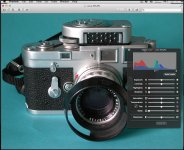
Have you investigated the built in Preview application on the Mac?

I use it almost exclusively for handling images because it does pretty much everything I need...

Apple Preview in Use.jpg
 
Back
Top