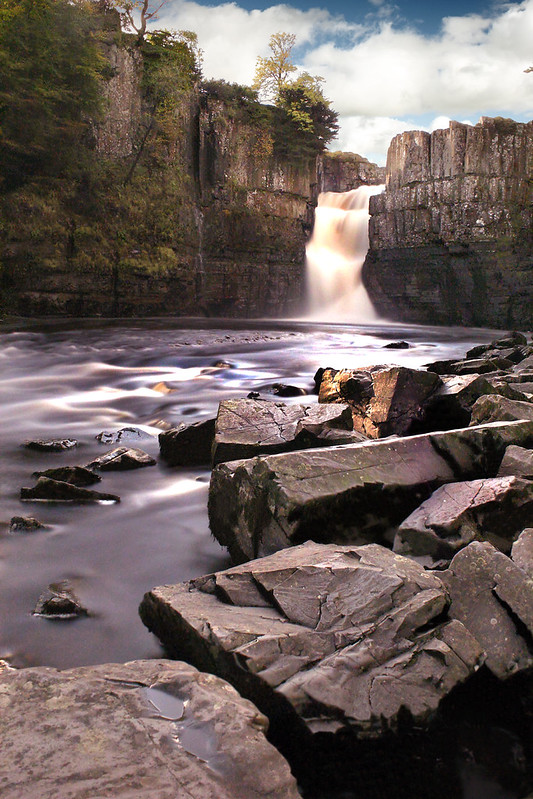
Long Exposure Outdoor Photography / ND filters?

Dean.

Suspended / Banned
Messages
118
Name
Dean
Edit My Images
Yes
Hey everyone,
I'm looking to have a go at some outdoor long exposure photography.
I know it's been done to death by others but I'd like to finally give it a go myself, in particular photographing running rivers and the sea in order to get that blurred effect of the water, whilst keeping the landscape in focus

Does anybody have any tips for this type of photography?


My understanding so far is that I will need a tripod (obviously) and I was going to begin using a very large aperture in order to use a longer shutter speed without over exposing the picture?

If I was to try this in a well lit area during the day, would I require ND filters?
My understanding of these is that they help block out the light so that you can achieve longer shutter speeds? although I don't know which ND I would need and how to select the right one?
 
Using a slow shutter speed can certainly result in some pleasing 'milky' rivers but for that 'flat sea' effect you will definitely need a ND filter, I would recommend the Lee Big Stopper but they do come at a price. Cheaper ones tend to come with the ability to introduce a colour cast which you would need to remove in PP.
 
Wow those lee stoppers are VERY expensive!

For now I was hoping just to have a play around, as much as I love the very flat look of the sea I was hoping to play around and at least maybe get the milky look if not a complete flat look.
 
Didn't have chance to go out and give this a go today as the weather has been absolutely rubbish!
But at least that gives me another night to do a bit more research on this type of photography... if anybody has any tips again please let me know
 
I'm also planning on doing a lot more landscape photography after Christmas. You may already know this but other than a tripod you'll need a remote shutter release to prevent any camera shake from taking the shot :)
 
I'm also planning on doing a lot more landscape photography after Christmas. You may already know this but other than a tripod you'll need a remote shutter release to prevent any camera shake from taking the shot :)

Yes I've got one of those, I needed one of those for the reason you say, and also because without one the maximum shutter speed my camera will do is 30 secs
 
Thankyou Mark!
That is exactly what I'm looking for, I don't currently have any filters but have ordered some welding glass for the price of £1.30 as a trial run.

My question to you is, do you shoot in manual settings and choose your own aperture and shutter speed and ISO?

Or do you use aperture priority and let the camera judge the shutter speed to achieve the best exposure?

Also, do you always use ISO100 for this type of photography?
 
Mark - A very good blog about long exposures - thanks from another one who is just starting out trying a few !
 
Weather is good today so gna get out there and practice some long exposures :)

Not expecting to get any milky effects due to not having any filters yet but gna have a play about with some manual settings all the same :)
 
Helpful thread/links - Have to get me some 'budget' filters

Something I have been meaning to do for a while, lets see what you got tomorrow Dean
 
Mogsy said:
Helpful thread/links - Have to get me some 'budget' filters

Something I have been meaning to do for a while, lets see what you got tomorrow Dean

Managed to give it a go, wasn't getting anything longer than 1/6 shutter speeds so, being impatient, I headed off to my local camera shop and bought an ND4 filter, it was a cokin system with the slide in filters? And also the 52mm adapter ring, with this I was able to get anything between 1 and 4 secs depending on whether the sun was behind the clouds or not (this was at about 3pm)

As the sun began to set and towards 4-5pm I was able to get some shutter speeds up to 30sec and more!
The longest exposure I did was about 45 secs just before I headed off home.

I'm pleased with the results considering it was only a practice, I managed to find a nice fountain and large pond in a local park which made for some nice water effects... I will post up my efforts tomorrow although I can see this being something that I really get into so providing the weather is ok tomorrow I shall be out there again
 
Sounds good, I might get out and buy some budget stuff if your shots look well ;) I'm currently saving up for some lee gear :p
 
Just re-mortgage your house :lol:

Look forward to seeing your shots Dean

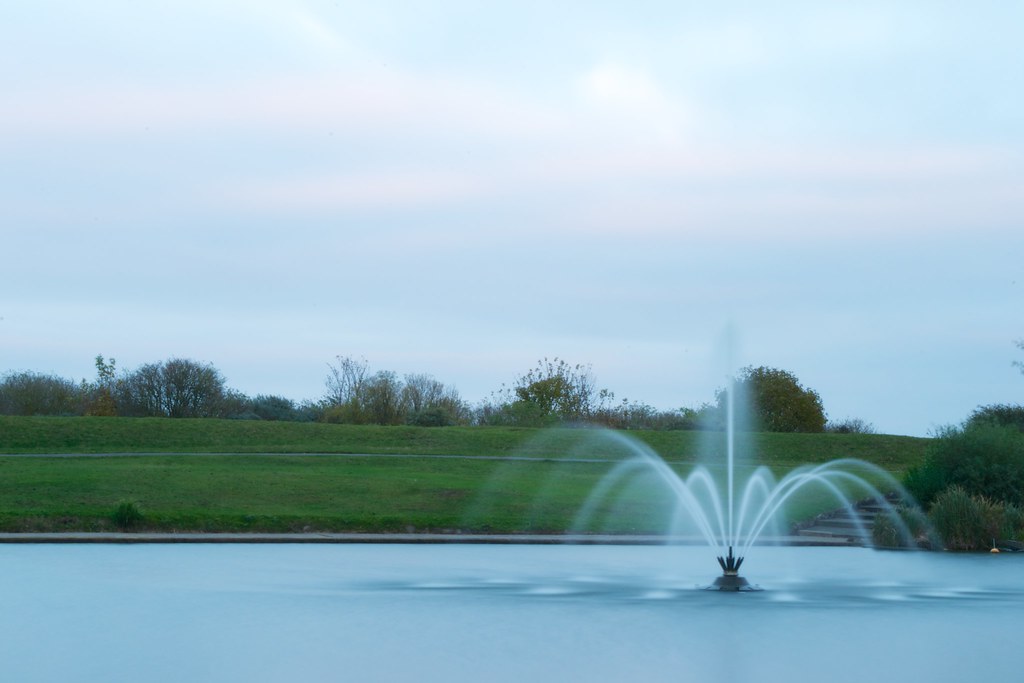
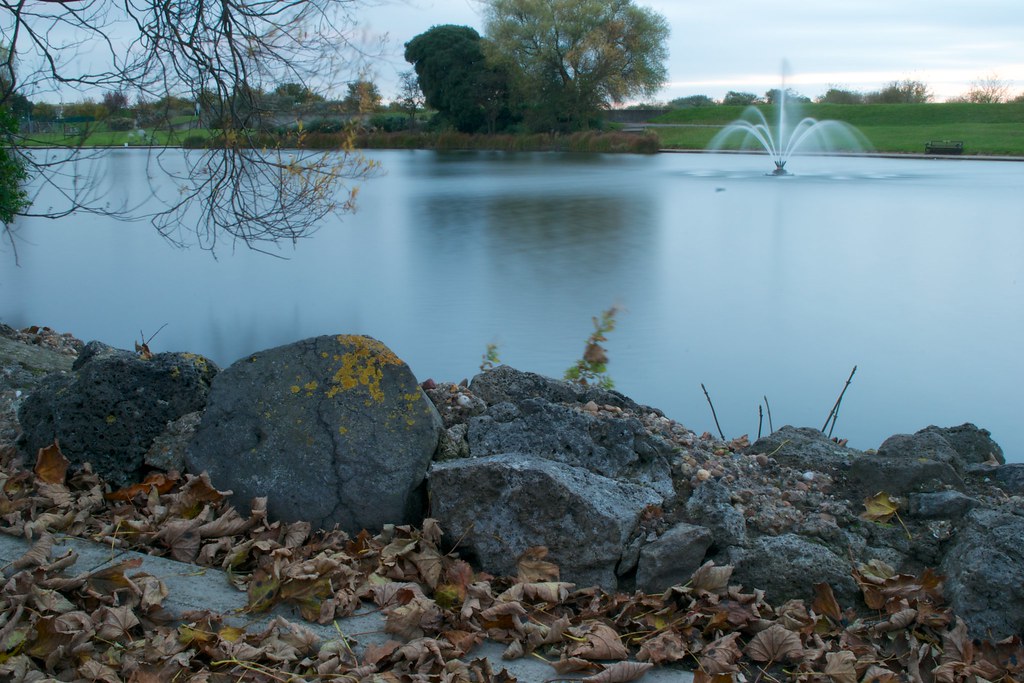
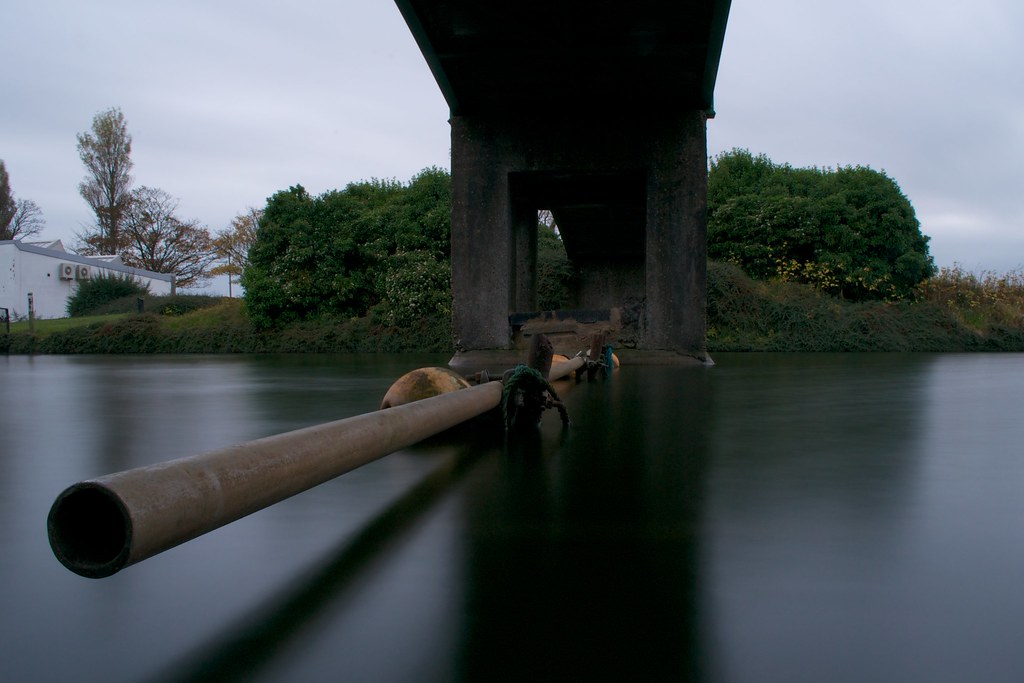
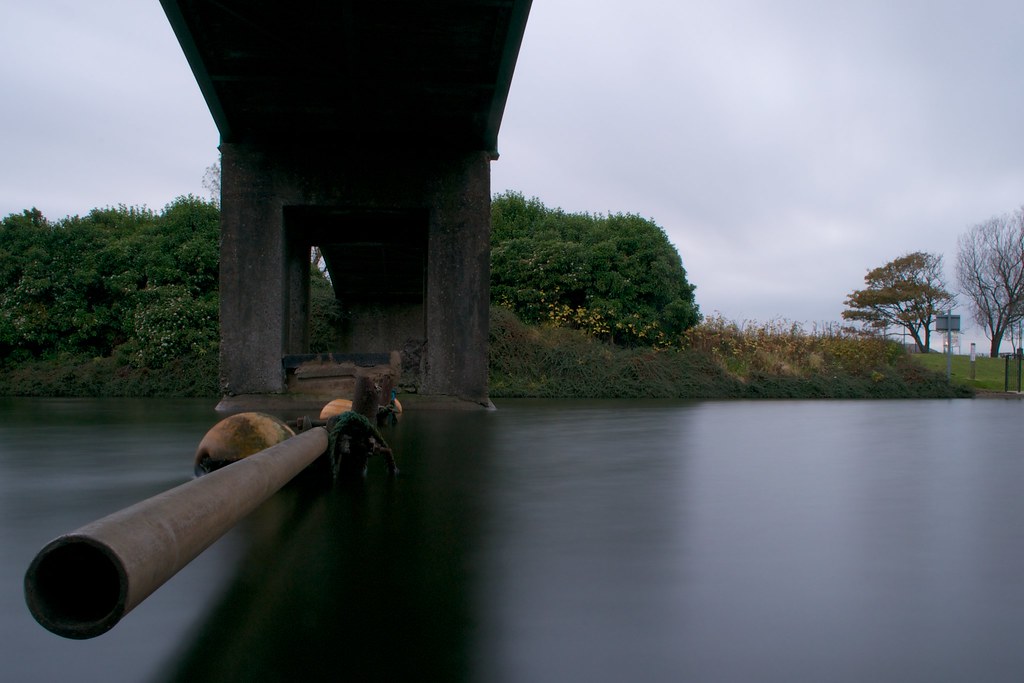
Here are a few of the shots I took yesterday, there were about 15 in total but these are the 4 which I thought looked the best

Feel free to criticise as much as you like I know that these shots are only practice so I won't take anything to heart haha! :)

1

DSC_0065 by deano411, on Flickr

2

DSC_0066 by deano411, on Flickr

3

DSC_0073 by deano411, on Flickr

4

DSC_0074 by deano411, on Flickr


Not quite the most interesting of locations but unfortunately I don't live near any waterfalls/streams
I'm waiting for the tide to come in so I can give that a go
 
My welding glass turned up this morning so will have a go with that, although I'm expecting lots of PP work will be required due to the colour tint that it will cause
 
There good shots.
I have just received the B & W +10 stop nd filter from Amazon, i had the multicoated one.
I am going out today and try it out as i love the look of water and what the camera and filter does. I also have a Cokin P filter with a number 4 graduated filter, what impressed me with the B & W filter is i can screw the filter onto the lens and also screw the Cokin kit onto the B & W filter. I spend most weekends in North Wales and theres plenty of waterfalls and water for me to shoot in that area.
I will post some shots when i have them.

Archie
 
My understanding so far is that I will need a tripod (obviously) and I was going to begin using a very large aperture in order to use a longer shutter speed without over exposing the picture?

QUOTE]

a large aperture will let in more light ,,,so will need a faster or shorter shutter speed ,,,
 
Dean, with regards to your images for me no 3 is the best shot with the pipe running slightly across The frame.

1. Like the effect of the creamy water from the fountain. could try cropping/zooming in tighter on the fountain, maybe mov your viewpoint slightly to use the bush that is in the right of the shot as the background.

2. Really nice foreground detail and colours. For me I'm not sure the fountain adds anything because the foreground is so strong. Watch the corners of the shot. The tree creeping into the left corner is too distracting.

3. Excellent shot

4. Pipe is too straight

1 other thing to watch for in general, is not to overexpose the sky. What camera do you use? Do you shoot jpeg or Raw, what software do you use in PP.

Really good first attempts, I look forward to seeing more :-)

One thing to watch though is not to overexpose the sky. Quick questions, what camera do you have? Do you shoot JPEG or Raw. What software do you use to process. Once you start you could even have a play with HDR :-)
 
You can correct the colour cast from using welding glass in PP, but it can also be corrected by setting a custom white balance in the camera.

The in camera way gives you one less thing to do in PP, but it could be argued that PP software may be better at removing the colour cast.

If you use the custom WB method you do have to remember to turn it off after you've finished with the welding glass, unless you want photos that look as if they were taken on another planet.

Dave
 
ChrisHeathcote said:
Dean, with regards to your images for me no 3 is the best shot with the pipe running slightly across The frame.

1. Like the effect of the creamy water from the fountain. could try cropping/zooming in tighter on the fountain, maybe mov your viewpoint slightly to use the bush that is in the right of the shot as the background.

2. Really nice foreground detail and colours. For me I'm not sure the fountain adds anything because the foreground is so strong. Watch the corners of the shot. The tree creeping into the left corner is too distracting.

3. Excellent shot

4. Pipe is too straight

1 other thing to watch for in general, is not to overexpose the sky. What camera do you use? Do you shoot jpeg or Raw, what software do you use in PP.

Really good first attempts, I look forward to seeing more :-)

One thing to watch though is not to overexpose the sky. Quick questions, what camera do you have? Do you shoot JPEG or Raw. What software do you use to process. Once you start you could even have a play with HDR :-)

Thankyou for the detailed reply and constructive criticism, I'll definitely take on board what you have said.
I shoot RAW and I use aperture.
I'd like to give HDR a go but my camera doesn't allow the bracketing feature ( Nikon d3100 ) I would have to manually take photos at different e postures and I'm worried about slightly knocking the tripod.
 
Tringa said:
You can correct the colour cast from using welding glass in PP, but it can also be corrected by setting a custom white balance in the camera.

The in camera way gives you one less thing to do in PP, but it could be argued that PP software may be better at removing the colour cast.

If you use the custom WB method you do have to remember to turn it off after you've finished with the welding glass, unless you want photos that look as if they were taken on another planet.

Dave

How do you set a custom white balance in the camera?
I'm using a Nikon D3100

Haha yes ill remember to turn the custom WB off
 
In the wb settings there is an option for custom. Take a picture of a grey card through the welding glass and use that as the customer settings.
 
The way I have set a custom white balance for a welding glass shot is, with the welding glass in place, turn on live view.

Find a well illuminated white wall - not at the end of the day or this could introduce a tint of its own.

Adjust the white balance so the wall, in live view, looks the way you would expect it to. Save that white balance as a custom setting.

You could take a few test shots to see if the white balance is as you want it.

Then when you use the welding glass just use this saved white balance setting.

Dave
 
I've never actually seen any results from welding glass. I look forward to seeing if they're decent or not ;) :lol:
 
nickjohnwatson said:
That's my one and only welding glass shot! :-D

Nicely done though! It was definitely worth saving the money, nobody would be able to tell if you didn't say :) Anyway, enough of hijacking the thread :p
 
Hey dean i use a polariser and 2 stop Nd filter usually that suffices to get 10 seconds exposures when using f16-f22 which does me fine
 
Tringa said:
The way I have set a custom white balance for a welding glass shot is, with the welding glass in place, turn on live view.

Find a well illuminated white wall - not at the end of the day or this could introduce a tint of its own.

Adjust the white balance so the wall, in live view, looks the way you would expect it to. Save that white balance as a custom setting.

You could take a few test shots to see if the white balance is as you want it.

Then when you use the welding glass just use this saved white balance setting.

Dave

Thanks for the how to Dave, I shall definitely give this a go.
The welding glass I have is pretty thick, and hard to see through.
I don't know if I'll be able to see the white wall through the live view depends how much light I have I suppose
 
Back
Top