Lightroom vs Photoshop for professional use?

littlemonster

Suspended / Banned
Messages
1,179
Name
Gemma
Edit My Images
Yes
Ok I have a bit uncertainty here as to what will be best. My editing skills are reasonable, can do cloning/healing of minor things to a good standard etc.

My photography is, for now anyway, going to largely be pets - dogs, cats, horses.


Basically, asides from being 1 program instead of 2, is there any advantage really to using LR?

If it helps, my process is rename and copy all my photos to my external hard drive (will be 2 copies, 1 on external, 1 internal for clients though). Use bridge and camera raw.to sort - go through a handful at a time giving star ratings to how pleased I am. Edit individual photos - correct wb/exposure if needed in camera raw, adjust levels/contrast if needed with the graph in PS, any other corrections (cloning/removing green or yellow eyes etc), resize, sharpen with high pass, save.


I know in theory lr should bequicker, but I had problems getting output sharpness right and while they looked fine during editing, after saving the colours often seemed off.

Are these common problems? My settings seemed to all be correct, but it just seemed to not go right :(

Sorry I know this is long, but any hints/tips? I obviously need to streamline editing if I'm setting up a business!

Thanks!


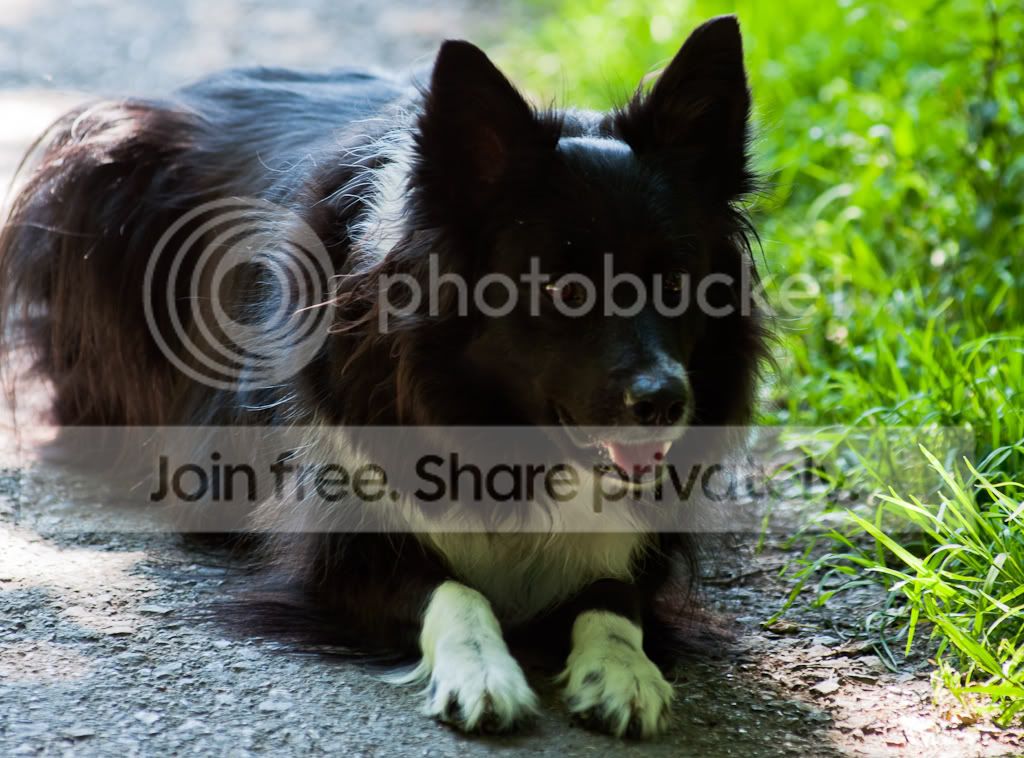
Edit: example of the colours, I know not a great shot, but on my (calibrated) screen, in the screenshot it has details in the black, none in the saved pic. Both are how they looked pre-uploading too!
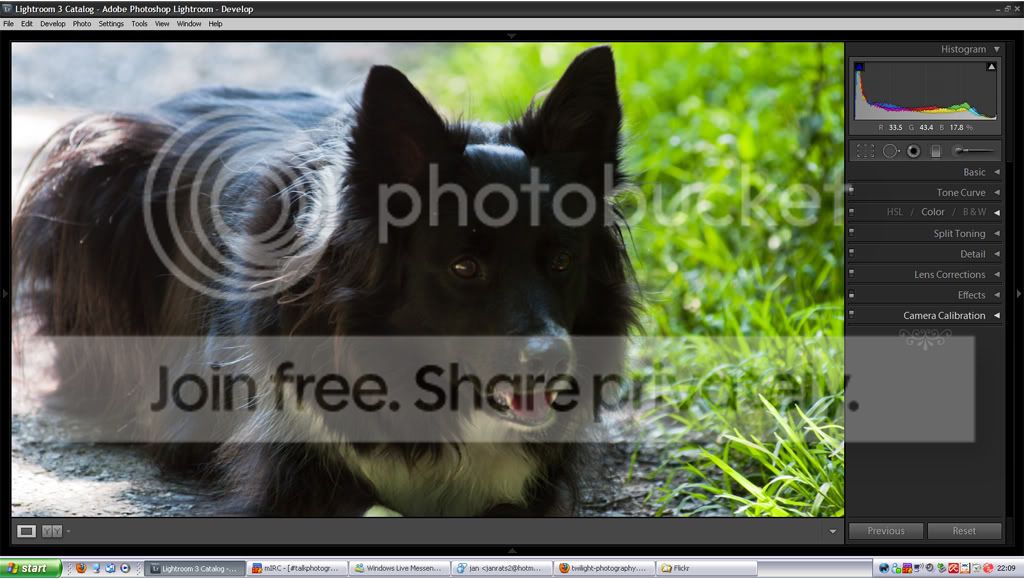
a1.jpg


Picture0001.jpg
 
Last edited:
Your screen may be colour calibrated but if you are seeing detail in all the blacks might I suggest your brightness and contrast setting might be off.

Even the histogram in LR is telling you you have blacks with no detail and that is what i am seeing on my monitor.
 
Are you saving in sRGB colour space?
 
Not in all the blacks, but in some it does to me - on the face mostly.

Hmm just confused as in photo shop they're the same when saved.

I'm... 99% sure it was srgb like I do as standard, but it was a while ago!

Does anyone find problems with the sharpening, as I always thought you were supposed to resize then apply sharpening for that particular photo?

And will lr end up faster and therefore be worth using?

Thanks
 
Not in all the blacks, but in some it does to me - on the face mostly.


I'm... 99% sure it was srgb like I do as standard, but it was a while ago!

Does anyone find problems with the sharpening, as I always thought you were supposed to resize then apply sharpening for that particular photo?

And will lr end up faster and therefore be worth using?

Thanks

According to the exif info it is uncalibrated which usually means it is in the Adobe RGB 1998 colour space and not srgb which is not ideal for the web.

I'm seeing little detail in the face and sharpness is lacking.

As a comparison here is a black dog (mine) edited in LR3 then resized for the web with standard sharpening for screen and the srgb colour space in LR3, how does it look to you on your monitor ?

140223952.jpg
 
Your process seems to be solid and all LR would do would be to avoid having to catalogue everything in Bridge and then open them in ACR before opening them in PS. If you ant to be doing cloning then you still have to really take things out of LR into PS - it's six of one, half a dozen of the other really, although I've used both routes and much prefer the all-in-one feel of Lightroom.

As for export sharpening, I find sharpening in LR to be better than that of ACR - it just seems to suit the files from my camera better. Might be me imagining it, but ACR always seems to require further sharpening in PS.

Colour-wise, I find LR miles easier to work with because it's not a case of flitting between tabs in ACR to go from saturation to luminance to curves (etc) - everything is in that one scrollable develop window on the right, which I prefer.

Plus, I prefer Lightroom's file handling, writing everything to a catalogue instead of having those annoying .XMP sidecar files. I know converting to .DNG avoids this but that's not a route I feel works for me.

Overall, LR sped things up massively. Plus, it has the added bonus of being all in one place so i can search images, tag and keyword them, adjust them, output them and even send them to Facebook or Flickr if needs be, all without having to leave the program. The only area it falls down in is the ability to do pixel-level cloning and layer masking. That's why I have an old version of PS but for the majority of my magazine work, I can stay in LR from start to finish.

Hope this helps :)
 
specialman said:
Your process seems to be solid and all LR would do would be to avoid having to catalogue everything in Bridge and then open them in ACR before opening them in PS. If you ant to be doing cloning then you still have to really take things out of LR into PS - it's six of one, half a dozen of the other really, although I've used both routes and much prefer the all-in-one feel of Lightroom.

As for export sharpening, I find sharpening in LR to be better than that of ACR - it just seems to suit the files from my camera better. Might be me imagining it, but ACR always seems to require further sharpening in PS.

Colour-wise, I find LR miles easier to work with because it's not a case of flitting between tabs in ACR to go from saturation to luminance to curves (etc) - everything is in that one scrollable develop window on the right, which I prefer.

Plus, I prefer Lightroom's file handling, writing everything to a catalogue instead of having those annoying .XMP sidecar files. I know converting to .DNG avoids this but that's not a route I feel works for me.

Overall, LR sped things up massively. Plus, it has the added bonus of being all in one place so i can search images, tag and keyword them, adjust them, output them and even send them to Facebook or Flickr if needs be, all without having to leave the program. The only area it falls down in is the ability to do pixel-level cloning and layer masking. That's why I have an old version of PS but for the majority of my magazine work, I can stay in LR from start to finish.

Hope this helps :)

All I do in acr is wb/exposure adjustments (simply as PS lacks a temperature thingy for wb), all my sharpening is in PS. I don't need to do keywords etc so I guess the main benefits of lr,, I'm having no use for... Hmm, thanks! Maybe for now its a case of if it ain't broke!

Oh btw so you know, there's a setting so bridge doesn't use xmp files :D


Yes person before, as I said not a great photo to show it on lol! My test prints a couple months back came up pretty darn close to on my screen (yes a tiny bit darker but nothing major thankfully) and other photos of black dogs I have that were properly exposed show up right :)

I'm thinking perhaps I somehow had lr not using srgb then, that seems the logical reason for the problems - good old human error lol!

I'm away from home on my mobile lol, but actually my mobile seems well calibrated based on my own photos online :D


Last thing as I forgot to ask, in case I do wish to retry lr - ummm I was trying to add a watermark and out wouldn't get it right in the bottom corner - is it meant to be on the photo more and use a translucent instead of a solid one right in the corner?


(I think I need less time practising taking the damn photos and processing and more getting a good workflow/watermark/website etc.)
 
Last edited:
Hi Gemma,

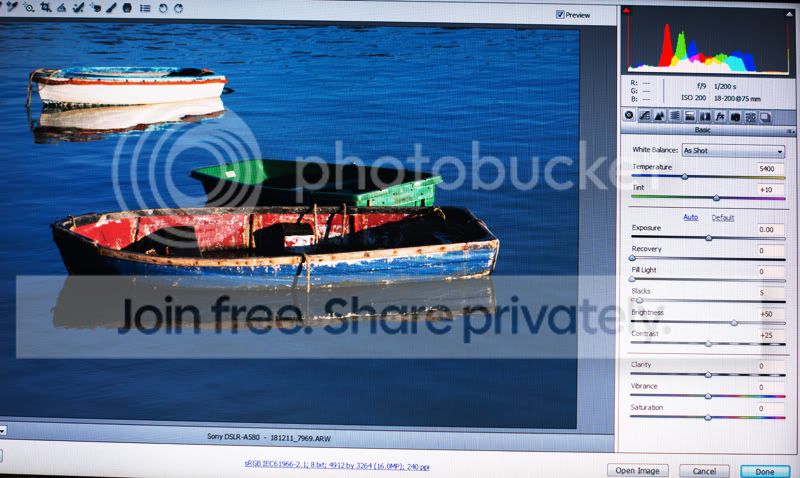
you say - (simply as PS lacks a temperature thingy for wb), do you shoot in jpg or RAW? as my CS5 has the temperature slider when opening a RAW file you can adjust WB to suit, before opening the image to edit in PS

Les :thumbs:

screen shot

screenshotCS5RAW.jpg
 
Last edited by a moderator:
Last thing as I forgot to ask, in case I do wish to retry lr - ummm I was trying to add a watermark and out wouldn't get it right in the bottom corner - is it meant to be on the photo more and use a translucent instead of a solid one right in the corner?


(I think I need less time practising taking the damn photos and processing and more getting a good workflow/watermark/website etc.)


Gemma when in the export dialogue box tick the watermark box and in the drop down menu select "edit watermark", now tick one of the anchor points and adjust the opacity (lots of other adjustments you can make as well). Now save it and the next time you select to add a watermark in export simply select your saved watermark from the drop down menu.:)

By the way Les you can also open a jpeg in CS ACR and use the Temperature slider.

140642328.jpg
 
Last edited:
Back
Top