
and please use their services
You are using an out of date browser. It may not display this or other websites correctly.
You should upgrade or use an alternative browser.
You should upgrade or use an alternative browser.
Lightroom & Nikon RAW
- Thread starter Ginsey
- Start date

swanseamale47
Suspended / Banned
- Messages
- 10,876
- Name
- wayne clarke
- Edit My Images
- Yes
Theres no advantage but adobe claim that DNG is a better archival format due to it's "open source" code, the idea is you'll always be able to open DNG. Personally I'm not convinced that DNG's any more lightly to be supported than say NEF of TIFF in years to come. But you pays your money and takes your choice.
edit if you do use dng alway keep you native raw as well, just in case.
edit if you do use dng alway keep you native raw as well, just in case.

Craikeybaby
Suspended / Banned
- Messages
- 7,590
- Name
- Lewis
- Edit My Images
- Yes
As well as being an open format DNGs are a smaller file size, without losing any data, if you have a library of many thousands of images this can add up to a big space saving. However the main advantage is that the metadata (and processing) changes made in Lightroom are stored within the file, as well as in the Lightroom catalogue, with the NEF files the extra data is stored in a separate sidecar file, so you have 2 files to manage.
Apparently conversion is not fully reversible (hence not entirely lossless to me) - there is a photographer called Iliah Borg (he participates in some discussions on DPreview) who mentioned it a few times. Some Nikon specific data is not utilised and hence thrown away - this may be not ideal if in a future say ACR or another converter will learn to process it. Iliah is the man behind RawMagick RAW converter so if anyone can be trusted - he is and he knows what he is talking about. I'd personally stay away from DNG for now.

specialman
Suspended / Banned
- Messages
- 8,193
- Name
- Pat MacInnes
- Edit My Images
- Yes
Ignore it. Just import the NEF files and work from there I say....

- Messages
- 4,126
- Name
- Arthur
- Edit My Images
- No
Hi - sorry to burst in on this thread, but if I use RAW (nef) files from the Nikon, they don't look sharp, but the shots taken at the same time in JPG *are* sharp. I suspect I am missing some process or other here?
Arthur
Arthur
specialman
Suspended / Banned
- Messages
- 8,193
- Name
- Pat MacInnes
- Edit My Images
- Yes
Ambermile, as with most raw files, they're unsharpened straight from the camera. JPEGs generally have some form of contrast and sharpening applied in-camera.

Flashman
Suspended / Banned
- Messages
- 2,388
- Name
- Keith
- Edit My Images
- No
Right, so I sharpen before processing?
Arthur
Conventional wisdom is that it's best to sharpen at the end... last step in the workflow after you've done everything else.
- Messages
- 4,126
- Name
- Arthur
- Edit My Images
- No
Excellent, amazing how that last little bit of information makes all the difference! I was beginning to despair of why ever anyone used RAW data like this! Now though, thanks to the above answers, I get this:
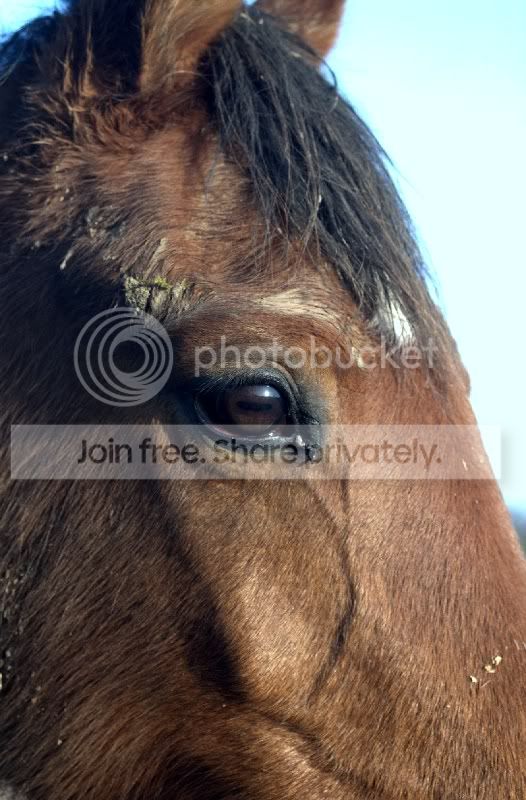
That's full frame too! Cool
Arthur
That's full frame too! Cool
Arthur
Craikeybaby
Suspended / Banned
- Messages
- 7,590
- Name
- Lewis
- Edit My Images
- Yes
If you are using Lightroom, it will apply a basic amount of sharpening on input 25,1.0,1 IIRC. (I posted this a few days ago though  )
)
When working with raw files I give it a tiny bit of input sharpening, some local creative sharpening if needed and then a final full sharpen after resizing for output.
)When working with raw files I give it a tiny bit of input sharpening, some local creative sharpening if needed and then a final full sharpen after resizing for output.
Excellent, amazing how that last little bit of information makes all the difference! I was beginning to despair of why ever anyone used RAW data like this! Now though, thanks to the above answers, I get this:
That's full frame too! Cool
Arthur
Sorry but I don't think that looks really sharp! Also has quite bad CA.
- Messages
- 4,126
- Name
- Arthur
- Edit My Images
- No
May be, but if you had seen previous efforts then you would be reasonably happy. The CA is not the point, what *is* the point is that previous attempts saw no eyelashes at all. Not after a complete processing C+C, if that were the case I would have posted in the relevant section
Maybe I should have put up a before and after though ...
Maybe I should have put up a before and after though ...
- Messages
- 4,126
- Name
- Arthur
- Edit My Images
- No
... OK, I do have CS3 here from way back but as I had been using PI when I bought it I carried on (it came with some astro kit and a camera and I was happy as I was!) with that package. I realise most people do us PS though and a cursory peek declares it to be pretty much the standard. Looks like I shall fire up CS3 and see what I can sort with it... wish me luck!
Arthur
Arthur

oskanoears
Suspended / Banned
- Messages
- 910
- Name
- Andy
- Edit My Images
- Yes
personally I convert to DNG and use the Adobe DNG Beta profiles for lightroom that give a much better result with the nikon file that the standard nef with sidecar file.
- Messages
- 4,126
- Name
- Arthur
- Edit My Images
- No
personally I convert to DNG and use the Adobe DNG Beta profiles for lightroom that give a much better result with the nikon file that the standard nef with sidecar file.
OK, you got me... wassat?

Arthur