Darthchaffinch
Suspended / Banned
- Messages
- 1,301
- Edit My Images
- Yes
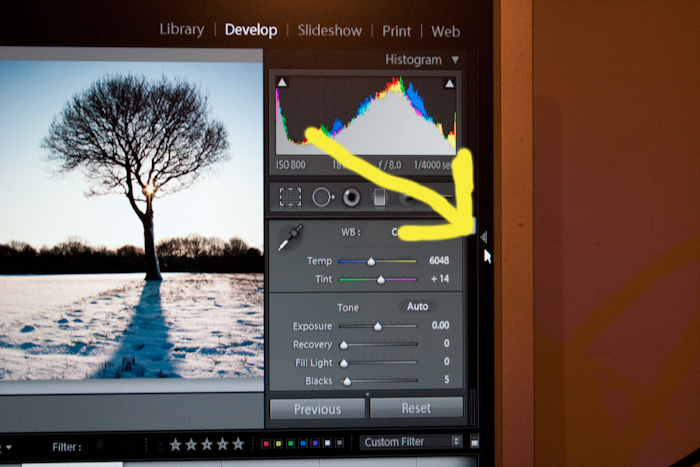
Have lost the main processing window on the right of the screen (white balance, contrast et al.)- how the heck do I get the window back pls?!?!? :bonk:



 That's excellent
 I click the arrow and nout pops up!?! Will try F8 & Tab later thanks chaps!
Are you in the develop module?

I actually find this dissapearing act a bit annoying, it's all too easy to touch the palette and close it, especially if your rushing, it's a pity there isn't a way to "lock" the palettes in the open or closed position.

I actually find this dissapearing act a bit annoying, it's all too easy to touch the palette and close it, especially if your rushing, it's a pity there isn't a way to "lock" the palettes in the open or closed position.