


Tyke Tiler
Suspended / Banned
- Messages
- 3,980
- Name
- Tomas
- Edit My Images
- No
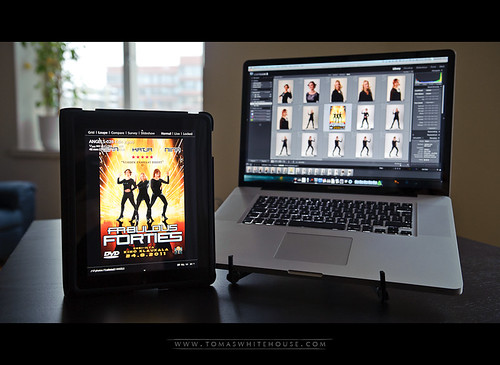
Admittedly not useful for everyone but if your a mobile Apple and Lightroom user this app maybe of interest.
As my main system, I've been comfortably running a laptop with larger external monitor for a few years now, I can be mobile for location based work and still have the option to view on a larger display when I return to the office. So I was enthusiastic to explore the possibilities of using the iPad as a secondary display for location based work.
I use public transport regularly living in a busy city, I like to travel light for smaller budget assignments, couple of hotshoe flashes, compact stands, umbrellas etc and a camera bag that also holds my laptop.
Being a faithful Lightroom user, I was very keen to try Air Display, which offers exactly the above. Air Display works over wifi or an adhoc network, an installer is downloaded and then run on your desktop/laptop as well as the program for the iPad.
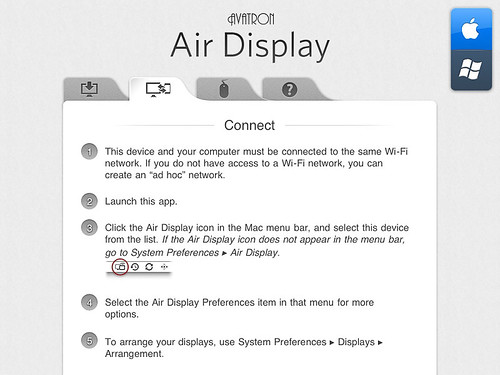
Despite having a few less praising reviews, I was suitably satisfied for my purposes. I do not intend to watch video or use intense graphical software which apparently encounters lag/tracking issues but I intend to use it when I'm shooting tethered to Lightroom as a secondary display.
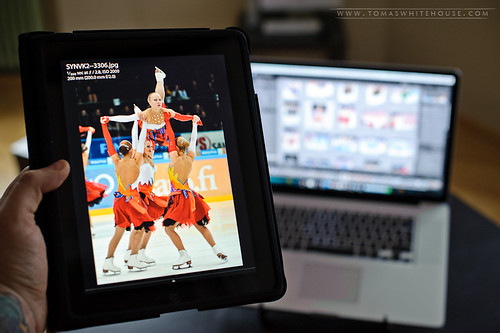
The Lightroom options are available as if this were any kind of secondary display: Grid, Loupe, Compare, Survey and Slideshow. Tap on the images to zoom and and all the standard iPad commands and gestures work as they should.
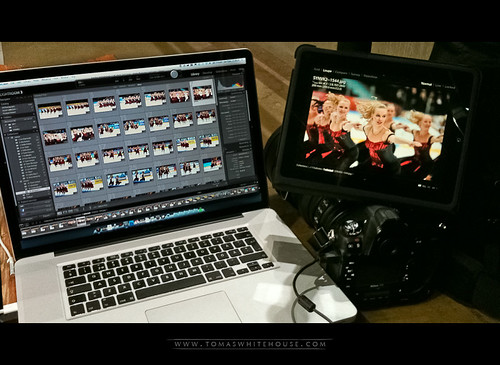
During a figure skating competition I walked over 10 metres from my laptop and the connection remained just as strong as close proximity. When switching between images there is a few milliseconds of softness before the preview is fully loaded but other than that operation is swift and smooth.
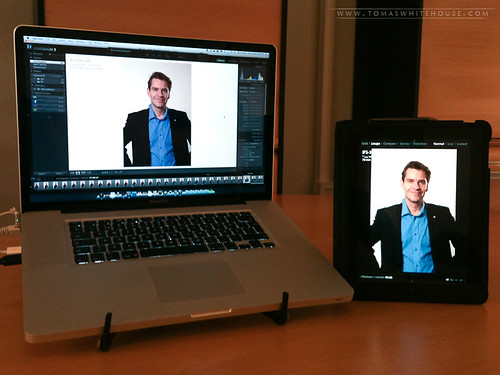
During a company portrait session, the secondary display was very handy for client perusal with an iPad being a very easy unit to pass around and display freely. A warning though, showing the images to clients during a corporate shoot or any shoot for that matter can be very counter productive. You really have to know your subjects before whipping out example shots as some folk can become very self conscious if you allow them to see the portraits while your shooting.
Never the less, if your working with art directors or technical assistance the iPad as a secondary display is an effective and very lightweight secondary monitor for studio and location based shoots.
Screen calibration is an issue but until calibration becomes possible with iPad, I won't be monitoring colours too critically with this set up.
Air Display is available in the iTunes store for 7.99€
Last edited:

