

Simonhi
Suspended / Banned
- Messages
- 309
- Name
- Simon
- Edit My Images
- Yes
So after starting this thread just over a week ago I decided to revisit the processing because the more I look at these pics the more they seem way to over done on the HDR front.
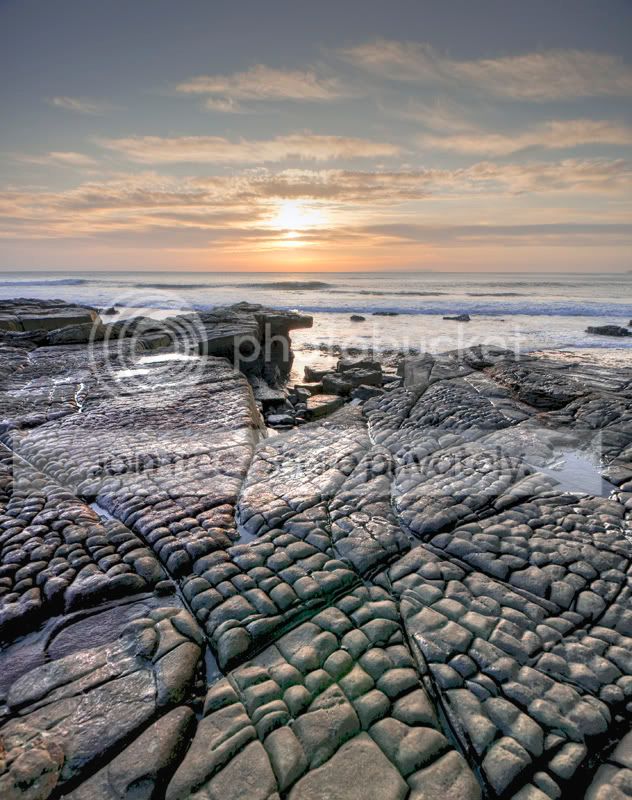
The first snap of each is made up of three bracketed exposures, one stop under, neutral and one over, imported from Lightroom into Photomatix, tone mapped and exported back into Lightroom.
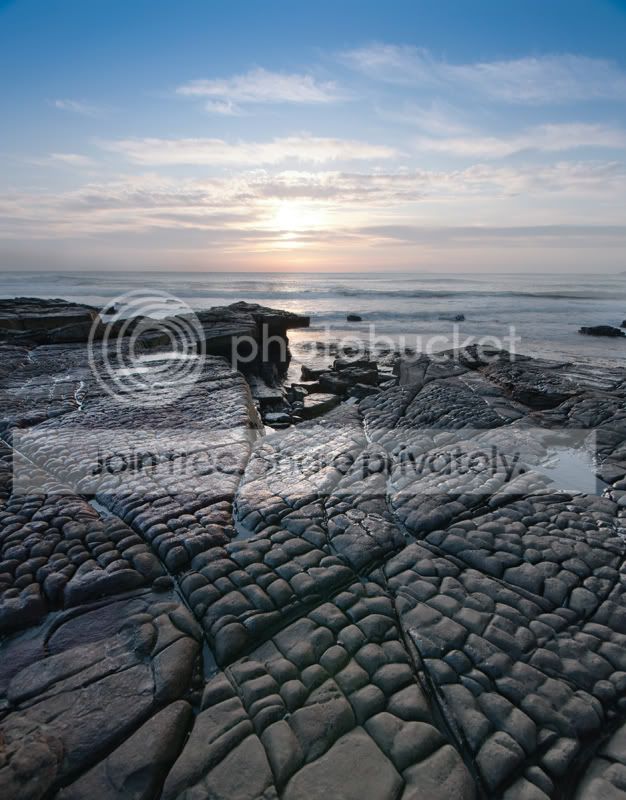
The second snap of each has been made of two exposures. The first of which was tweaked from the neutral shot by up to 2 stops to bring enough details into the foreground and correctly expose the shadows. The second shot used was taken from the same neutral exposure and dropped down by up to 2 stops to give a decently exposed sky (or highlights).
Both images were then imported into Photoshop, and were layered with the highlights showing the correctly exposed sky copied and pasted over the top of the shadows image depicting the correctly exposed foreground. I then hid the pasted highlights layer so i could then reveal it slowly by using the brush tool. Layer > Layer Mask > Hide All, will produce a black layer mask
I then selected a brush tool, 0% hardness, 30% feather and used the square brackets to select a brysh size roughly the same thickness as the sky. I selected the white paint tool to slowly reveal the correctly exposed sky underneath.
Finally I added a levels layer mask and curves layer mask, made slight adjustments, flattened, sharpened and then cropped to 800 pixels for here,
So finally is it preferable to my HDR efforts from before ?
Cheers
Si.
HDR

Exposure Blend
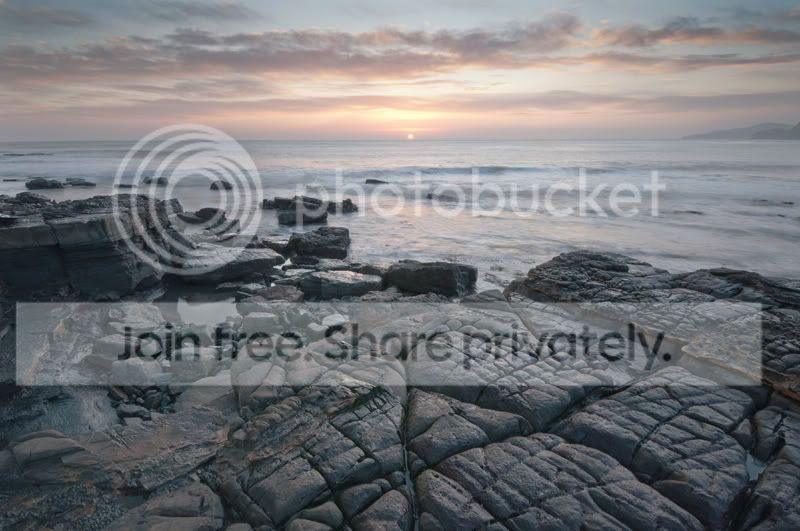
HDR
Exposure Blend
The first snap of each is made up of three bracketed exposures, one stop under, neutral and one over, imported from Lightroom into Photomatix, tone mapped and exported back into Lightroom.
The second snap of each has been made of two exposures. The first of which was tweaked from the neutral shot by up to 2 stops to bring enough details into the foreground and correctly expose the shadows. The second shot used was taken from the same neutral exposure and dropped down by up to 2 stops to give a decently exposed sky (or highlights).
Both images were then imported into Photoshop, and were layered with the highlights showing the correctly exposed sky copied and pasted over the top of the shadows image depicting the correctly exposed foreground. I then hid the pasted highlights layer so i could then reveal it slowly by using the brush tool. Layer > Layer Mask > Hide All, will produce a black layer mask
I then selected a brush tool, 0% hardness, 30% feather and used the square brackets to select a brysh size roughly the same thickness as the sky. I selected the white paint tool to slowly reveal the correctly exposed sky underneath.
Finally I added a levels layer mask and curves layer mask, made slight adjustments, flattened, sharpened and then cropped to 800 pixels for here,
So finally is it preferable to my HDR efforts from before ?
Cheers
Si.
HDR
Exposure Blend
HDR
Exposure Blend