
hoping someone might be able to help me i'm new
i'm a diver and i like to take underwater photo's i took what appeared to be a reasonably good shot of a turtle but i'm having difficulty correcting the colour as i end up wwith a image that appears over exposed or leaving the turtle on the beach instead of under the sea. Can any one help.
original
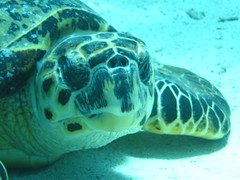
edit
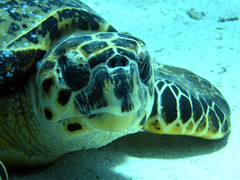
bit un-nerving putting my photo's up here be gentle
i'm a diver and i like to take underwater photo's i took what appeared to be a reasonably good shot of a turtle but i'm having difficulty correcting the colour as i end up wwith a image that appears over exposed or leaving the turtle on the beach instead of under the sea. Can any one help.
original
edit
bit un-nerving putting my photo's up here be gentle


 but I am a little confused. Are you trying to make it looks like it not in the water? or that is it under the water? if its the underwater options then I dont see anything wrong with your original shot to be honest, with your edit not looking bad at all either.