Monthly ^Joe's out of Comfort Zone:: 1) Portrait ::

^Joe

Suspended / Banned
Messages
2,808
Name
Joe
Edit My Images
Yes
January = Portraits
February = Transport
March = Wildlife
April = Nature
May = sports
June = Architecture
July = Creative
August
September
October
November
December

-------------------------------
So I've been given a partner. :)

I'm going to use this challenge to try and get better on each subject, so I would like to post an image, get some C&C, and go improve.

This month's theme =

Portrait
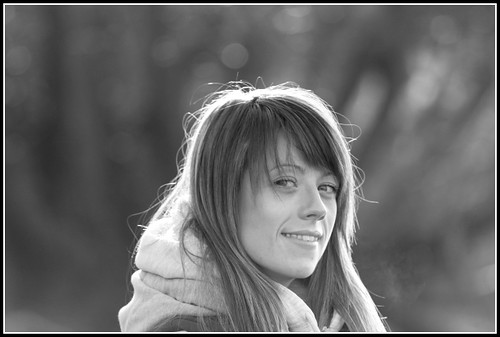
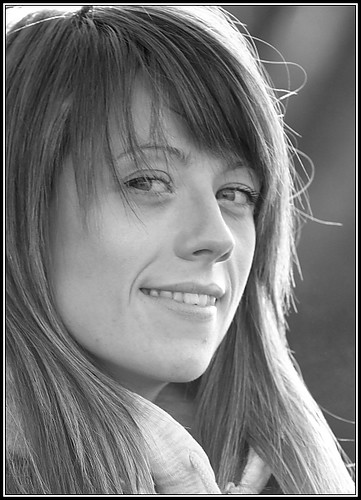
Attempt # 1


Branston 70-200L by ^Joe, on Flickr​


This is at 200mm, just experimenting really. I like the DOF, and the IQ. I converted it myself to B&W (noobie). I think it's not central, and that it should't be central anyway; maybe more in the thirds.

Appreciate any comments...
 
Last edited:
I like the light on the hair and the expression ... just needs a little cropping from the left as you say :thumbs:
 
Really nice shot that looks quite a natural portrait shot which I like as already said would benefit from a bit of a crop but it's a good start to the challenge hope to see a few more before the end of the month ,Andy
 
'Tis a lovely portrait :thumbs:
But I do feel that she is a little too central in the frame.
Do you think that "portrait" orientation may have worked a little better in this instance ?
 
It's a lovely picture, good start to the challenge. I would have put her slightly to the right though and maybe not had so much space above
 
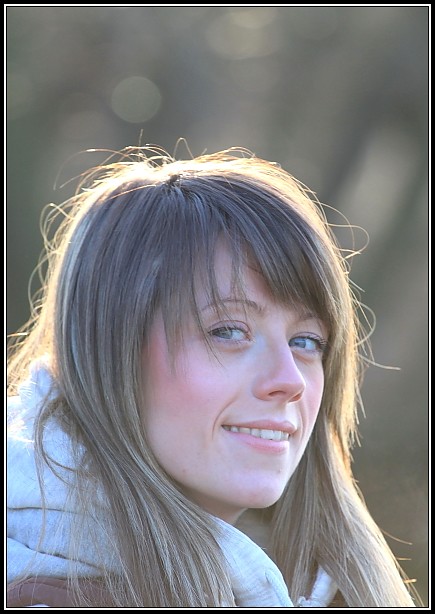
I have redone this now and uploaded to Flickr. However my Internet has died and I can't copy from my iPhone.

Would someone kindly copy my most recent Flickr upload into this thread for some c&c.

Thanks in advance.
 
would that be this one

6731848765_d74a63d826_z.jpg


if so nicely done
 
Thats a great improvement :thumbs:
The colour version is better too IMO.
It makes the model "glow" for one.
 
Portraits are not really my thing and if you don't like it I'll take it down.
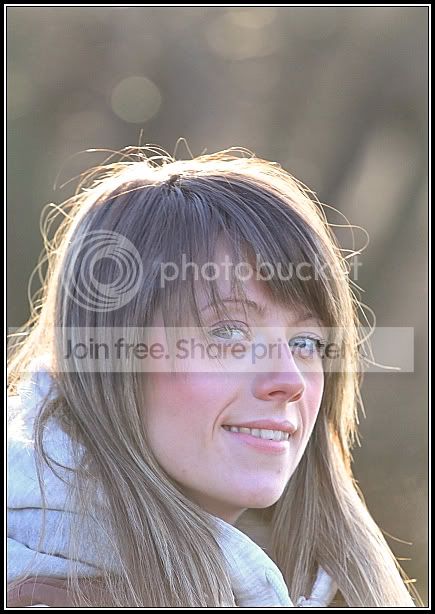
However a quick selective sharpen to "balance" the eyes, and aquick edit to "warm her up" a little.
Produces this


Yours
6731848765_d74a63d826_z.jpg
untitlededit.jpg
 
I like it - thanks. I see what you mean about the warmth. What did you use for this ?
I only have canon dpp. I've got gimp but never got round to trying it.. ;(

Thanks

Glad you like it Joe. I use CS5, unfortunately I can't tell you how to
do it in Gimp or dpp as I have never used either.
 
No probs - what sort of adjustments did you make?

I selected the eyes with the "magic wand tool"
then brightened and sharpened them a little.

I then used a "warming filter" (orange) to about 15%

A shadows and hightlights tweak, just a tad, (thats a technical term BTW :D)

and sharpened the whole image (USM in the case of CS5)

I hope that makes sense ?

I like the crop BTW :thumbs:
 
quite like the colours/exposure and dof in the first one ,fair comment on the hair being a bit wild but it has been rough out there the last few days but doesn'tdistract from the image as it doesn't obstruct the eye's etc only slight critism is image could be a tad bigger ,and i'll hazard a guess at moira furnance as a location well done keep up the good work
 
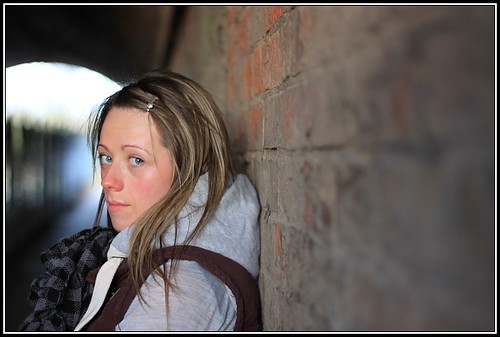
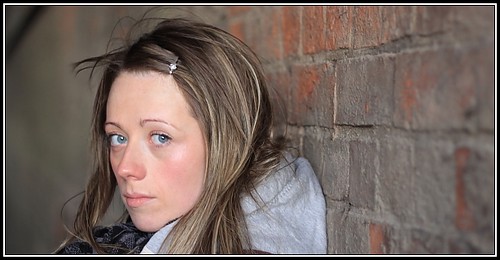
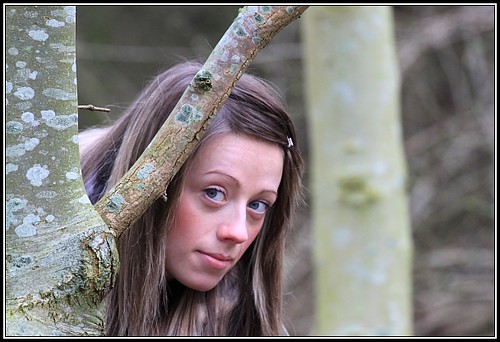
Second attempt....


Portrait by ^Joe, on Flickr

Hair a bit too wild?

I love the lighting though...


Portrait by ^Joe, on Flickr


I really like the first one, BUT - I wish you had moved her nearer the camera so there was less front space and that archway would have been more shapely! great efforts though, keep it up Joe, looking good so far. :clap:
 
Yep thats a good fun image.
Nicely processed too:thumbs:
 
even had time to sort out the wild hair in this one :D another nice shot great expression well shot might have lost a little bit on the right and had a tighter crop but really good effort overall :thumbs:
 
Some nice portraits there. My favourite is the B&W tight crop of the first one.
 
Back
Top