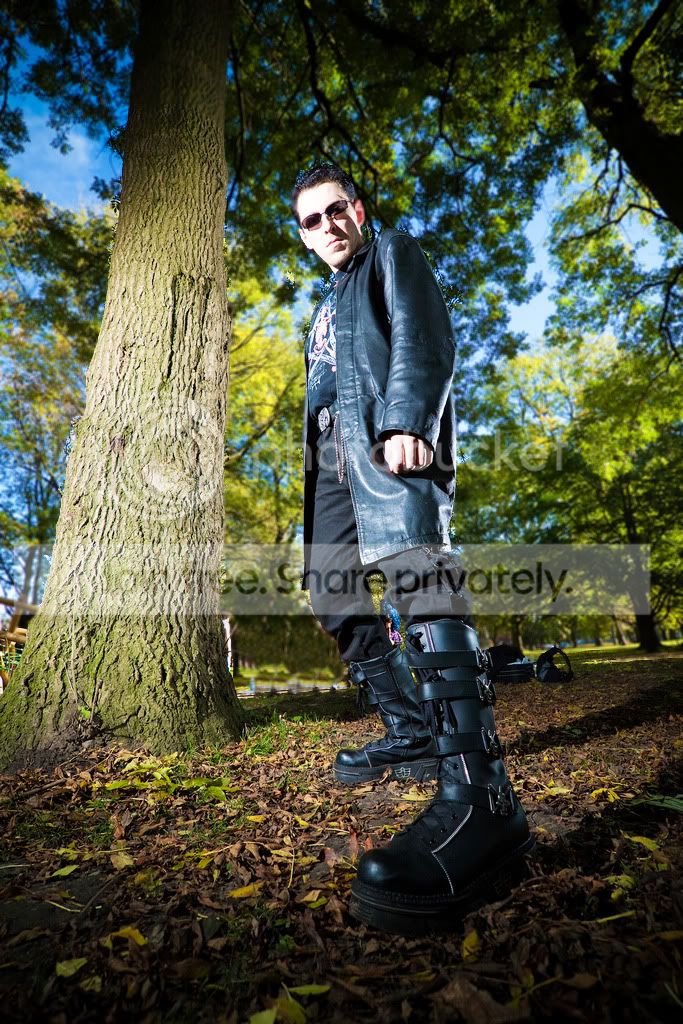
Is this image ruined or is it possible to clone them out?

guybrush

Suspended / Banned
Messages
358
Name
Rebecca
Edit My Images
Yes
I tend not to really clone out major mistakes and just re-shoot them, in this case though the person is happy enough with the image, however I am not.. and I'd like to use this image on my portfolio but it's not going anywhere near there with the crowd in the back!

Any ideas on what techniques I should use? I don't have CS5, only CS4 and LR! I've tried the cloning but it never seems to look just right, also tried saturating the red jumpsuit that the gentleman is to no success either.
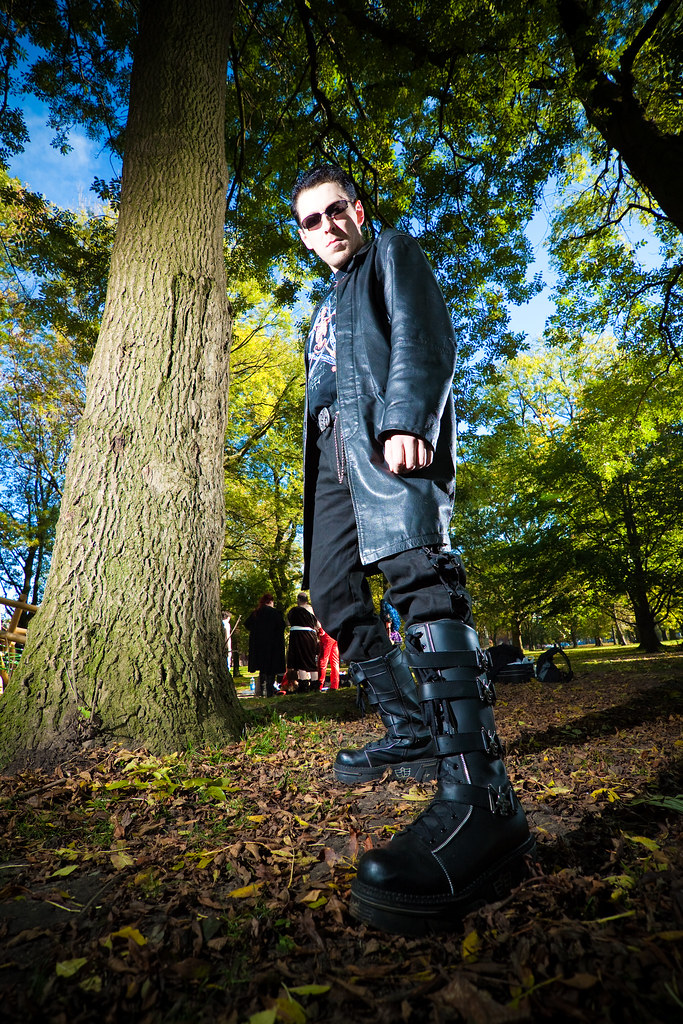
5163897364_1254ac6556_b.jpg


Thanks for your help!
 
It shouldn't be too difficult on the full size image, it's always much harder on a small one
three minutes work in photoshop using only the lasso and the clone tools.
5163951032_52557d87ff_z.jpg
 
It shouldn't be too difficult on the full size image, it's always much harder on a small one
three minutes work in photoshop using only the lasso and the clone tools.
5163951032_52557d87ff_z.jpg

That's just the look I'm going for! I'm going to have a proper play around with it now, I jut didn't think it was possible.

Thank you both of you! :)
 
Wayne that is excellent..>!!

My guess is that he has done a lasso around the tree --------> then clone it up to make it tidy....

Good work sir..!
 
I was thinking the same, nice job. I assume a copy of the tree on th eright was taken then cloned into the new position.
Excellent job, I'd not considered doing it that way.
 
On a quick look (and probably a quick job) it looks fine, but I'd move the cloned tree slightly right as you can see where the thick trunk finishes of the cloned tree and the double trunk of the original starts. The lighting etc looks spot on.

It should be easier with the original res shot.
 
I used the lasso around the biker? boots and the tree to stop the cloning going over them, then I cloned the tree from the right side to cover up the people on the left, I used the bushes from between his legs to cover the people there, finally there was something blue in the background (cars?) so I selected them roughly and altered the hue to a greeny/yellow to make them blend in a bit.
Thanks for the kind words.
Wayne
 
A bit longer than Wayne, but all with clone and a tad of sharpening. It's all about selecting the right area to clone.

edited.jpg
 
wayne what software did you use to do this? I am a beginner and am wanting to get some software that does this sort of thing (eventually, when I get to grips with it, prob a long time off then!?)
 
Well I used photoshop CS5 but the tools I used are in any of the photoshop versions including elements.
 
It shouldn't be too difficult on the full size image, it's always much harder on a small one
three minutes work in photoshop using only the lasso and the clone tools.
5163951032_52557d87ff_z.jpg

I wish my attempts at using the clone tool where that successful, mine always show obvious image manipulation.
 
Back
Top