

Darren1978
Suspended / Banned
- Messages
- 84
- Name
- Darren
- Edit My Images
- Yes
I have this photo over on Flickr...
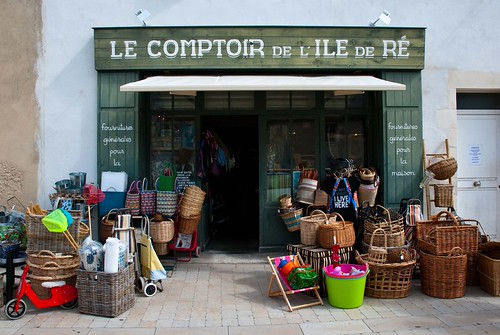
Ile de Re Shop Front by darren1978 (visit dfphotos.co.uk), on Flickr
It has over 1,000 views. Don't get me wrong, its great that that many people have looked at it, but its not a great photo and hasn't been posted in many groups. This photo has way more views than anything else in my flickr stream.
This makes me suspicious.
Unfortunately, at the time of posting this image on flickr I was not a 'pro' user so didn't have access to my stats.
Is there a way of checking if its being used elsewhere on the internet without my knowledge/permission?
Incidentally, I am now a 'pro' user, but still can't see how looking at my stats would indicate if one of my images was being used elsewhere? I know it lists 'search engines', 'other sites' and 'unknown sources' as referrers other than flickr, but how do you drill down further?
Ile de Re Shop Front by darren1978 (visit dfphotos.co.uk), on Flickr
It has over 1,000 views. Don't get me wrong, its great that that many people have looked at it, but its not a great photo and hasn't been posted in many groups. This photo has way more views than anything else in my flickr stream.
This makes me suspicious.
Unfortunately, at the time of posting this image on flickr I was not a 'pro' user so didn't have access to my stats.
Is there a way of checking if its being used elsewhere on the internet without my knowledge/permission?
Incidentally, I am now a 'pro' user, but still can't see how looking at my stats would indicate if one of my images was being used elsewhere? I know it lists 'search engines', 'other sites' and 'unknown sources' as referrers other than flickr, but how do you drill down further?


