Is it possible........

AndyWest

Suspended / Banned
Messages
8,400
Name
Andy
Edit My Images
No
OK I am looking for a new laptop but was thinking....

I have an iPad Pro 12" and was wondering if there was a way to have like a tiny PC or cloud unit that will hold all my backup files so I'll be able to access them from my ipad. I would want to open files in Ipad and stream music onto it as well. So the 'cloud' would hold everything and I can open files, change them and save them back to the cloud unit. Streaming music from my MP3 collection on the cloud would be a must.

Any ideas?

Thanks :)
 
What you're after is called Network Attached Storage or NAS. These are basically very small, dedicated, Linux-based computers with slots for from one to ten HDDS. You buy the size you want and add your favourite HDDS. For your needs, I'd suggest a two-drive unit so you can run the drives as a mirrored pair for extra resilience. Don't buy anything other than Asustor, QNAP or Synology and come up a few steps from the cheapest.

The only thing is that you've introduced a contradiction in your requirements by saying it's for backups then saying you want to modify files that are stored there. As soon as you're modifying the files it's no longer a backup, it's the main storage and you still need a backup.


I have the iPad too but I didn't want the cellular
features required to eventually connect to the in-

ternet and permit access to these functions.

The manual, or Apple's website, will tell you all
about it.
 
OK I am looking for a new laptop but was thinking....

I have an iPad Pro 12" and was wondering if there was a way to have like a tiny PC or cloud unit that will hold all my backup files so I'll be able to access them from my ipad. I would want to open files in Ipad and stream music onto it as well. So the 'cloud' would hold everything and I can open files, change them and save them back to the cloud unit. Streaming music from my MP3 collection on the cloud would be a must.
Any ideas?
Thanks :)
As already mentioned, a NAS unit can be an easy solution if you have a home Wifi Network.
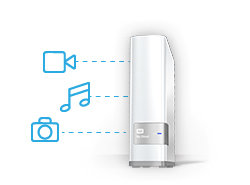
I have a book sized WD MyCloud NAS for example. With a built 4TB drive it's ready to go. There are other brands and sizes to choose from.

Plug it in to your home router, and you are all ready to start using it. From my smartphone, PC and my TV even, I access all my photos and play all my MP3s.

WD_MyCloud_SharedStorage.jpg


These NAS devices have an easy to use, browser interface, for any settings, regarding space and access.
This WD NAS has no fan, so is completely silent when in sleep mode, when it's not being used.
It also has an option to allow access from outside the home. But, despite the name, MyCloud, you may not want to activate that option!!!
 
Last edited:
As already mentioned, a NAS unit can be an easy solution if you have a home Wifi Network.
I have a book sized WD MyCloud NAS for example. With a built 4TB drive it's ready to go. There are other brands and sizes to choose from.

Plug it in to your home router, and you are all ready to start using it. From my smartphone, PC and my TV even, I access all my photos and play all my MP3s.

WD_MyCloud_SharedStorage.jpg


These NAS devices have an easy to use, browser interface, for any settings, regarding space and access.
This WD NAS has no fan, so is completely silent when in sleep mode, when it's not being used.
It also has an option to allow access from outside the home. But, despite the name, MyCloud, you may not want to activate that option!!!
Yeah I have been looking at these today and they seem the best solution for me. I may et one regardless if I get a laptop or not.

So what I want to do is move 600GB of backup (may be smaller if I have deleted unwanted stuff) onto the WDCloud, then give my PC to my son for Uni. So then access all my docs, music and photos from the WDCloud via my iPad.
I also want to add another 1 or 2 TB portable HDD onto it as extra backup. Can this be done and if so can you access all your files and move them about from the iPad app?
It says it's iTunes compatible. If I only have the iPad and a shed load of MP3's will this still streal through iTunes on the iPad?
Can I add music and other files via memory stick through the WDClouds USB port on the back?

Many thanks for your help :)
 
>I also want to add another 1 or 2 TB portable HDD onto it as extra backup. Can this be done and if so can you access all your files and move them about from the iPad app?
You can plug another HDD or USB stick in. I've not done that as I want my HDD to spin down to silent when not in use. I don't know if external USB HDDs will sleep, if left plugged in. The WD site will tell you all about it.

>It says it's iTunes compatible. will this still streal through iTunes on the iPad?
Yes. I see the itunes setting which is OFF for me as I don't have any Apple stuff. I stream everything through the standard DLNA setting. Again the WD site has the details.

>Can I add music and other files via memory stick through the WDClouds USB port on the back?
Yes. Easy from the PC. I've not used an iPad. So don't know what's possible on that. But I use the WD Mycloud APP on my Android Phone. Where you can copy and manage settings etc. If they do an app for an iPad, you could try it out right away!
sc552x414.jpeg
 
Last edited:
Brilliant thank you. Looks like a good solution for me.
 
Back
Top