

mattsnoise
Suspended / Banned
- Messages
- 60
- Name
- Matthew
- Edit My Images
- Yes
Hi - I hope I'm putting this thread in the right place because what I'm doing and trying to find out is really quite basic I think.
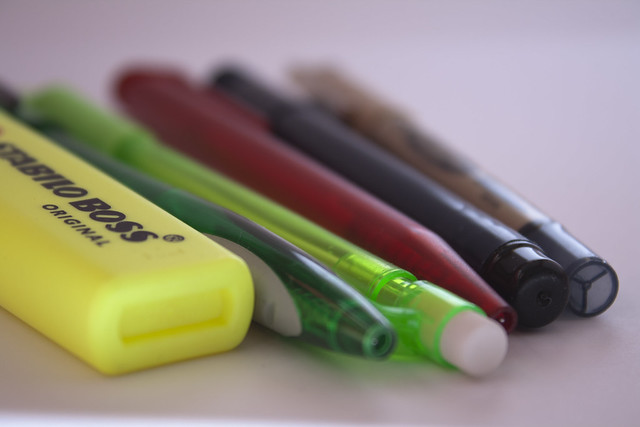
I have set-up a box with the sides cut out, covered the inside with white card and then have a flashgun on a stand directed from the right of the photo through a piece of card so it diffuses to some extent. This has to some extent worked quite nicely (or certainly better than I hoped it would) however as you can see below, the original image looks decidedly grey and requires a fair bit of fiddling to make the background look anywhere near white.
Do I need more light or more lights or just to change the way I'm doing this. I think there's most likely an obvious explanation - I'm new to this so don't have much of a clue - any help appreciated!
Original:
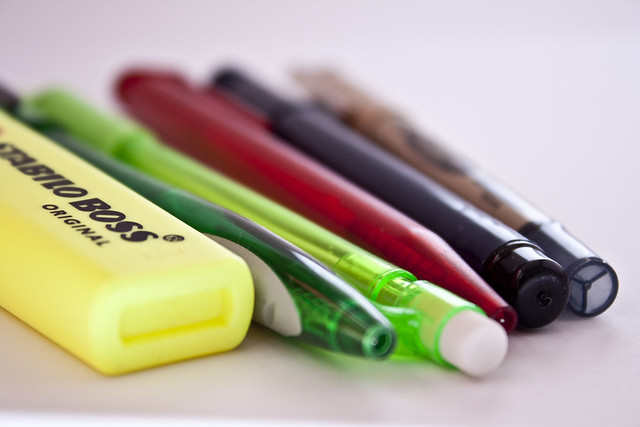
Edited: I'm still not sure whether the 'white' background is really any better - I think I'm seeing some sort of warmth to the left where there's no light coming in?!
I have set-up a box with the sides cut out, covered the inside with white card and then have a flashgun on a stand directed from the right of the photo through a piece of card so it diffuses to some extent. This has to some extent worked quite nicely (or certainly better than I hoped it would) however as you can see below, the original image looks decidedly grey and requires a fair bit of fiddling to make the background look anywhere near white.
Do I need more light or more lights or just to change the way I'm doing this. I think there's most likely an obvious explanation - I'm new to this so don't have much of a clue - any help appreciated!
Original:
Edited: I'm still not sure whether the 'white' background is really any better - I think I'm seeing some sort of warmth to the left where there's no light coming in?!


