hi need your help please.
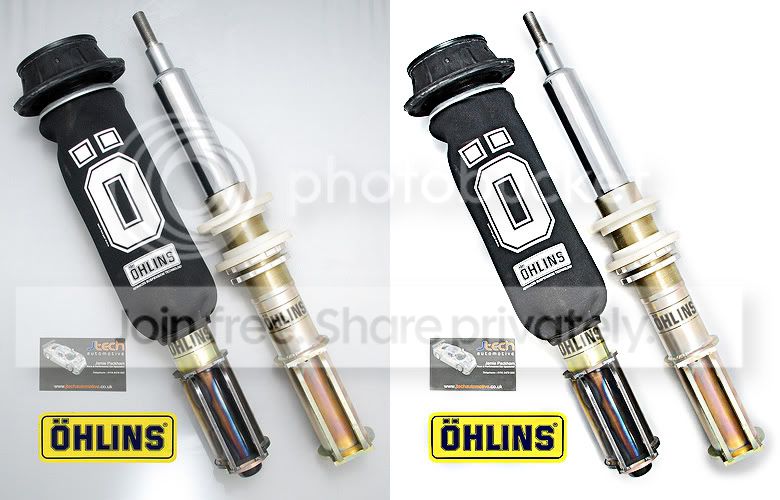
How would you guy's go around editing these shot's. I took a load of them last week in my camera tent.My problem is i was haveing difficulty get the background white. can anybody suggest how i can do it. ive got about 10 shots i need to do but cant get them how i want them.
1.

this one i have croped and tried to edit but cant get it right. Still shadows on the white background
2.

tried editing this one but not with a lot of luck i could not work out how to select the strut's an not the hole lot.
also how do you think i should do these photo. by that i mean does it looked better with a crisp white background or as the first one left with background that's on there
cheer's
hope you can help and you can understand my grammer and spelling:shake:
How would you guy's go around editing these shot's. I took a load of them last week in my camera tent.My problem is i was haveing difficulty get the background white. can anybody suggest how i can do it. ive got about 10 shots i need to do but cant get them how i want them.
1.
this one i have croped and tried to edit but cant get it right. Still shadows on the white background
2.
tried editing this one but not with a lot of luck i could not work out how to select the strut's an not the hole lot.
also how do you think i should do these photo. by that i mean does it looked better with a crisp white background or as the first one left with background that's on there
cheer's
hope you can help and you can understand my grammer and spelling:shake: