phodru
Suspended / Banned
- Messages
- 1,218
- Edit My Images
- No
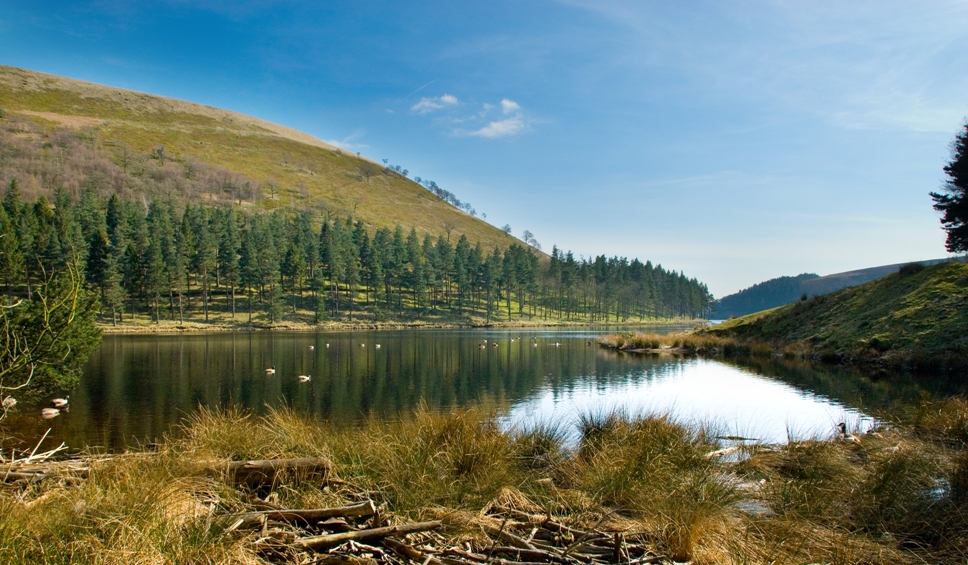
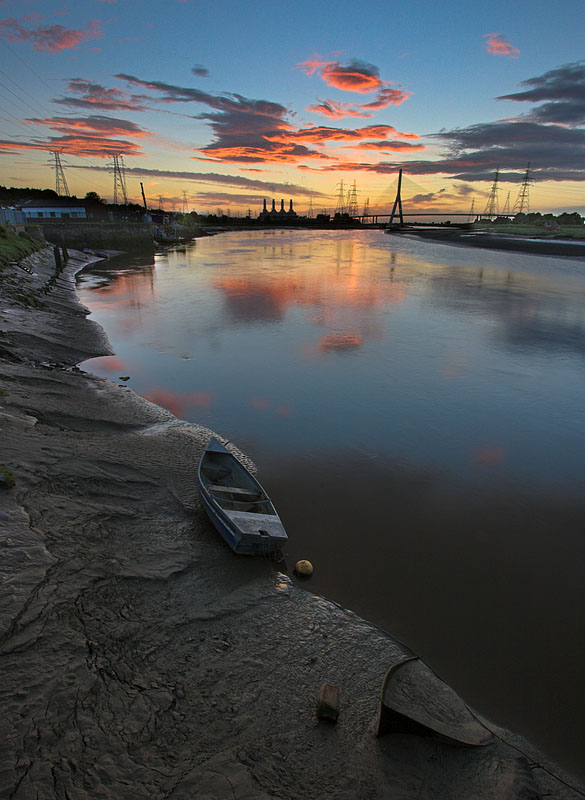
Here I created two seperate exposures from 1 RAW file. 1 for sky & the other for land. Using PS Elements 5 I placed the land exposure over the sky exposure. And then using a layer mask filled black I painted away the underexposed land to reveal the lighter layer beneath.
What I' like to know is how to blend both exposures seamlessly. I'm either getting a halo above the skyline or a dark 'halo' running below the skyline like in this photo at the top of the mountain for instance.
Are there any handy tips or tricks that I should know?

What I' like to know is how to blend both exposures seamlessly. I'm either getting a halo above the skyline or a dark 'halo' running below the skyline like in this photo at the top of the mountain for instance.
Are there any handy tips or tricks that I should know?