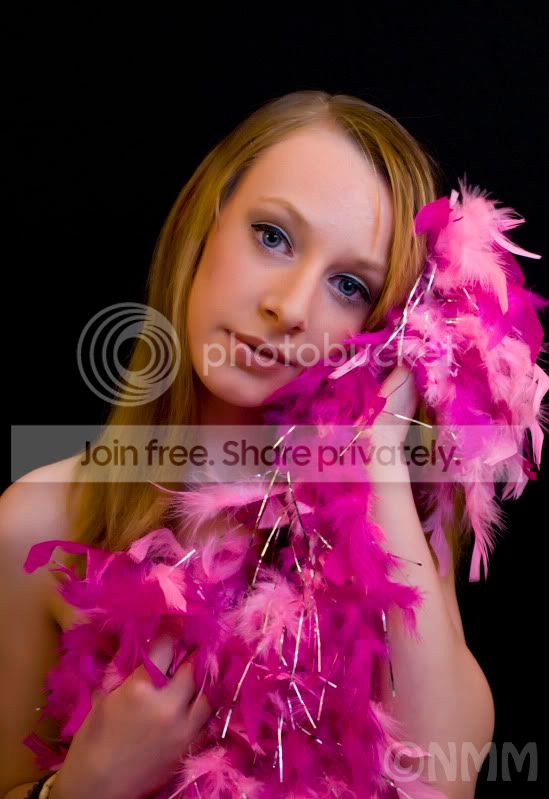
how do I do it?

Sparkles33

Suspended / Banned
Messages
5,226
Name
Nattelie
Edit My Images
Yes
How do I fix this?

I want to get rid of the white stringy bit from the feather boa.
I need to do it on the big copy though cause I want to get it on a canvas for her.
jenwm.jpg
 
Hi MM

Assuming you have Photoshop I think the only option is cloning, it should be fairly simple as you have enough of the boa to use to clone that area, I,m sure there will be a few examples popping us soon.
Great photo by the way love the eyes, maybe you could try Hackers eye pop tutorial just to give them a little bit more of the wow factor.

Wayne
 
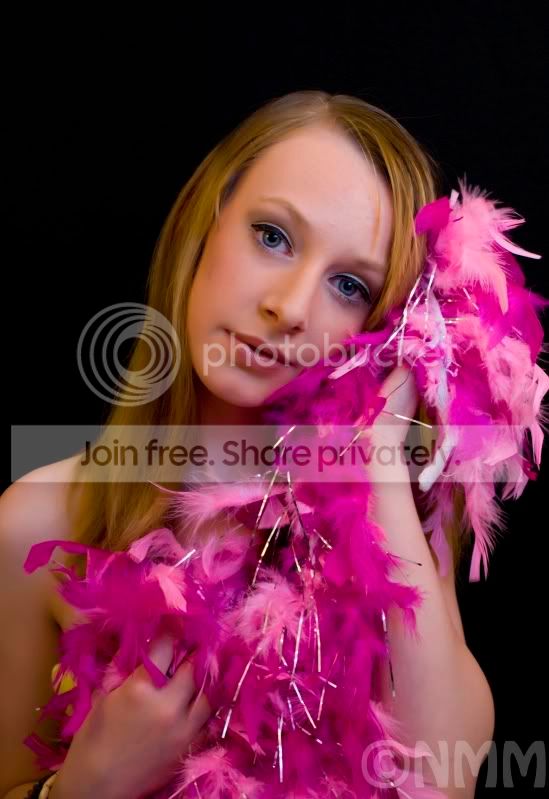
Hope you don't mind. I had a quick go. I'm still learning to use PS like a scalpel rather than a hammer so I doubt it's flawless.

MMFB.jpg
 
Rob that's exactly what I'm looking for (and maybe the bit of her top behind the boa)

How did you do it, please?

(This is where people decide I'm never gonna be able to use PS !!)

I used the rectangular marquee tool, slected an area of boa big enough to cover the white and cut and pasted my selection. Then I just moved it to cover the white, and blurred the edges slightly. Hope that makes sense.

The top little bit you could use the clone tool and just black it out using the background.
 
I think so, I'll have a try :lol:

I found PS terrifying, so I just sat down and played..... and played, and played, and played. It's still scares the bejeezuz out of me but I now have some idea of what to do for minor things.

Good luck and let us know how you get on :thumbs:
 
I can't do it - how do I not erase where the white bit is and make it so that it doesn't clash with the boa that's already there, keeping the pattern?

Got the image open ?

ok

Use the rmt and draw a little rectangle on part of the boa with no white bit in it.

There should be marching ants around the area you selected.

Yes?

Now, CRTL C then CTRL V

Do you have a new layer in the panel on the right?

If yes I'll continue .......(is there live chat on this forum?)
 
Photoshop can be daunting when you first start. But then after a while it becomes easier. ( trust me on this). Plus you'll find more than one way to do a job ( By the way the tool you used is called the "Healing Tool").

If you are new to Photoshop the best investment you can make is to get one of the excellent books on the software. I'd suggest one either by Scott Kelby or Martin Evening.

Both are excellent authors and don't make things complicated. Which to go for. It's a personal preference thing really. Go to the Amazon site and enter Photoshop CS4 for Photographers. You should get a hit on both authors. Amazon have a "Look inside" option which allows you to see a sample chapter, usually the first one. Check em out and choose which one you prefer. It's a worthwhile investment.
 
If you are new to Photoshop the best investment you can make is to get one of the excellent books on the software. I'd suggest one either by Scott Kelby or Martin Evening.

Thanks for the recommendation. Just bought the Martin Evening book. Chose that one above the Scott Kelby because I thought it would be easier to look up subjects using his index as opposed to Scotts (Scott uses song/tv/film titles as his chapter headings). It also comes with a dvd which could be handy :)
 
the best tool I find is the Patch tool
I have just looked at the photo and do not see what you want to remove what string? well the only thinks I do I have done here. removed a few bit that caught my eye and also few spots on here face
4278354681_dc6407296c_o.jpg

It's the string on the boa, it's white, right next to her hand and the lumnious yellow top that she's wearing at the bottom, next to her arm.
 
had a quick go
MMFB.jpg

still some left if you get stuck send me email with big shot on it ill try do it :shrug:
 
Back
Top