How do I combine photos please?

ladysue

Suspended / Banned
Messages
4,222
Name
Sue
Edit My Images
Yes
This week, for my 52 I got several pictures of people working in the street ( musicians, big issue seller, etc). What I really wanted to do was to either put three into what I think is called a triptych or combine them all into one picture somehow ( a montage?). I dont have much experience of layers and only have elements.I tried selecting parts of each photo but I kept getting a message which said I hadnt selected any pixels. I was using the magnetic selection tool.

Any help would be appreciated.

Thanks
Sue
 
I tried selecting parts of each photo but I kept getting a message which said I hadnt selected any pixels. I was using the magnetic selection tool.

Any help would be appreciated.

Thanks
Sue

Hi Sue
Sounds like you created a new layer which would have been the active layer and then tried using the magnetic tool for selection. There would be nothing on the new layer to select so you got that message.

Open layers pallet.
Make sure the layer with the pic is the active layer - click on it and it will be blue if active layer.
You should then be able to make a selection.
 
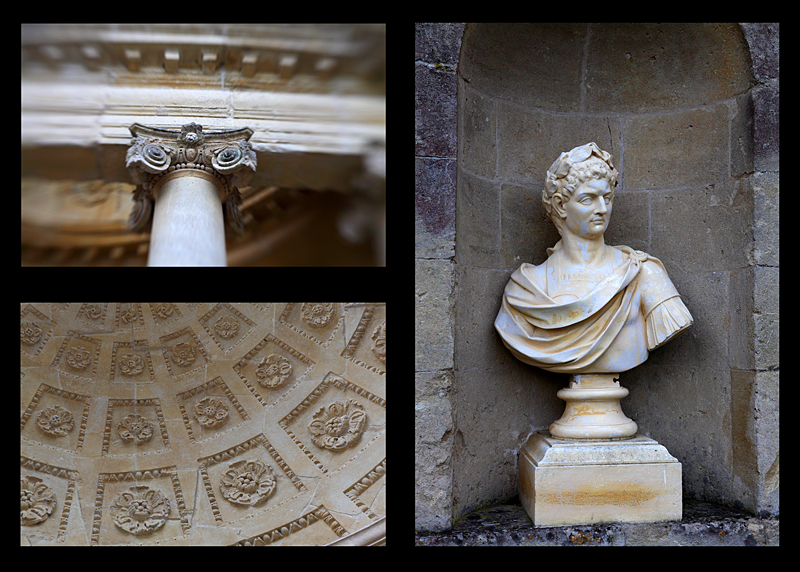
Sue, Is this the type of thing you are after?

4337480037_72a93e87ae_o.jpg
 
Hi Sue
Sounds like you created a new layer which would have been the active layer and then tried using the magnetic tool for selection. There would be nothing on the new layer to select so you got that message.

Open layers pallet.
Make sure the layer with the pic is the active layer - click on it and it will be blue if active layer.
You should then be able to make a selection.

Thank you. I will have a go at that in a minute.

Sue, Is this the type of thing you are after?

4337480037_72a93e87ae_o.jpg

Yes Sara. Thats the sort of thing I wanted.
 
Hi Sue, if you are not sure about layers then try using the create button in Elements, as this will do it for you in a lead you by the hand function with minimum knowledge of layers etc.

You just select the images in the organizer by control clicking on them, press the photo collage button. This puts them in the editors bin from here tick the autofill from bin button then choose a layout and click done and it does it all for you, from here you can drag the images to positions you want.

Also you can add a background from the Arts button as well if you choose.

I'm well versed in the full photoshop but sometimes just for fun I use this feature in Elements.:)

Heres a example just using the create feature in Elements and done in less than a five minutes.

74229440.jpg
 
I like that, Paul - could you explain how it was done, I had a look on elements 7 and could not fathom it
 
Sorry Paul, you have explained it and I did not read it properly - must be a bit early for my brain. Thanks
 
Back
Top