
and please use their services
You are using an out of date browser. It may not display this or other websites correctly.
You should upgrade or use an alternative browser.
You should upgrade or use an alternative browser.
How do I change window colour
- Thread starter P-E
- Start date

Darryn
Suspended / Banned
- Messages
- 1,066
- Edit My Images
- Yes
As you answered your own question, im adding mine... How do you make the background in PS CS2 grey, atm mine is transparent which is quite distracting as ive got a photo-slideshow as a desktop wallpaper.
Im sure in Windows it defaults to grey, but on me Mac its not.
Im sure in Windows it defaults to grey, but on me Mac its not.

- Messages
- 29,411
- Name
- Marcel
- Edit My Images
- Yes
P-E Did you ever sort your problem out?
If not, allow me to answer
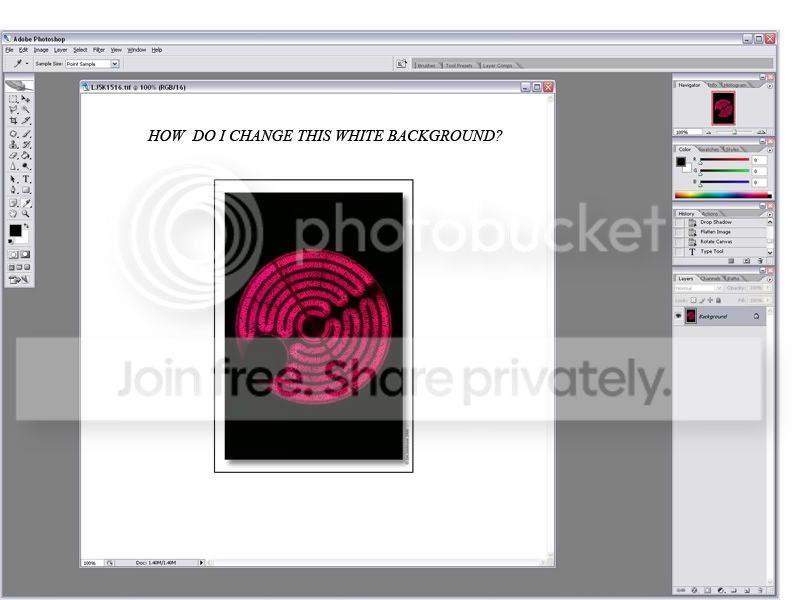
Select the colour you WANT it to be as your foreground colour, then using the Paint Bucket tool, hold down SHIFT and click into the white 'background' area that you want changing.
It keeps this preference between files too
Hope this helps.
If not, allow me to answer
Select the colour you WANT it to be as your foreground colour, then using the Paint Bucket tool, hold down SHIFT and click into the white 'background' area that you want changing.
It keeps this preference between files too
Hope this helps.

Marianne
Suspended / Banned
- Messages
- 3,125
- Edit My Images
- Yes
if you go edit/preferences/general and click through the otions you can set as default the colour you wish.. 
as it is late i am now going to open up PS to check
its called transparency and gamut
if you reset to defaults settings make sure you change the number of undoes to about 50 !
as it is late i am now going to open up PS to check
its called transparency and gamut
if you reset to defaults settings make sure you change the number of undoes to about 50 !
- Messages
- 29,411
- Name
- Marcel
- Edit My Images
- Yes
if you go edit/preferences/general and click through the otions you can set as default the colour you wish..
It aint there

That's where I thought it would be at first, but only the Transparency, and the Guides/Grid/Slices colour changing options are held in there.
- Messages
- 29,411
- Name
- Marcel
- Edit My Images
- Yes
hmmm...I'm going back in....

I know that feeling.....Click > Load CS2 > Make brew
